 By Ben Davies
The trip to the Bett Show has always stirred feelings of both excitement and anxiety and this year's trip was no different. The excitement stems from the chance to spend the day immersed in education technology
 By Ben Davies
The trip to the Bett Show has always stirred feelings of both excitement and anxiety and this year's trip was no different. The excitement stems from the chance to spend the day immersed in education technology
 At last! Or, to use the vernacular, woo hoo! The latest edition of the Digital Education ezine is now out. It contains a round-up of products seen at Bett, articles on girls and women in technology, loads of links and book reviews. Here’s a detailed list of the contents:
 You might think that a book about making money from your writing other than from royalties has nothing much to do with teaching Computing, but it definitely has, for a number of reasons.
 Whether you're a newly qualified teacher starting out on your career, an experienced classroom practitioner, or somewhere in between, you will find something to take away from Terry Freedman's digital publication Go On Bore ‘Em, says Ben Davies.
 I thought I’d explore Comic Strip Creator, which is a program you can use to create comic strips, funnily enough. Here are my initial thoughts:
 Mr. Freedman uses his extensive experience to write a clear and concise booklet on the different ways he has observed teachers instructing their students straight into boredom purgatory. But, he also explains how the lesson could have been changed to make it more interesting.
 I received a very nice review from Jacqui Wilson, a classroom teacher in Tasmania. Is a book about what made ICT boring still relevant if the focus is on Computing? Well I think so, because the issues I highlighted with respect to ICT are in danger of arising again with respect to Computing. Anyway, read what Jacqui says about the book.
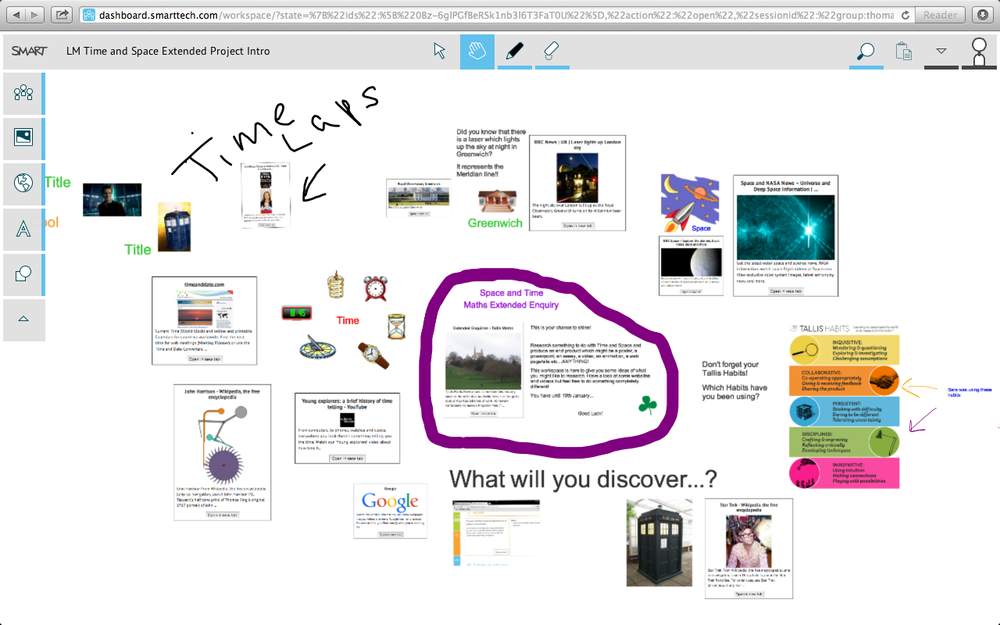 SMART Amp is an application designed to facilitate collaboration across a range of devices. Ellie Gregson, a Year 10 student, discusses what was good, and what was not so good, about its introduction into her lessons.
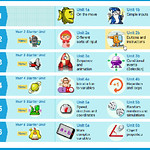 This application is designed to teach Computing at Key Stages 1 and 2 (a more sophisticated version for older pupils is being worked on).
What struck me immediately on using it is the amount of guidance available, both in verbal form and videos. There is quite a large range of modules to choose from, including “Starter” ones which take you through the basics and, where appropriate, recapitulate what has already been learnt.
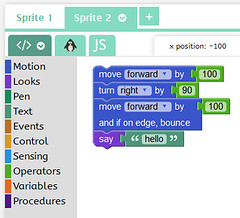 As usual, I gave this application a workout without seeking help from a manual or anything like that – which is just as well because there does not seem to be a comprehensive manual.
There are three applications in one: JIT5, LOGO and Visual. This is quite useful because if you are familiar with LOGO but not JavaScript, you can start pupils coding in an environment that is familiar to you. Also, if you teach very young children, JIT5 is highly visual and colourful.
An advantage of J2Code as a whole over 2Code is that it covers the age range from Key Stage 1 (5-6 year olds) to Key Stage 3 (13-14 year olds).
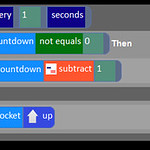 2Simple’s answer to the question “How can we teach coding to little ones?” is 2Code. The first thing that greets you when you go to the 2Code section of Purple Mash is the plethora of files to open.
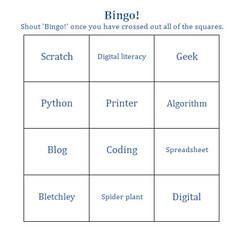 Go on, admit it: you still create worksheets, right? If you do, and you use Microsoft Word or OpenOffice to do so, you’ll find Teacher’s Pet very handy. It’s basically a set of macros that can transform lists of words into several different types of puzzle or test item.
 When I first picked up this book I made an error of judgement. Noticing that it seemed quite slim, I thought I could finish reading it in just one or two sessions. However, what I had not counted on was the book’s living up to its title. In short, it made me think. It made me think about what the author was saying in its own right, that is whether or not I agreed with it. It also caused me to reflect on my own practice as a teacher and, now, as a consultant.
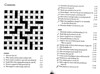 You could argue that crossword solving is a very good example of computational thinking. That is certainly what the security services thought during WW2 when they asked The Times to send them the names of anyone who could solve a cryptic crossword they’d supplied in 12 minutes or less. Those that did were invited to work at Bletchley Park, cracking codes for the war effort.
Updated! Discounts, competitions, news of events coming up, commentary, and advice about internet safety! And it's completely free!
Here’s what this issue contains:
 Is it really a week since I came trudging home from Bett 2014? I'm still in catch-up mode, which is why I haven't yet published my thoughts about the experience yet. But, I'd love to hear yours.
Please take just a few minutes to complete the Google Form below. My intention is to collate and share the findings.
 I’ve been looking at the Google Chromebook, and I have to say I am seriously impressed. There’s a lot of talk about tablets these days. I myself have promoted the idea of Bring Your Own Technology, which usually means a phone or a tablet. But the Google Chromebook is worthy of consideration, whether for yourself, or whether you’re considering taking your school into the mobile future.
In order to thoroughly evaluate the Chromebook from a school perspective, I not only used the device myself, but interviewed Bruno Reddy, Head of Maths at the King Solomon Academy in London, and Jaime Casap, Global Education Evangelist at Google.
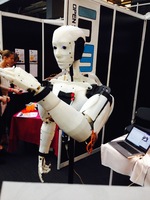
Hi, Richard Smith here from Igloo in Education. I am delighted to have been asked by Terry to do a guest blog post on the 3D print show that took place in London from 7-9th November.
The venue of the event, the Business Design Centre in Islington, sent out a clear message out to visitors: 3D printing should be about innovative design and the encouragement of original business ideas. Of
(c) Terry Freedman All Rights Reserved