I've just been checking my Google Reader subscriptions., and came across this interesting post from Social Guy. It contains 50 'netiquette' rules for students, categorised into General, Twitter and Facebook. Helpfully, there are sections devoted to job-seeking and grammar as well.
Observe the rules of etiquetteI don't agree with all of these 'rules'. For instance:
Substituting “2″ for “to” looks like you’re in junior high.
Well, perhaps, but it also saves one character, which could be crucial!
Another one:
You might think it’s nice to send an automatic message every time someone follows you, but it actually makes you look lazy and unengaged. Social media is about the personal effort behind the connection.
I agree, but not responding at all for a while also makes you look unengaged.
I shouldn't use this set of rules completely out of the box, but as a very useful starting point for discussion with students.
I find two aspects of the current situation surprising. (In case you're reading this in 10 years' time or something, the 'situation' is that a volcanic eruption in Iceland has thrown a huge cloud of ash and smoke over half of the western hemisphere, resulting in a flying ban over Western Europe.) This has resulted in thousands of teachers being stranded abroad, leaving schools in the position of probably having to close unless they can get enough cover teachers in.
The first surprise is that nobody in the media has, as far as I know, accused teachers, headteachers and the entire educational establishment of gross irresponsibility. Last year, when some schools had to close because of the weather conditions, the papers were full of rubbish about how schools had wimped out. The facts that (a) the Met Office had issued severe weather warnings and told people not to make journeys unless they were absolutely necessary, and (b) that the transport system itself had all but collapsed in some areas (I was due to give a talk in Nottingham and couldn't even get to the station!) completely escaped them.
So here we have this volcanic ash cloud, which you can see in this video:
OK, so teachers can't fly back to Britain and their schools. Couldn't they hire a boat? Or knock up a raft? Or swim? It's only a matter of time before some in-depth report proves that all of these options were possible.
More seriously, here's a question, and this indicates the second thing that surprised me in a way. Given the investment in ICT over the last couple of decades, and the ubiquity of devices like web cams, and wireless broadband, why should schools and teaching and learning be disrupted, as opposed to inconvenienced?
To put it another way, what has not been done to make continuing schooling possible, even in the event of this kind of situation? I'm not saying this as a way of knocking schools, or to be provocative: it's a genuine question. If we can figure out why we can't almost carry on as normal in this sort of extreme situation, it ought to be possible to work out what is needed to ensure that the use of technology is truly embedded in educational practice in more normal circumstances.
It's a GOOD serviceAs people who travel in London will know, the section of Transport for London responsible for running the tube service feel the need to continually announce that they are running a good service. If an individual were to exhibit similar behaviour you would probably conclude that they were suffering from deep feelings of insecurity. Such a neat diagnosis would be shattered, however, upon hearing the announcement I heard a while ago:
We are running a good service, apart from the delays and cancellations.
Well, if it's good enough for TfL it's good enough for me! I'm running a good service here apart from the lateness of the latest issue of the newsletter, Computers in Classrooms, and an article on change management planned for today (I'm sure there's a bit of irony there).
The reason for the delay is that I was contacted on Friday and commissioned to do some work by today. That wouldn't have prevented the newsletter coming out this morning, were it not for the fact that as I was about to send off the completed work, I discovered that it had disappeared. I have no idea what happened, especially as I am assiduous in saving my work every few nanoseconds. I finally limped into bed at 01:40, having typed it all up again.
Handy hint: Never mind about the paperless office and going green: always print out your work when you've completed it. Not only is it easier to proofread, but you have something to copy from should a disaster similar to the one I've just related befall you. Fortunately, last night I had done just that, so all I had to do was copy rather than think: much easier when it's past midnight.
Getting back to the newsletter, the issue I'm working on features some great articles from wonderful guest contributors. You can read more about that, and sign up for this fantastic free resource, by looking at the announcement I made last week.
Another (good) reason for delaying the newsletter publication is that a few things cropped up towards the end of last week that I want to include, so I am still doing a bit of delving. That means, incidentally, that if you happen to know of any schools or teacher/groups that are managing to continue lessons using technology, to get around problems caused by the flying ban due to the volcanic cloud, I'd be delighted to hear from you.
If you're going to bring about real change in an organisation you have to have a plan. You need a vision, of course, and you have to engage people and get them excited about the vision. But if you don't have a plan then nothing much will come of it. As the old saying goes, failure to plan is planning to fail.
I feel embarrassed writing that: it ought to be a no-brainer. Yet I can't count the number of times I've sat in meetings and heard the team leader say, "OK, so by next month X will have happened. What's the next item on the agenda?", to which I've piped up: "Er, exactly how is it going to happen?".
Planning is essentialMuch as I'm slightly suspicious of targets and deadlines and milestones, the inevitable paraphernalia of rigorous planning, there is no doubt that they are necessary. (The reason I'm 'suspicious', by the way, is that it is all too easy for the targets to become ends in themselves, divorced from the context in which they were conceived, and therefore unrelated to the actual point of it all. A good example of this is how some police forces in Britain instruct their officers to return to the police station an hour before the end of their shift in order to complete a report about how much time they've spent, and who they've met, in the community.)
Good planning consists of the following elements:
Having SMART targets in place, ie targets that are Specific, Measurable, Attainable, Relevant and Time-related.
Having deadlines in place for their achievement.
Where necessary, having 'milestones' in place, ie key events, with dates, by when things should be achieved in order to keep on track.
Knowing who is going to be responsible for what.
Having a mechanism whereby progress can easily be recorded and viewed. I think for a lot of purposes you don't need dedicated project-management software for this: a spreadsheet will do the job if used properly.
Above all, having regular and frequent review meetings to see if the work is still on course to be completed by the agreed dates, and if not, the reasons for that, and what might be done about rectifying the situation.
These are not the only considerations. In order for the plan to be effective, team members must have a large say in its construction. I hate using buzz words like 'ownership', but in this case it really is appropriate: if people feel they're just being 'done to' then it may be hard for them to feel fully committed.
There should also be a no-blame culture. If people feel they're going to have strips torn off them if they admit to not having achieved something, or if there's a shoot-the-messenger culture, most people will simply take the easy way out and say nothing. That merely stores up problems for the future.
Finally, I think that as far as any planning involving technology is concerned, the flexibility to change or reinterpret goals is vital. When I worked in a Local Authority, each team had a one year plan which was derived from a three-year educational plan which was derived from a ten year community plan. Given that ten weeks is a long time in educational technology, feeling restricted by plans laid down ten years ago is madness. You may not be able to change the goal itself, but you may be able to change how its interpreted. For example, a goal like 'get parents more involved in their child's education by attending parents' evenings' might be interpreted in terms of checking their child's progress online and taking part in web-based discussions with their child's form tutor.
Certainly, spending plans should be revisited frequently. For example, a three year plan to equip every classroom with an interactive whiteboard may need to revised in the light of the entry of 3D projectors into the market.
The key thing in all of this is discussion, discussion, discussion. It may seem to slow the whole process down, but I think if you're hoping to achieve non-superficial changes that last, there really is no alternative.
Here's an update to the announcement I made a few days ago. I'm still working away at producing this edition of the newsletter, which has been a little delayed because I've expanded it somewhat since I last wrote about it.
For a start, the review of Tagxedo, the new word cloud generator, has grown into a comparative review of four such applications, including an in-depth exploration of one of them. In fact, far from being a novelty item, this could help you address some of the data-handling requirements of the curriculum, and help to get colleagues on to the educational technology train as well.
I have also been able to include an interview with Melendy Lovett, senior vice president of Texas Instruments and president of the company’s worldwide Education Technology business. We discuss the decline in the number of students going into STEM (Science, Technology, Engineering and Mathematics) subjects at university, especially girls, and how it's affecting our economy.
There will also be at least the first instalment, and possibly the second as well, of a new series I'll be starting aimed at colleagues who wish to become a better ed tech leader.
All this plus news and comment, as well as the other articles I mentioned in my earlier announcement:
Why teenager Maddi from Australia loves ICT.
Why teenager Ethan from England loves his iPhone, and thinks he should be allowed to use it in school.
Headteacher Jeff Lewis on his love of educational technology, and how that's reflected in his school, and the work of the Leading Leaders Network.
Why educational editor Peter Robinson is a trifle cynical about Harnessing Technology and techno-evangelists.
And why ICT consultant Doug Woods thinks that technology could and should help students ask questions.
I am going to pull out all the stops and try to get it completed so you have plenty of weekend reading to keep you busy! That's assuming you're a subscriber, of course! Otherwise, why not sign up using the form below?
These days, doing a good job as an ICT or Technology Co- ordinator/Subject Leader is not enough. In order to get on in your career, you have to be seen to be doing a good job. In this series, Alison Skymes looks at ways of making a good impression.Today: learning how to write efficiently.
Alison SkymesAnyone can write, right? Um, think again! A lot of people equate "long" and "unfamiliar" with authority. In fact, the opposite is usually true. Writing should be plain, simple, and well-structured, and fit for purpose. Simple really!
There is nothing rocket science-ish about this. The main question you have to ask yourself is: do you want people to actually read what you've written. If the answer is "no", and you intend your long-winded prose to "bury bad news", I'm afraid I can't help you.
So, assuming that your motives are honest, here are 7 useful tips.
1. Avoid jargon. Jargon is any specialist term that non-specialists are unlikely to have heard of, or may they have heard of it but without really knowing or understanding what it means.
2. Avoid adverbs. Most of the time you can take out words like "really" or "very" -- what, for example, is the difference between "useful" and "very useful"? Either it's useful or it ain't. The only time a relativistic approach makes any sense is when you compare two or more things. Thus, if product X is useful, and product Y is even more useful, that's fine.
3. Avoid speech mannerisms like "In fact". If it isn't a fact, why bother to say it?
4. Summarise, summarise, summarise. Why should any concept or proposal take more than half a dozen bullet points, or maybe a side of Letter or A4, to explain? In fact (oops, sorry!), why not send it as a single text message?
5. Structure the document (1). For example, have a summary at the beginning. That way, your audience can read that and then skip the rest until they have more time. Or they may even decide they don't need to read the whole thing at all.
6. Structure the document (2). For example, insert a table of contents. Even if the document is only 10 pages, or even 5 pages, long.
7. Structure the document (3). The first paragraph of the document, or of each section, should set the scene and tell the reader all they need to know.
If you wanna stay on the right side of your boss, don't try to be clever: the simpler you make things, the more intelligent and indispensable you will appear.
What's better: Wordle or the new kid on the block, Tagxedo? Each has plenty to recommend it, but what's the best one to use?
I've been putting Tagxedo through its paces, and written up my findings in the latest edition of Computers in Classrooms, which will be available later today.
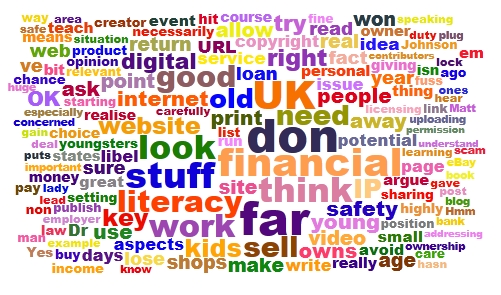
What's this meant to be? See the newsletter article for full details.
Subscribe to the newsletter
If you'd like to receive the newsletter by email, please complete the form below. We use a double opt-in system, which means that you will be asked to confirm that you wish to subscribe. The subscription is free.
The newsletter archive
If you like, you can have the newsletter delivered to your news reader. Just subscribe using the button below.
Geotagging is the term given to the adding of geographical metadata to photos, videos, tweets, websites and other media. This ' metadata ' can include longitude and latitude, and other attributes such as altitude. There's a fuller version of this summary information over at Wikipedia , but let's think about the applications of this technology in school.
You can geotag photos, which is a fancy way of saying that you can embed geographical metadata into your digital photos. Have a look at the information -- the metadata - shown below for two photos. One important difference between the two is that the one on the right includes information about where the photo was taken.
Spot the difference
There are several ways of entering this information in a photo. One is to buy a camera that does it automatically. That's still a bit of an expensive option. Compact models are starting to appear at a price which makes it feasible to consider having two or three in a school for lending out to classes, but not one per class, much less several per class unless the school has a clearly thought-out policy regarding the purchase and use of handheld devices. (For example, Scargill Junior School uses sets of SmartPhones for geotagging photos.) This is a clear example of where allowing youngsters to use their iPhones would make perfect sense, if managed carefully. If the kids have the technology, we should be providing educational opportunities for them to use it. Seems like a no-brainer to me. (There's a good article in the early-April issue of Computers in Classrooms in which a teenager describes how essential his phone is to him. I believe he sometimes even uses it for talking to people!)
Another option is to place your photo on a map in Flickr . This works well, but can be a cumbersome process if there are lots pf pictures to process. Obviously, it would be a good idea to make this process an educational activity in itself: something the geography folk could get involved in perhaps? There's a geotagging group on Flickr , with links about how to use the mapping facilities there.
Yet another approach is to but a wi-fi-enabled storage card, which is what I hope to experiment with soon. This looks like a brilliant option. It's not exactly cheap, though, and at the moment it seems to me that you'd get better value for money by purchasing a new gps-enabled camera than one of the full-works eye-fi cards, even though it would cost you more. I think this is an area where careful research, and some patience, are required.
So what can you actually use geotagging for in education? One obvious answer is anywhere that mapping is relevant. For example, a presentation about a school trip can be made to come alive by placing the photos taken on a map. And school excursions can themselves be made more exciting by the use of geocaching , which is essentially a treasure hunt that makes use of GPS-enabled devices to find hidden objects.
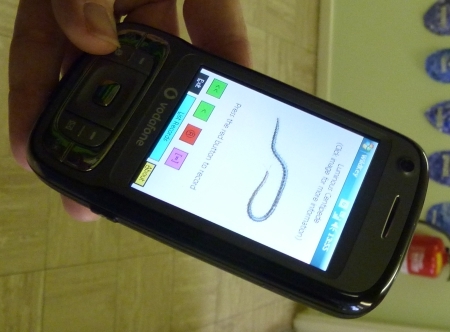
Get SmartExploration of different habitats in the local area or school grounds can include geotagging the photos taken. In Scargill Junior School, mentioned earlier, the children use the SmartPhones to take pictures of minibeasts , and the exact location of the insects is recorded at the same time, enabling them to find them easily again, and to place them on a map.
Anything involving measures of distance or altitude will not only thrill the geography teacher, but will be welcomed with open arm by the mathematics teachers too. For history teachers, also, the use of geotagging to explore where past battles took place must be an exciting prospect. You could also bring in a discussion of the impact of information technology on society: in England during WW2 rural place names and signposts were taken down so that the Germans would get lost if they managed to land on our shores. (See this set of Yahoo! Answers , especially #3.) How useful would that bluint approach be in this day and age?
Even the artists can get involved. You can find out how by going to Lesson Planet , where a multitude of suggestions for geotagging and using GPS-enabled devices will be found. You have to log in to find out the detail, but there are pages of ideas which subject specialists should be able to make sense of.
An example of geotagging you may have come across is the Clustr map . Seen on numerous blogs , this is a map showing where visitors have come from. Variations may also be found on widgets which proclaim when the last visitor arrived on the site, and where they are accessing it from, and the sort of thing I experienced when taking part in a Classroom 2.0 Live discussion , when as people joined the discussion they were invited to enter their location on a world map.
This kind of thing is, I have to say, terribly exciting! It's fascinating to see how many people in different parts of the world are looking at your stuff. It engenders a sense of curiosity ("What country is that ?" ), and even a sense of responsibility: in some cultures some of the things we say and do would probably cause deep offence.
OK, so geotagging is fun, and educational, but where does Web 2.0 come into it? I think there is the obvious answer that the sort of thing I just mentioned msakes it interesting and more meaningful to collaborate with other people from a different location. On a more everyday level, it's possible to take a photo of something, say a restaurant, review the thing you've taken a picture of, and upload both to a site where anyone looking for a restaurant (say) in that area will come across your review and photo.
My own view is that geotagging is not so much an example of a Web 2.0 application in itself, but it is certainly one that can enhance what I would call the 'Web 2.0 experience'.
Came across this fantabulous article via a tweet by @educatoral. Whilst it's not directly about geotagging as such, it gives you a great idea of the kinds of thing that you can do with Google Maps, thereby taking advantantage of geotagging data and principles.
I love the possibility of being able to superimpose a spreadsheet onto a map (#1 in this list). What a brilliant mashup!
These days, doing a good job as an ICT or Technology Co- ordinator/Subject Leader is not enough. In order to get on in your career, you have to be seen to be doing a good job.
In this new series, Alison Skymes looks at ways of making a good impression.Today: knowing when to be brief.
Alison Skymes
Many people make a big mistake when talking to their boss: they give what teens refer to as (albeit in a different, and usually seedier, context) TMI: Too Much Information. Unless your supervisor is a nit-picking, ultra hands-on, overbearing fool who is obsessed with operational rather than strategic matters, she just doesn't need to know it all, and what's even more important, she doesn't want to.
Sounds counter-intuitive, right? Well, put yourself in her shoes. She gets up at 5 am and does a pile of reading over breakfast. Arriving at work at 7am, she is confronted by the caretaker having a moan about someone flooding the boys' toilets -- again. 8.30 am comes and Mrs Grimes has phoned in sick, and her class is supposed be on a museum trip today. Then the bell has hardly stopped ringing when -- but you've got the picture by now, yeah? Do you really, honestly, hand-on-heart believe that she is gonna be interested in your 80 zigameg broadband connection?
Tell you what the boss will be interested in though:
Anything which gets the school a good press.
Anything that makes it more appealing to parents.
Anything that is likely to raise grades.
Anything, in short, that is going to make your boss look good.
So, you need to bear two things in mind before you go talking to your boss or write a report:
Fact: she is busy. Really busy.
Fact: she has taken the "what's in it for me? attitude to the next level.
Knowing these facts makes writing a progress report a cinch:
1. Never write more than a side of A4 or Letter-size paper -- and no cheating by using a size 5 font with no margins.
2. If you can, try and restrict yourself to half-a-dozen bullet points. Heck: go the whole hog and reduce it to a single tweet.
3. Lose the technicalities. Instead of writing, "We now have an 80 zigameg broadband connection", say "Teachers and students will now be able to access high quality resources from the internet -- all at the same time and in less time than it takes to blink."
But -- and this is of major importance -- always have the full story available at the click of the mouse just in case your boss wants more detail.
One of the stories featured in the next edition of the Computers in Classrooms newsletter is about driverless cars. This is at once both exciting and terrifying, so I think it will be interesting to look at under the topic heading 'technology in society'.
The concept is not new, of course. Work has been going on in this area for a few decades. Here in London, England, we have the Dockland Light Rail, which can do its thing with no driver.
So, in case you're intending to read that article, here is a video I made back in 2006 about the Dockland Light Rail. Think of it as an advance organiser, cf Ausubel. (If you're not familiar with that idea, take a few minutes to go through the SlideShare presentation below.)
I was looking for a particular video I made, to illustrate an article about the forthcoming edition of Computers in Classrooms (the fantastic free newsletter available only from this website), when I came across this video about email.
I think it was the first video I ever made for the internet, and as it was my first attempt I got the video settings wrong. In addition, there was no script, just Elaine and I looking through old emails to see if anything had changed. It was our way of celebrating ten years on the web, back in 2005 (it's ok, I know: we really do need to get out more).
Anyway, it's so boring that it's quite funny. Well, I think so anyway.
It includes one of those awful spam emails which contain just random sentences, except that back in 2005 I don't think I'd quite cottoned on to the fact that it was spam.
Elaine had suggested a friendly wager, that the emails would reveal that nothing had changed over ten years. I think I would say that she won.
I'll leave you with one final thought: what can be sadder than the fact that in 2005 I still had emails going back to 1996? How about the fact that, five years later, I've still got them?!
Well, we all need a hobby.
On a more serious note, I do find it interesting, every few years, to look through old emails to find out what I was concerned with, and what the burning issues of the day were. We lose too much personal and organisational history in today's ephemeral society, which is a pity: it's good to reflect on the journey now and again.
Your editor hard at workI'm currently working on the next issue of Computers in Classrooms, which is due out today! However, what with juggling between doing paid work, sorting out cats, writing a stupendous article about financial literacy (well, I liked it), and fighting the urge to just get out and enjoy the sunshine, progress is somewhat slower than anticipated.
But it will, I hope, be worth waiting for. Here's what it contains:
A review of Tagxedo, the Young Pretender to Wordle's throne.
Some important announcements, of competitions and a new series -- and, of course, the Amazing Web 2.0 Projects Book.
Let them ask, by Doug Woods, a great article about technology's role in questioning.
An article about driverless cars, by yours truly. (I haven't thought of a snappy title for it yet.)
ICT: A whole new world, by teenager Maddi (the only teen I've 'met' who actually enjoys her ICT lessons!).
The importance of mobile phones in education, by Ethan Davids, another teenager, who is almost biologically connected to his iPhone. Hear what a cell phone means to a teen, from the horse's mouth (no offence, Ethan).
Becta’s Leading Leaders Network: A Personal Journey, an extended essay by Jeff Smith, a Headteacher.
All that, for the princely sum of zilch, nada, nothing, zero. In other words, it's free! All you have to do is (a) complete the form below and then (b) confirm it by email. It will take a matter of minutes.
And while you're doing that, I will get back to the grindstone, in the hope of getting this out before midnight.
There are sharks out thereFinancial literacy. Here is a great opportunity to address two pressing concerns at once: financial illiteracy amongst some youngsters, and one particular area of digital safety. Yet in trawling the internet and skim-reading a few documents, the only reference I could find to teaching young people about guarding themselves against financial predators on the internet , as opposed to sexual ones, was in an Australian paper published in 2003!
In my opinion, the usual sort of financial literacy 'curriculum' really fails to hit a few important spots. Yes, teaching kids how to manage their budget is obviously a good thing, but how is learning how to take out a bank loan useful for an 11 year-old? As far as I can tell, every financial literacy course includes this topic; that link is just an example.
I looked at the financial literacy page on the Teachernet website , and found that three of the links either don't work at all or lead you to a holding page -- and one of the defunct URLs belongs to an organisation that is supported by the Financial Services Authority. Hmm.
And looking at several examples of financial literacy syllabuses, how is learning how to set up and run a coffee shop/video rental shop/clothing store of any use or interest to an 11 year old?
I can speak with some authority here, as someone who, 15 years ago, was setting exercises and projects involving the setting up and running of video shops, record shops and tuck shops. (Do any of those things even exist now, as far as anyone under the age of 30 is concerned)? Admittedly, the team-working aspects of such activities are worthwhile, but even in those days I was of the opinion that the Young Enterprise scheme was far more useful, through being more relevant to what the youngsters themselves wanted to do.
Times have moved on, but the financial literacy syllabus hasn't. I used to teach Business Studies, in which I had to educate the kids about the differences between a loan and an overdraft, and between stocks and shares. I had serious doubts about the usefulness of it all, and still do -- except that at least now there is a chance to do some real buying and selling, on the web. Or, if that is a step too far, at least to deal with real, relevant and important financial issues which actually do, or could, affect the youngsters in your class right now.
So here are my 11 suggestions for inclusion on a digital financial literacy course:
As a consumer (user) of stuff on the web, understand what is meant by copyright, licensing and attribution. Using someone else's stuff without permission, or failing to acknowledge use of it when it is allowed, is not only morally wrong but is potentially a criminal offence, and almost certainly grounds for civil action for damages. The fact that these scenarios are unlikely to materialise is irrelevant. We have a duty to teach kids how to keep themselves safe -- not only personally, but legally and financially too.
As a producer (writer, artist or inventor), understand the difference between licensing your work, and giving it away. I've looked at websites in which the small print states that by uploading content to the website give ownership to the site's owner. I don't care how much potential income or exposure they are promising, it is never a good idea to give away ownership of your creations except in special circumstances with carefully worded agreements that both sides agree on.
So licensing your work is OK, right? Well, not necessarily. Get that magnifying glass out again and take another look at the small print. If it says that by uploading your stuff you grant the site owner a licence -- forever -- to do what they like with it, you need to think about that pretty carefully.
Some websites even go so far as to say that you give them the right to sell anything you upload, without even acknowledging you as the creator. So that's a double whammy: not only do you lose out on potential income, you lose out on potential further work too because people won't get to hear of you as being the creator.
So you think I am making one huge fuss over nothing? I realise that I am showing both my age and evidence of my misspent youth here, but you only have to look at the Superman copyright story to realise the sense in what I'm saying.
Who owns the copyright anyway? In the UK, if you create anything as part of your work, your employer owns the copyright. That means that you don't have the right to do anything with it, or allow a third party to do anything with it, without your employer's permission. You might be able to argue your way out of it after the event, but it will likely be a time-consuming, financially debilitating and career-limiting procedure.
So who owns the intellectual property (IP) in stuff that a child creates? The answer isn't straightforward, as a perusal of this document will reveal (read especially the beginning, and the concluding paragraph). Irrelevant? Unlikely? I don't think so, if the young lady we spoke to in this video at Stephen Heppell's 2008 Be Very Afraid event is anyone to judge by.
Copyright and IP is a minefield, so don't take my word for it as I'm not a legal expert. But that's precisely my point: we need to get it across to kids that this is a serious business, and that they shouldn't allow themselves to be exploited for financial gain. They need to look at the fine print, and get adults to look at it too. In fact, whenever I invite a young person to write for my website, I always ask them to make sure their parents and/or teacher is happy with the arrangement. I think that's good practice. And I don't ask contributors to give up any rights, only to allow me to publish their article in my newsletter and on my website.
So how about writing for no return? Generally speaking, I think a good starting position is that of Dr Johnson:
"No man but a blockhead ever wrote, except for money."
That puts me a bit of a difficult situation, in that I don't pay contributors. And it makes me look like a hypocrite because I contribute to other blogs for no financial return. The key thing is to look at each situation on its merits and to broaden Johnson's approach to the fundamental question:
What will I get out of it?
Writing for no financial return should be a conscious choice, not an imposed or assumed position. But I would argue that if you are going to write for no money, make sure you get something out of it, such as a plug for your website or blog.
How can I sell stuff over the internet? If you sell digital goods, you need to find a service that will generate a temporary URL, ie one that expires after a couple of days and which can be used only once. Otherwise, how do you avoid someone simply sharing your download URL?
So what can you do about someone sharing the product itself? And how could you even find out they were doing so? Now, you may believe that it's OK for people to pirate your stuff, but the issue here is one of choice. There are definitely potential benefits from giving stuff away, even if you're selling it (see, for example, The Pirate's Dilemma ; its author, Matt Mason, gave a compelling talk at the 2010 Games-Based Learning Conference). And it may ultimately even be futile to try to lock everything down. But a key element of digital financial literacy is knowing about the issues involved and being able to discuss them and make informed decisions about them.
How do you buy and sell over the internet? Is Paypal a good service? How do you compare such services? How does eBay work? How do you try and prevent yourself being ripped off, either as a buyer or a seller?
How do you recognise an internet/email scam? What are the emotional and financial consequences for their victims?
As a subset of this, how can you avoid being the victim of identity theft? And what can you do about it if you are?
Where do you stand as far as libel is concerned? In the UK, the libel law is such that you can wind up bankrupt even if you're telling the truth! It doesn't even matter if you publish stuff on a non-UK website: if there's a chance it can be read in the UK, someone can take you to court in the UK.
What that means is that you have to be really careful when reviewing a book or some other product or service if you decide that you don't think too highly of it. Again, it's a complex issue, and I'm no lawyer, but the point is that students need to know that not being a UK citizen won't necessarily protect them.
How is personal reputation likely to impact future employment and earnings prospects? If you want to get young people to understand why it's not a great idea to post photos of themselves in various states of inebriation or other compromising situations, maybe the old adage 'Hit 'em where it hurts' -- ie their pockets -- would prove more efficacious than only talking about personal safety, especially as everyone under 25 thinks they're immortal. Obviously, continue to emphasise the personal safety aspects, but introduce the longer-term financial considerations as well. A two-pronged approach can often be effective, generally speaking.
I don't think this is necessarily a comprehensive list, but I think it's a good starting point. By addressing digital financial literacy, we would also be addressing key aspects of e-safety. The two things, far from being mutually exclusive, are highly complementary.
What do you think of these points? What have I left out? Feel free to leave a comment.
These days, doing a good job as an ICT or Technology Co- ordinator/Subject Leader is not enough. In order to get on in your career, you have to be seen to be doing a good job.
In this new series, Alison Skymes looks at ways of making a good impression. Today: generating a buzz.
Alison SkymesBefore I look at this, I just gotta tell you something that neatly follows on from what I was going on about last time. I ended my piece by saying you should use a spell-checker. Well, it's a pity that an IT consultancy company I came across didn't take my advice. Their "representative" (actually, some 20- something studenty-type) thrust a flier into my hand.
I read it because I had nothing better to do at that particular moment. So here's what greeted me:
"Benefit from Consultancy from the proffesionals."
Why does "Consultancy" start with a capital "C"? Why is "professionals" spelled incorrectly? Why is the word "from" used twice in the same sentence?
Those aren't the only errors, of spelling, grammar and sentence construction. Now, maybe I am looking at this the wrong way, but if these people can't even be bothered to take care over their own flier, can I really trust them to look after my IT systems? Doesn't exactly inspire you with confidence, does it?
OK, on to today's topic: creating a buzz. Here are 7 points you need to know:
1. Question: what's creating a buzz got to do with creating a good impression? Answer: plenty. Looking at it from your boss's point of view, she has spent gazillions on educational technology: the least you can do is get people excited about using it. Because, at the end of the day, that's the only thing that really counts anyway. If the technology is being used, and people are excited about using it, that will create a warm glow in the hearts of the powers that be. And that can only be a good thing, especially when it comes to dishing out the money.
2. In case you're still not convinced, take a leaf out of the politicians' book (yeah, yeah, I know). Basically, if you can't or won't actually do anything, then at least shout about it. Of course, this approach is fine for politicians for whom the long run doesn't exist. Ideally, you should have something behind the "spin". But my point is this: Woody Allen said that 80% of success is showing up. I say that 90% of the remaining 20% (is your head hurting yet?) is telling people about it, whatever "it" happens to be.
3. Make your space welcoming. Most computer labs look like something out of Stalag 17: full of notices telling you what you cannot do. How about some positive posters telling you what you can do -- and how to do it? Hey, and don't forget to include lots of examples of children's work: posters from the journals may be colourful, but they don't generate buy-in from the kids or their parents, and so they don't generate buzz.
4. Not if but when. If you say to a student "If you go on to take this subject at a higher level...", or "If you do well in this subject...", you're suggesting there's a possibility that the opposite will be the case. Be positive. Set your expectations high. People have a tendency to live up to, or down to, the teacher's expectations. Nobody ever created a buzz by making everyone else feel depressed.
5. Do some exciting work. It is possible to think outside the box and still meet all the National Curriculum requirements, or the equivalent standards in your country. Don't bore the pants off the kids: what have they ever done to you?
6. Put on exciting events. At open days or parents' evenings, have an automated rolling display, like a SlideShare or PowerPoint slide show, or a video containing interviews with the students saying how great the course is. Probably best not to bribe or threaten them though.
7. Above all, enjoy yourself. Enthusiasm begets enthusiasm. Be upbeat about what you do, and what the kids and your team are doing.
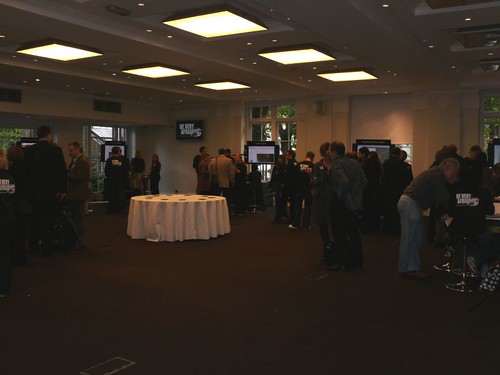
On 27 October 2008 I attended my first ever "Be Very Afraid" event. Established by Stephen Heppell a few years ago, the idea of this occasion is, as I understand it, to give us teachers and educationalists a kick up the rear end -- in the nicest possible way, of course!
The premise, in a nutshell, is that kids can do, and are doing, fantastic things, and we ought to know about them. Well, that has always been my guiding principle, so the idea of the event appeals very much. So, did the reality live up to the promise?
I made several videos with children and young people at the event. Here they are; judge for yourself.
Before attending the event, I'd been under the impression that the focus would be on brilliant things the students were doing with educational technology. As it turned out, much of the students' ed tech skill set was pretty low level in my opinion. But the remarkable thing (which I don't regard as that remarkable, to be honest), was the extent to which the students were self-taught. Also, the uses to which they were putting their skills and the technology were noteworthy.
Articulate and enthusiastic
But the thing which stood out for me was how articulate and enthusiastic the young people were. You'll see this for yourself when you watch the videos. The eleven year old girl, for example. I was actually at that stand for close to an hour, and while she was explaining everything she had done, in minute detail, the ICT advisor from the area was chuckling away in the background, every so often giving me a look as if to say, "You;re going to be stuck here all afternoon!"
Or take the seven year old boys. They were dead tired, and their teacher had to do most of the talking, but even so they had a good stab at saying what they'd been doing.
And a thirteen year old girl from Juliette Heppell's class was so articulate that I asked Juliette if she worked in a very expensive private school. As it happens, her school is an ordinary school in an ordinary area in west London.
Why I enjoyed the event
I enjoyed the event for several reasons.
First, it was a great chance to talk directly with young people, all of whom were delightful.
Second, it's wonderful to meet kids -- and teachers -- who are excited about what they're doing, who have not been ground down by thoughts of league tables and the other 5,000 things that schools have to worry about these days. (Last year I did a back-of-an-envelope calculation and worked out that there were at least 40 ICT-related initiatives or sets of rules and regulations presented to schools over the last few years; I say "at least" because I stopped counting at 40.)
Third, it afforded an opportunity to meet up with people I know, although the chats I had with them were fairly brief because we all wanted to talk to the young people and their teachers.
One of the things that made the event successful was its laid-backness, if that makes sense, and you can see from the photo what a fantastic opportunity it was for professional development.
Anyway, grab a cup of tea and settle down to watch the videos. That will take you around half an hour, which I think you will conclude was well-spent.
The videos
Video 01: An 11 year-old girl talks about her project on The Vikings
Video 02: Two 15 year-old girls talks about their project on disability
Video 03: Two 13 year-old pupils talks about their international project on people aged 1 to 100
Video 04: Juliette Heppell describes her school's project and its benefits for the children
Video 05: A student describes how she intends using the IT skills gained in her textiles classes, along with her artistic ability, to make some money!
Video 06: Two boys describe their work with Google Earth
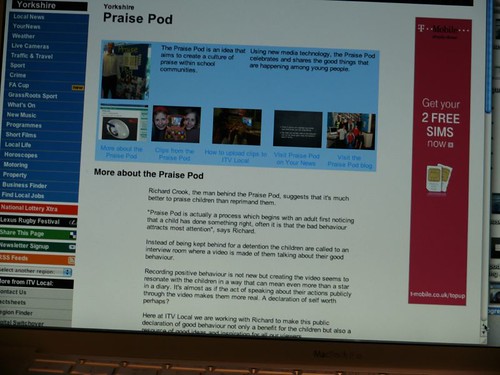
Video 07: Two 11 year old boys describe Praise Pod
Video 08: Two 7 year-old pupils talks about their work with Nintendo dogs
Video 09: More on the Nintendo dogs project, and its outcomes in terms of numeracy and business savviness!
Some photos from the day
Praise Pod (Video 07) : Pupils learn interviewing techniques, and can zap your interview to your phone.
Nintendo dogs (Video 08) : The children decorated these bags as part of their project work.
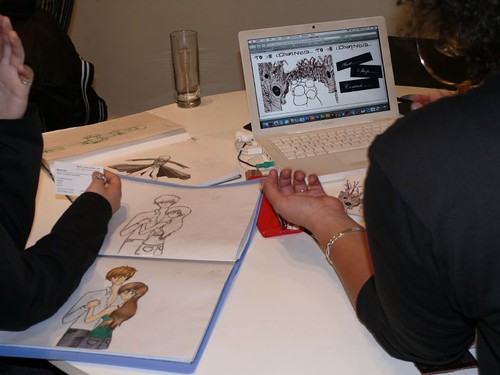
Artwork/design (Video 05) : Amazing artwork, which has the potential to earn money.
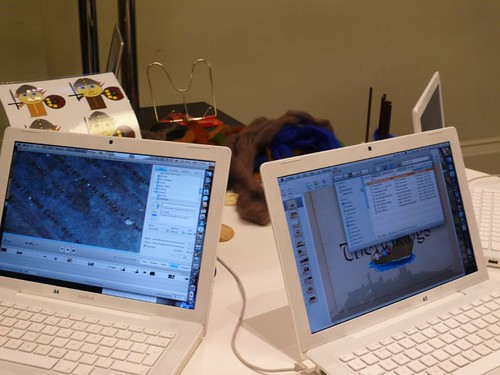
The Vikings (Video 01). The children made the videos and slideshows, and uploaded them to the website. Could your pupils do that?
And now, a challenge...
Here's an idea for an in-service training activity for you and your colleagues.
Watch two or three of these videos and then discuss:
What was it about the projects that got the pupils so enthusiastic? Are there any common factors?
If you have identified a few common characteristics, how might you try to reproduce them in your own situation?
What steps can you take to enable your pupils to explain their projects as articulately as the pupils in the videos?
Please note that I have deliberately divorced the school names from the videos, and omitted the children's names. We obtained permission to take video and photos from the teachers concerned.
Alison SkymesIn the start of a new series, Alison Skymes looks at ways of making a good impression, starting with the 7 different facets of presenting yourself. The interesting thing for me is that they don't have much to do with ICT as such, they're fairly generic points. You might like to discuss them with your students.
Hi, and thanks to Terry for the opportunity to share with you a few of my thoughts on the subject. I'm assuming that you don't have a lot of time on your hands (who would, in these days of initiative overload?), so I will be brief and to the point.
Let's start with generic stuff. You're a professional, right? Guys, that means no turning up in jeans. Gals, save the party top for the weekend. Sorry if this ain't politically correct, but you have a choice: self-expression or a career path. Your decision.
Presentation isn't only about your clothes. When was the last time you had your hair seen to? If you look like a mess, don't expect anyone to regard you as leadership material, unless you're incredibly lucky.
Presentation is about more than just your appearance. It covers communication too: emails need to be polite and carefully written -- and spell-checked. The signature should have your name, title and contact details, not some quasi-religious proverb you found in a fortune cookie. Your letters/memos/posters should be spell-checked too.
On the subject of memos and so on, no hand-written notes, ideally. But even if you have to, write them on headed paper. You're an ed tech guru, right? It shouldn't be rocket science for you to design a template and print off a stack of blank memo sheets. It's all part of what the marketing pundits call "branding".
How do you come across when you talk to your co-workers in the staffroom? Knowledgeable? Quietly confident? A geek? If people can't understand you, they won't promote you. If people think you're patronising them, they won't want you in a position of power and influence where you can make them look like an idiot.
Same with manuals and help sheets, posters and all that sort of thing. First of all you got to produce them. Then you better make them readable. If the best you can do is something that reads like it was written by a geek for whom English is his third language, get someone else to write it for you. That's known as "outsourcing", by the way.
Always, but always, have some pertinent facts at your fingertips. It's a lot easier than you might think.
Feel free to comment. But use a spell-checker before hitting the Send button!
So you have landed that great ed tech-related job -- but getting it was the easy part. What do you do next, and how do you get off to the best start? Here are 10 useful tips.
1. The classic mistake made by many newcomers to a school is to go in like a bull in a china shop. Brimming with ideas, they launch themselves into their first meeting with suggestion after suggestion after suggestion -- only to be told: "Yes, we tried that".
The very first thing you have to do is research. Find out from the people who are already there what needs to be done. Walk around and make a note of what's going on. Then you'll be in a much better position to make changes.
2. Some of this groundwork can be undertaken before you start. Perhaps you can arrange to spend a day in the school with the person whose job you're taking over. Make sure you think carefully about the questions you want to ask before you get there.
3. Politics is a dirty word, but it's also a reality. Make sure you find out pretty quickly who has the ear of the Principal, and who doesn't. The bottom line is that if you want to get things done quickly, then to some extent you have to make sure you influence the right people.
4. Nobody likes a smart alec who is going to turn the place upside down straight away (see point #1). But people will be expecting you to do a little more than tread water. So look for small but significant changes you can make. In fact, subtle changes are often the most effective. For example, installing a new computer in the staffroom, or giving the existing one a spring clean so that it runs faster -- but without saying a word to anybody -- can be incredibly effective.
5. Develop a house style. We hear a lot about the paperless office but everybody knows it's a pipe dream. But if you have to use paper, make it distinctive. Why not run a competition for the kids to see who comes up with the best departmental logo, with a $25 book token as the prize? Then create a letterhead using the logo, and with your school contact details on, for use on all your communications. (If the school has a rule that letters have to be sent on official headed paper, then perhaps you could create compliments slips instead, and/or use your letterhead internally only, for notices and notes to your co-workers.)
6. Under-promise and over-deliver.
7. Adopt the highest standards of dress.
8. Create your elevator pitch: something you can say in 30 seconds that will encapsulate your aims and what you've achieved in the last two months.
9. Be open and amenable.
10. Be honest.
You'll notice that there's nothing here about technology. That's because I'm assuming you know your stuff. What I've done here is to list a few generic points that will stand you in good stead whatever the nature of the job itself.
Look out for a great series on making a good impression, by Alison Skymes. Also, a new series by yours truly, which will be announced in Computers in Classrooms, the free newsletter.
Book Review of How to Do Everything With Web 2.0 Mashups By Mike Nardine
How To Do Everything With Web 2.0 Mashups By Jesse Feiler McGraw Hill 2008 $29.99
This book grows on you. I originally purchased it to find out something about mashups. I'd come across the term before and hadn't been satisfied with the explanations I'd found. This book at once did an admirable job of that; I'm satisfied I now know a mashup when I see one.
What put me off about the book was its almost mechanical approach. Written in terse, no-nonsense unemotional prose, it had none of the humorous dry quips I'd come to appreciate in other Internet-related books. It drove from point to point as if building a house rather than a concept. Liberal arts major that I am, I guess I'm uncomfortable with that. Of course it's possible others, more technically inclined than I, might enjoy the book precisely because of this approach.
The book's first chapter is titled "Welcome to the World of Mashups" and that's the last bit of gratuitous amicability you'll find. After that it's, bang! "Understanding the Mashup World;" and bang! "Use XML to Structure Data;" and bang! "Use JavaScript to Script the Mashup Page," and so forth until your head spins. I set the book aside.
I picked it up again a month or so later when I suddenly discovered that it had done an excellent job of acquainting me with the central mysteries of mashups. I finally recognized them for what they were when I came across them, and found the book had given me the ability to actually understand how they did what they were doing. I wasn't quite ready to start building my own mashups, but I did enjoy the feeling that I'd learned something interesting and wanted to learn more-I guess that might be even more important than the humor I found in some lesser books.
Instead of struggling against it I found myself appreciating the way the book broke mashups down into their component parts and put them back together. Anyone who has struggled with JavaScript, RSS, XML, Php and API's as separate unrelated entities will get a sudden flash of understanding from each seeing them now working as parts of a larger whole. Still, I wish the author put a bit more of himself into the prose.
#iCTLT2010 Last week we looked at the commercial drivers for change. But what of the educational drivers? What are youngsters doing that we ought to know about?
I think I’ve probably already covered many of the educational drivers for change, in previous articles, but just to summarise, I think it comes down to two things: the need to help youngsters prepare for the future, and the need to give guidance to young people. I know a lot of people take the view that youngsters already know everything there is to know about technology, but even if that were true, which it isn’t, they would still need help on how to use the technology effectively and safely. As a 14 year old very tech-savvy girl said in a conference last year, she and her friends feel that they have been under-taught. You can find an interview with her about her views on this website.
There are also two other issues. Firstly, young people need guidance in order to help them keep safe on the web.
Secondly, it’s more and more the case that parents want to be, and have to be, involved in their children’s education, and to be kept informed of their progress – in real time if possible. Having Web 2.0 applications like blogs is obviously one way in which they could see what their children are doing, and having a wiki would make it possible for parents to easily contribute to discussions about the school. I visited a school recently in which parents said that the school website had made a huge difference to how involved they felt in what was going on in the school, and they wanted even more involvement by having access to the school portal in which homework was set and resources uploaded, and students and teachers discuss issues in subject forums.
Here are some statistics about youngsters’ use of the internet.
73% of USA teens use social networks.
12-17 year-olds in USA spend 1hr and 35 minutes texting.
UK teens in the 13-15 age group spend over 31 hours in an average week surfing the internet.
They use it for socialising; with people they already know (especially girls).
They use it for homework more than recreational activities like games.
They do a lot of multitasking.
I’ve carried out some of my own research online to find out more about how teenagers use Web 2.0, which are the points in blue. I found that teenagers belong to three general social networks, with MSN, Bebo, MySpace and Facebook being the most popular, in that order. Their average age was 15. Half of them also belonged to at least one specialised social network, like YouTube. I know that we don’t tend to think of things like YouTube as a social network, but YouTube does have the kind of attributes that we associate with social networking, such as being able to follow people. It’s the same with MSN.
Now, surprisingly, the most popular use of the internet was to learn new things, followed by doing homework together with friends and then playing games, in that order. It’s possible that they were only saying what they thought the adults would like to hear, of course.
As for multitasking, that is no doubt true, because if you add up the amount of time they spend online with the amount they spend watching television and other activities, they are spending more hours than are available, because they spend over an hour and a half watching television and nearly an hour and a half playing games every day, as well as nearly one and a half hours a day on the internet. Incidentally, that figure comes out to around 10 hours a week surfing, which ties in with my own research which came out at 9 hours, and other research which suggested 12 hours online. The figure of 31 hours seems a bit excessive, and it is: the researchers added up all the different activities.
What all this, along with the previous articles in this series, boils down to is the following:
We've looked at a lot of information and several factors from different angles, but I think we can probably summarise it all in half a dozen points:
‘Levelling’.
Expectations.
Online conduct issues.
Awareness of issues such as privacy and non-delete.
Ability to share and collaborate.
Ability to respond quickly.
These are the elements which seem to me to be common to all of the areas we’ve looked at so far, or which arise from them. There is the idea of levelling, which goes hand-in-hand with people’s changing expectations. Then there are conduct issues, and these are bound up with concerns such as privacy and also the non-deletable nature of the web, that is, that once you’ve uploaded something you can’t get rid of it as a general rule.
There is also the need to be able to share and collaborate with people in distant locations (look out for an interview with Melendy Lovett, senior vice president of Texas Instruments and president of the company’s worldwide Education Technology business, in which she speaks about the charactersitics of the ideal TI recruit). I think what also comes out of this is the need and the ability to respond to situations and discussion points quickly. Again, I think this ties in with expectations too, because people these days expect to receive very fast responses to their communications.
If you're convinced of the usefulness of Web 2.0 in education, but are not sure where to start, you have a number of options, none of which are mutually exclusive:
Read the Web 2.0 For Rookies series to get an idea of what the terminology means, and for examples of great applications.
Read the Cool Tools for Ed Tech Leaders series to get an idea of what Web 2.0 (and other) applications are available for helping school leaders do their job.
Download and read The Amazing Web 2.0 Projects Book. It contains 87 classroom activities involving Web 2.0 applications + other resources, submitted by 94 contributors. Running at 121 pages, this free ebook has now been downloaded 10,995 times from this website in the three and a half weeks since it was published.