How to Randomize Your Blog Reading

OK, I know it's ridiculous, but I am currently subscribed to 829 blogs. That means if I checked one per day it would take nearly three years to get through them all. What I ought to do is go through them, and be absolutely ruthless about weeding out the ones I don't read as often as I should. Erm, that would be all of them then.

Or perhaps I should ditch the ones I don't like too much. But I often read blogs I don't like because they are useful sometimes.

So I've decided that the only answer to a ridiculous problem is a ridiculous solution: I have decided to experiment with randomizing my blog reading. Here's how it works, using Excel.

Setting up the random blog post generator
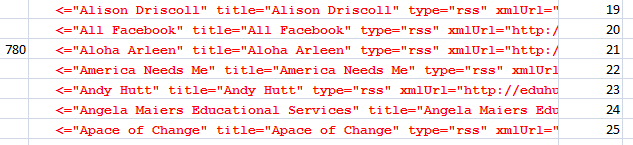
Extract from my blog list

  1. Open Excel and start a new workbook.
  2. Open your RSS feed reader.
  3. Export your subscriptions to what is called an OPML file. This option will be found somewhere in the menu system of your blog reader. In Google Reader, for example, you click on the link at the bottom of the screen called 'Manage your subscriptions', then to Import/Export.
  4. Next, open the OPML file in your web browser.
  5. Select all the text in the file.
  6. Paste it into the Excel file. You should find that each blog you subscribe to lands on a row all to itself.
  7. Get rid of any extraneous text at the top of the worksheet, ie any text which is clearly not an actual blog. Make sure that the first blog is in row 1 or, if you wish to be prim and proper and give your columns headings, row 2.
  8. Get rid of extraneous text at the beginning of each line, such as 'outline text'. Use the Find and Replace tool for this, replacing the offending text with nothing.
  9. Next, we need to assign a number to each blog. The easiest way to do so is by using the formula =row() in the column to the immediate right of your list of blogs. For example, in my spreadsheet the blogs are listed in column F, so I have placed the row formula in Column G. Don't worry about obliterating some of the text in the blog list: you can always widen the column just enough for you to be able to read the name of the blog. If you have started your list on row 2 rather than row 1, amend the formula to =row()-1. You only have to enter the formula in the very first row of data.
  10. Place the mouse pointer on the bottom right hand corner of the cell with the =row() formula in it, and double-click. This will copy the formula all the way down.
  11. Next, we need to place a random number generator somewhere near the top of the worksheet. The best formula to use is Randbetween: =randbetween(bottom,top). Thus in my case this has to be =randbetween(1,829).
  12. Save the spreadsheet with an impressive sounding name. I've saved mine as 'blogarizer'.

Using the random blog post generator

Putting this 'blogarizer' to work is simplicity itself.

  1. Just press F9, and a number will appear where the Randbetween function resides.
  2. Scroll down your blog list to find the blog to which that number has been assigned.
  3. Go to your RSS reader and go to that blog.

Some awkward questions

I'm about to start experimenting with this myself. If you decide to try it, let me know how you get on. Although this is an interesting approach to having too many blogs to read, a few questions spring to mind:

  • Does each number really have an equal chance of being generated? I have my doubts, but I think I will have to assume it does, unless someone proves to me otherwise.
  • Although each blog (we assume) has an equal chance of being chosen, is this actually a fair, in the sense of equitable, method of doing so? Would it not be more fair to weight the randomizer in some way, perhaps to reflect the fact that some people really contribute to the education community and therefore 'deserve' to have their blog posts read?
  • Is this actually a sensible way of approaching the problem? It means, in effect, that someone who writes about every aspect of his/her life, and only occasionally about educational technology, stands an equal chance of being read as someone who posts exclusively about educational technology -- and whose posts might therefore be deemed to be the more useful of the two.
  • Is it ethical? I mean, there are people whose blogs I follow because their posts never disappoint -- which is pretty good going if you think about it. Yet here am I saying, in effect, "Thanks a bunch for all the great work you are doing, but you have only a 1 in 829 chance of being read by me on any given day." Is that right?

I think it's interesting that although this approach may be fair in the purely mathematical sense, it could be grossly unfair in other ways.

So what's your opinion?

Preview of The Blue Nowhere, by Jeffery Deaver

So there I was, feeling pretty tired from working too hard, thinking to myself that I really need a break from everything related to educational technology. “I really must get out more.”, I told myself.

Definitely worth reading!And indeed I have, metaphorically speaking, by embarking on a novel by Jeffery Deaver, called The Blue Nowhere. It involves computer hacking. (It’s possible that I haven’t quite got the concept of getting away from it all.)

Like all Jeffery Deaver books, there’s an intriguing plot and, no doubt, plenty of plot twists to come. I have read only about an eighth of it, therefore I cannot review it exactly, just give my impressions so far.

It features a computer hacker who selects his murder victims and then gets to know all about them by hacking into their computers.  As an aside, it’s interesting to note how much seems to have changed, in both technology and terminology, in the nine years since the book was published in 2001. For example, do we continue to draw the distinction between hackers (the good guys, or at least the not-really-evil guys), and crackers, the nasty pieces of work? Does anyone still do phreaking, that is hacking into telephone systems in order to make free calls overseas? If so, haven’t these people heard of Skype?

Of course, they did it, and possibly still do it, for the challenge. This isn’t directly relevant in regards to this book, but it’s of tangential interest.  An understanding of human behaviour, and human nature, is an essential weapon in the true hacker’s armoury. It’s long been recognised that the biggest hole in sophisticated security systems is the human element, and serious hackers – the really serious ones -- are very adept at social engineering. That is, appearing to be someone you’re not (a computer repair person, for example) and, like all good con artists, brilliant at getting people to actually want to help you.

This is very much a theme in the book, as is the issue of keeping oneself safe online. The book is probably too long to make it feasible to set as an assignment (though it might go on a recommended summer reading list if you teach older ones), but there is much to be drawn from it in a professional sense.

  • For example, what could victim #1 have done to protect herself whilst online?
  • Can hacking ever be morally right? Discuss.
  • Data protection is the sort of topic which can be as dry as dust and little more than trying to memorise the laws that have been passed. This story highlights issues which illustrate (or can be used to illustrate) important data protection issues.

You would have to go about this sensitively. Without care, using the book to bring out these kinds of issues could lead to some students – and their parents – becoming totally paranoid about going online at all. As you’ll see if you read the book, keeping safe isn’t entirely a matter of ‘stranger danger’ and not meeting online friends in real life.

But if you’re worried about scaring the kids then you could just read the book for its own sake, for relaxation.

Which is what I’m going to do for the rest of the day.

To purchase the book, click on the picture above and you'll be taken to Amazon UK, where you can buy the book and thereby help me to put some more crumbs on my family's table, courtesy of the Amazon affiliate scheme. Thank you.


The Role of Technology in Campaigning

In the UK at the moment we're in the run-up to a General Election, so we're being assailed in all sorts of different ways by various political parties. Given that some syllabuses require students to design a campaign, I think it's interesting to consider the ways in which technology could be, and sometimes have been, used.

Here is my 'back-of-an-envelope' list of ideas.

  • Website, containing essential information about policies and contact details.
  • Blog, updated daily -- not necessarily about the party or the person, but about relevant issues.
  • Twitter account, so that people can follow the person's activities and thoughts. Less maintenance than a website or blog in some respects.
  • Facebook fan page.
  • YouTube video channel.
  • Flickr group of relevant or pertinent photos.
  • Daily or weekly podcast.
  • Radio channel.
  • Emailed newsletter.
  • Digital magazine (which could be part of website).

That's a tall order for a single person, but for a political party it should not be too much trouble at all. The list is based on four principles:

  • It should be easy for people to find out what they need to know about the party or Parliamentary candidate.
  • It should be easy for people to be updated frequently, by whichever means they prefer.
  • Potential supporters should be engaged, not just talked to or, even worse, talked at.
  • What probably matters is a decent marketing strategy, to catch so-called 'floating voters' -- the people who can be persuaded to vote for one party or another if the arguments and presentation are right.

So on the subject of marketing, what is it that each political party is trying to sell? When it comes down to it, probably a set of values rather than a set of policies. Therefore, rather than try to inform the floating voter of the finer points of its manifesto, perhaps each party would be better off trying to create a viral video instead, or create a geocaching-based game of some description. Or some really great t-shirt designs with matching mugs.

So this raises at least three questions:

First, a marketing/philosophical/political question I suppose, rather than a technological one: does it make sense to try to sell a political party and its policies in the same way as you might try to sell a rock band or a can of beans? Or am I being incredibly cynical and ridiculous?

Second, in terms of the technology, what have I left out?

Three, if you're one of the people teaching a syllabus which requires students to design a campaign, what sort of things have they come up with that use technology in interesting ways?

This is an expanded version of an article published today in the Computers in Classrooms newsletter.

We Don't Need No Rules of Grammar

Steve Wheeler (@timbuckteeth)has posted a useful article reminding students that when it comes to succeeding academically, accuracy in using the language still counts.He lists a set of rules which humorously make the point, such as "Avoid clichés like the plague." My question is: do the same rules apply to bloggers?

Is it forbidden to break the rules? (Photo by Elaine Freedman)I think there are two main issues. Firstly, it's fine for bloggers or creative writers of any kind to bend or even break the rules of grammar, if that is done in a purposeful way. For example, I might wish to write a sentence consisting of just two or three words, or even a single word, for emphasis, which breaks Rule 10: "No sentence fragments.", as in:

You would think installing this application would have dire effects on your system. Not so.

Secondly, I disagree with some of the rules anyway. To be specific:

Prepositions are not words to end sentences with

As one of the commenters on Steve's post says, this isn't a rule as such, just someone's invention. Trying to obey it can lead to all sorts of grammatical gymnastics. I think Sir Winston Churchill said it best:

This is the kind of English up with which I will not put.

And don't start a sentence with a conjunction

It sounds like sound advice, yet doing so can often be used to good effect, for example:

But there was no way of knowing that.

Starting the sentence with the conjunction 'but' gives it an immediacy and impact that the acceptable alternative, "However," lacks. Indeed, the comma itself, which is grammatically correct in this context, induces a pause, as it is supposed to, thereby slowing down the pace. In my opinion, pace is just as important in non-fiction writing as in fiction or poetry. Would you not agree?

It is wrong to ever split an infinitive

Well, possibly the most famous split infinitive in the English language, "to boldly go etc", from Star Trek, is not improved by rendering it as "Boldly to go" or "To go boldly". Perhaps that's because of its familiarity, but there are lots of examples in everyday life where to not split an infinitive would come across as forced, unnatural. Usually the distinction is drawn between written and spoken language. A blog, surely, can be both.

Avoid clichés like the plague

Good advice, but hard to abide by. After all, clichés became clichés because they were deemed to be so apposite.  You could try to coin your own analogies and metaphors rather than use a cliche, but in the wrong hands that can come across as self-satisfaction at one's own cleverness. Much better to write naturally and plainly. After all, if the image conveyed by the metaphor distracts from the subject of the writing itself, the whole point of communication has been lost. Therefore a far more useful piece of advice would be to avoid metaphors and similes unless they are truly necessary. They rarely are.

No sentence fragments

Why not? Sometimes these can be used to great effect. I wrote an article in which I not only used sentence fragments, but placed each fragment on a line of its own. I thought that was quite effective in conveying the style in which I would have said the same thing had I been having a conversation with the person I was referring to. In any case, for the sake of balance, these rules ought to include one which forbids writing long, complex, sentences. See, for example, my review of The Making of a Digital World, which contains such gems as:

This process is nested in the process in what Modelski terms the active zone process, defined as the spatial locus of innovation the world system, representing the political process driving the world system evolution, and unfolding over a period of roughly two thousand years (again separated into four phases).

Don't use no double negatives

Hmm. Well I can see that doing so might not be a guarantee of examination success, but certainly in other contexts the use of a double negative can be rather effective. For example:

Badges? We ain't got no badges. We don't need no badges!

(See http://en.wikipedia.org/wiki/Stinking_badges)

You'd have a hard job trumping Elvis Presley's triple negative in the song Hard Knocks:

Nobody never gave nothing to me.

Conclusions

The point is that you want to communicate not only clearly, so that you end up saying exactly what you mean, but engagingly. No disrespect to academics, but I have the impression that engaging the reader is usually seen as very much an optional extra. Depending on the nature of what you're writing about, and your target readership, the rules of grammar in the traditional sense may or may not apply. Audience and context are key.

Of course, all this assumes that you know the rules of grammar and good writing to start with. If you don't, those quoted by Steve would be good ones to print out and stick on your wall.

Another good source of information is the Grammar Girl podcast. This is surprisingly useful — surprisingly because, as we all know, rules of grammar and syntax differ between the USA and the UK. As George Bernard Shaw observed, "England and America are two countries divided by a common language."

However, Mignon Fogarty, the 'grammar girl', makes a point of highlighting the correct versions for a British audience and for an American one, where there is a difference.

Finally, the much-maligned grammar checker in Word and other wordprocessors does a reasonable job. You don't have to accept all the suggestions, but surely it's better to have the choice than to remain ignorant to the fact that you may have got it wrong?

8 Point Room Check

Use a checklist to help keep the facilities in tip-top conditionHere's a checklist you can use to help keep a computer suite in tip-top condition. Make sure the students know you will be checking as well.

Room number ____

  • Are all the computers working?

  • Are all the printers working?

  • Do the printers have paper in them?

  • Have discarded print-outs been cleared away?

  • Are all the mice working?

  • Are all the monitors working?

  • Is the network working?

  • Is there a student User ID list handy in case someone forgets their details?

This article was originally published on 14th October 2006.

50 Rules of Social Media Etiquette for Students

I've just been checking my Google Reader subscriptions., and came across this interesting post from Social Guy. It contains 50 'netiquette' rules for students, categorised into General, Twitter and Facebook. Helpfully, there are sections devoted to job-seeking and grammar as well.

Observe the rules of etiquetteI don't agree with all of these 'rules'. For instance:

Substituting “2″ for “to” looks like you’re in junior high.

Well, perhaps, but it also saves one character, which could be crucial!

Another one:

You might think it’s nice to send an automatic message every time someone follows you, but it actually makes you look lazy and unengaged. Social media is about the personal effort behind the connection.

I agree, but not responding at all for a while also makes you look unengaged.

I shouldn't use this set of rules completely out of the box, but as a very useful starting point for discussion with students.

Web 2.0 For Rookies: Geotagging

Geotagging is the term given to the adding of geographical metadata to photos, videos, tweets, websites and other media. This ' metadata ' can include longitude and latitude, and other attributes such as altitude. There's a fuller version of this summary information over at Wikipedia , but let's think about the applications of this technology in school.

You can geotag photos, which is a fancy way of saying that you can embed geographical metadata into your digital photos. Have a look at the information -- the metadata - shown below for two photos. One important difference between the two is that the one on the right includes information about where the photo was taken.

Spot the difference

There are several ways of entering this information in a photo. One is to buy a camera that does it automatically. That's still a bit of an expensive option. Compact models are starting to appear at a price which makes it feasible to consider having two or three in a school for lending out to classes, but not one per class, much less several per class unless the school has a clearly thought-out policy regarding the purchase and use of handheld devices. (For example, Scargill Junior School uses sets of SmartPhones for geotagging photos.) This is a clear example of where allowing youngsters to use their iPhones would make perfect sense, if managed carefully. If the kids have the technology, we should be providing educational opportunities for them to use it. Seems like a no-brainer to me. (There's a good article in the early-April issue of Computers in Classrooms in which a teenager describes how essential his phone is to him. I believe he sometimes even uses it for talking to people!)

Another option is to place your photo on a map in Flickr . This works well, but can be a cumbersome process if there are lots pf pictures to process. Obviously, it would be a good idea to make this process an educational activity in itself: something the geography folk could get involved in perhaps? There's a geotagging group on Flickr , with links about how to use the mapping facilities there.

Yet another approach is to but a wi-fi-enabled storage card, which is what I hope to experiment with soon. This looks like a brilliant option. It's not exactly cheap, though, and at the moment it seems to me that you'd get better value for money by purchasing a new gps-enabled camera than one of the full-works eye-fi cards, even though it would cost you more. I think this is an area where careful research, and some patience, are required.

So what can you actually use geotagging for in education? One obvious answer is anywhere that mapping is relevant. For example, a presentation about a school trip can be made to come alive by placing the photos taken on a map. And school excursions can themselves be made more exciting by the use of geocaching , which is essentially a treasure hunt that makes use of GPS-enabled devices to find hidden objects.

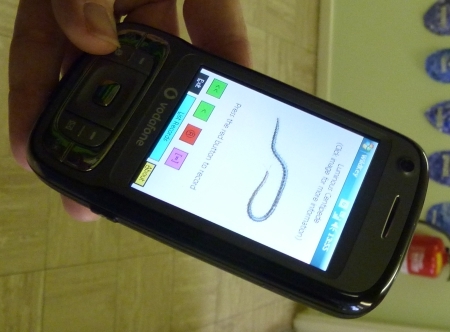
Get SmartExploration of different habitats in the local area or school grounds can include geotagging the photos taken. In Scargill Junior School, mentioned earlier, the children use the SmartPhones to take pictures of minibeasts , and the exact location of the insects is recorded at the same time, enabling them to find them easily again, and to place them on a map.

Anything involving measures of distance or altitude will not only thrill the geography teacher, but will be welcomed with open arm by the mathematics teachers too. For history teachers, also, the use of geotagging to explore where past battles took place must be an exciting prospect. You could also bring in a discussion of the impact of information technology on society: in England during WW2 rural place names and signposts were taken down so that the Germans would get lost if they managed to land on our shores. (See this set of Yahoo! Answers , especially #3.) How useful would that bluint approach be in this day and age?

Even the artists can get involved. You can find out how by going to Lesson Planet , where a multitude of suggestions for geotagging and using GPS-enabled devices will be found. You have to log in to find out the detail, but there are pages of ideas which subject specialists should be able to make sense of.

An example of geotagging you may have come across is the Clustr map . Seen on numerous blogs , this is a map showing where visitors have come from. Variations may also be found on widgets which proclaim when the last visitor arrived on the site, and where they are accessing it from, and the sort of thing I experienced when taking part in a Classroom 2.0 Live discussion , when as people joined the discussion they were invited to enter their location on a world map. 

This kind of thing is, I have to say, terribly exciting! It's fascinating to see how many people in different parts of the world are looking at your stuff. It engenders a sense of curiosity ("What country is that ?" ), and even a sense of responsibility: in some cultures some of the things we say and do would probably cause deep offence.

OK, so geotagging is fun, and educational, but where does Web 2.0 come into it? I think there is the obvious answer that the sort of thing I just mentioned msakes it interesting and more meaningful to collaborate with other people from a different location. On a more everyday level, it's possible to take a photo of something, say a restaurant, review the thing you've taken a picture of, and upload both to a site where anyone looking for a restaurant (say) in that area will come across your review and photo.

My own view is that geotagging is not so much an example of a Web 2.0 application in itself, but it is certainly one that can enhance what I would call the 'Web 2.0 experience'.

Other useful references:

Educational Geo-caching (especially pages 10-13)

Geotagging in education

Google Earth for Educators

JSchools use geotagging , wikis , iPhones to teach


Who Needs Drivers?

One of the stories featured in the next edition of the Computers in Classrooms newsletter is about driverless cars. This is at once both exciting and terrifying, so I think it will be interesting to look at under the topic heading 'technology in society'.

The concept is not new, of course. Work has been going on in this area for a few decades. Here in London, England, we have the Dockland Light Rail, which can do its thing with no driver.

So, in case you're intending to read that article,  here is a video I made back in 2006 about the Dockland Light Rail. Think of it as an advance organiser, cf Ausubel. (If you're not familiar with that idea, take a few minutes to go through the SlideShare presentation below.)


Vlog02.mpg
Uploaded by terryfreedman. - More college and campus videos.


11 Essential Elements of a Digital Financial Literacy Course

There are sharks out thereFinancial literacy. Here is a great opportunity to address two pressing concerns at once: financial illiteracy amongst some youngsters, and one particular area of digital safety. Yet in trawling the internet and skim-reading a few documents, the only reference I could find to teaching young people about guarding themselves against financial predators on the internet , as opposed to sexual ones, was in an Australian paper published in 2003!

In my opinion, the usual sort of financial literacy 'curriculum' really fails to hit a few important spots. Yes, teaching kids how to manage their budget is obviously a good thing, but how is learning how to take out a bank loan useful for an 11 year-old? As far as I can tell, every financial literacy course includes this topic; that link is just an example.

I looked at the financial literacy page on the Teachernet website ,  and found that three of the links either don't work at all or lead you to a holding page -- and one of the defunct URLs belongs to an organisation that is supported by the Financial Services Authority. Hmm.

And looking at several examples of financial literacy syllabuses, how is learning how to set up and run a coffee shop/video rental shop/clothing store of any use or interest to an 11 year old?

I can speak with some authority here, as someone who, 15 years ago, was setting exercises and projects involving the setting up and running of video shops, record shops and tuck shops. (Do any of those things even exist now, as far as anyone under the age of 30 is concerned)? Admittedly, the team-working aspects of such activities are worthwhile, but even in those days I was of the opinion that the Young Enterprise scheme was far more useful, through being more relevant to what the youngsters themselves wanted to do.

Times have moved on, but the financial literacy syllabus hasn't. I used to teach Business Studies, in which I had to educate the kids about the differences between a loan and an overdraft, and between stocks and shares. I had serious doubts about the usefulness of it all, and still do -- except that at least now there is a chance to do some real buying and selling, on the web. Or, if that is a step too far, at least to deal with real, relevant and important financial issues which actually do, or could, affect the youngsters in your class right now.

So here are my 11 suggestions for inclusion on a digital financial literacy course:

  1. As a consumer (user) of stuff on the web, understand what is meant by copyright, licensing and attribution. Using someone else's stuff without permission, or failing to acknowledge use of it when it is allowed, is not only morally wrong but is potentially a criminal offence, and almost certainly grounds for civil action for damages. The fact that these scenarios are unlikely to materialise is irrelevant. We have a duty to teach kids how to keep themselves safe -- not only personally, but legally and financially too.
  2. As a producer (writer, artist or inventor), understand the difference between licensing your work, and giving it away. I've looked at websites in which the small print states that by uploading content to the website give ownership to the site's owner. I don't care how much potential income or exposure they are promising, it is never a good idea to give away ownership of your creations except in special circumstances with carefully worded agreements that both sides agree on.
  3. So licensing your work is OK, right? Well, not necessarily. Get that magnifying glass out again and take another look at the small print. If it says that by uploading your stuff you grant the site owner a licence -- forever -- to do what they like with it, you need to think about that pretty carefully.

    Some websites even go so far as to say that you give them the right to sell anything you upload, without even acknowledging you as the creator. So that's a double whammy: not only do you lose out on potential income, you lose out on potential further work too because people won't get to hear of you as being the creator.

    So you think I am making one huge fuss over nothing? I realise that I am showing both my age and evidence of my misspent youth here, but you only have to look at the Superman copyright story to realise the sense in what I'm saying.

  4. Who owns the copyright anyway? In the UK, if you create anything as part of your work, your employer owns the copyright. That means that you don't have the right to do anything with it, or allow a third party to do anything with it, without your employer's permission. You might be able to argue your way out of it after the event, but it will likely be a time-consuming, financially debilitating and career-limiting procedure.

    So who owns the intellectual property (IP) in stuff that a child creates? The answer isn't straightforward, as a perusal of this document will reveal (read especially the beginning, and the concluding paragraph). Irrelevant? Unlikely? I don't think so, if the young lady we spoke to in this video at Stephen Heppell's 2008 Be Very Afraid event is anyone to judge by.


    Copyright and IP is a minefield, so don't take my word for it as I'm not a legal expert. But that's precisely my point: we need to get it across to kids that this is a serious business, and that they shouldn't allow themselves to be exploited for financial gain. They need to look at the fine print, and get adults to look at it too. In fact, whenever I invite a young person to write for my website, I always ask them to make sure their parents and/or teacher is happy with the arrangement. I think that's good practice. And I don't ask contributors to give up any rights, only to allow me to publish their article in my newsletter and on my website.
  5. So how about writing for no return? Generally speaking, I think a good starting position is that of Dr Johnson:

    "No man but a blockhead ever wrote, except for money."


    That puts me a bit of a difficult situation, in that I don't pay contributors. And it makes me look like a hypocrite because I contribute to other blogs for no financial return. The key thing is to look at each situation on its merits and to broaden Johnson's approach to the fundamental question:

    What will I get out of it?

    Writing for no financial return should be a conscious choice, not an imposed or assumed position. But I would argue that if you are going to write for no money, make sure you get something out of it, such as a plug for your website or blog.

  6. How can I sell stuff over the internet? If you sell digital goods, you need to find a service that will generate a temporary URL, ie one that expires after a couple of days and which can be used only once. Otherwise, how do you avoid someone simply sharing your download URL?
  7. So what can you do about someone sharing the product itself? And how could you even find out they were doing so? Now, you may believe that it's OK for people to pirate your stuff, but the issue here is one of choice. There are definitely potential benefits from giving stuff away, even if you're selling it (see, for example, The Pirate's Dilemma ; its author, Matt Mason, gave a compelling talk at the 2010 Games-Based Learning Conference). And it may ultimately even be futile to try to lock everything down. But a key element of digital financial literacy is knowing about the issues involved and being able to discuss them and make informed decisions about them.
  8. How do you buy and sell over the internet? Is Paypal a good service? How do you compare such services? How does eBay work? How do you try and prevent yourself being ripped off, either as a buyer or a seller?
  9. How do you recognise an internet/email scam? What are the emotional and financial consequences for their victims?

    As a subset of this, how can you avoid being the victim of identity theft? And what can you do about it if you are?
  10. Where do you stand as far as libel is concerned? In the UK, the libel law is such that you can wind up bankrupt even if you're telling the truth! It doesn't even matter if you publish stuff on a non-UK website: if there's a chance it can be read in the UK, someone can take you to court in the UK.

    What that means is that you have to be really  careful when reviewing a book or some other product or service if you decide that you don't think too highly of it. Again, it's a complex issue, and I'm no lawyer, but the point is that students need to know that not being a UK citizen won't necessarily protect them.

  11. How is personal reputation likely to impact future employment and earnings prospects? If you want to get young people to understand why it's not a great idea to post photos of themselves in various states of inebriation or other compromising situations, maybe the old adage 'Hit 'em where it hurts' -- ie their pockets -- would prove more efficacious than only talking about personal safety, especially as everyone under 25 thinks they're immortal. Obviously, continue to emphasise the personal safety aspects, but introduce the longer-term financial considerations as well. A two-pronged approach can often be effective, generally speaking.

I don't think this is necessarily a comprehensive list, but I think it's a good starting point. By addressing digital financial literacy, we would also be addressing key aspects of e-safety. The two things, far from being mutually exclusive, are highly complementary.

What do you think of these points? What have I left out? Feel free to leave a comment.

Be Very Afraid 2008

What's it all about?

On 27 October 2008 I attended my first ever "Be Very Afraid" event. Established by Stephen Heppell a few years ago, the idea of this occasion is, as I understand it, to give us teachers and educationalists a kick up the rear end -- in the nicest possible way, of course!

The premise, in a nutshell, is that kids can do, and are doing, fantastic things, and we ought to know about them. Well, that has always been my guiding principle, so the idea of the event appeals very much. So, did the reality live up to the promise?

I made several videos with children and young people at the event. Here they are; judge for yourself.

Before attending the event, I'd been under the impression that the focus would be on brilliant things the students were doing with educational technology. As it turned out, much of the students' ed tech skill set was pretty low level in my opinion. But the remarkable thing (which I don't regard as that remarkable, to be honest), was the extent to which the students were self-taught. Also, the uses to which they were putting their skills and the technology were noteworthy.

Articulate and enthusiastic

But the thing which stood out for me was how articulate and enthusiastic the young people were. You'll see this for yourself when you watch the videos. The eleven year old girl, for example. I was actually at that stand for close to an hour, and while she was explaining everything she had done, in minute detail, the ICT advisor from the area was chuckling away in the background, every so often giving me a look as if to say, "You;re going to be stuck here all afternoon!"

Or take the seven year old boys. They were dead tired, and their teacher had to do most of the talking, but even so they had a good stab at saying what they'd been doing.

And a thirteen year old girl from Juliette Heppell's class was so articulate that I asked Juliette if she worked in a very expensive private school. As it happens, her school is an ordinary school in an ordinary area in west London.

Why I enjoyed the event

I enjoyed the event for several reasons.

First, it was a great chance to talk directly with young people, all of whom were delightful.

Second, it's wonderful to meet kids -- and teachers -- who are excited about what they're doing, who have not been ground down by thoughts of league tables and the other 5,000 things that schools have to worry about these days. (Last year I did a back-of-an-envelope calculation and worked out that there were at least 40 ICT-related initiatives or sets of rules and regulations presented to schools over the last few years; I say "at least" because I stopped counting at 40.)

Third, it afforded an opportunity to meet up with people I know, although the chats I had with them were fairly brief because we all wanted to talk to the young people and their teachers.

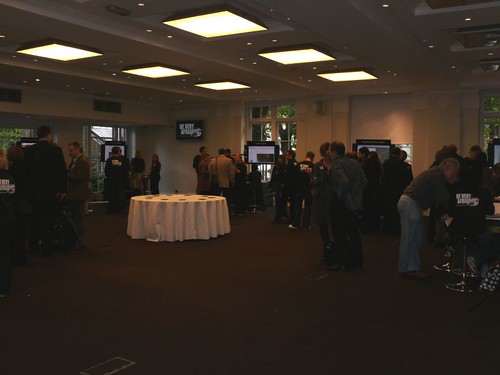
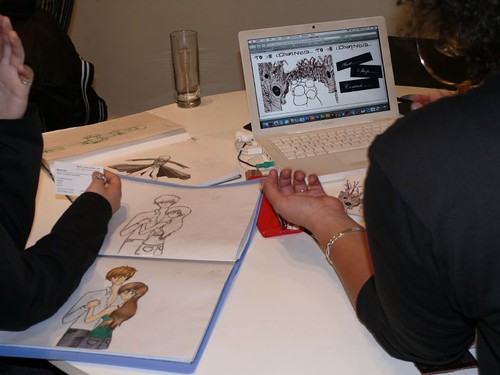
One of the things that made the event successful was its laid-backness, if that makes sense, and you can see from the photo what a fantastic opportunity it was for professional development.

bva2008

Anyway, grab a cup of tea and settle down to watch the videos. That will take you around half an hour, which I think you will conclude was well-spent.

The videos

Video 01: An 11 year-old girl talks about her project on The Vikings

Video 02: Two 15 year-old girls talks about their project on disability


Video 03: Two 13 year-old pupils talks about their international project on people aged 1 to 100

Video 04: Juliette Heppell describes her school's project and its benefits for the children

Video 05: A student describes how she intends using the IT skills gained in her textiles classes, along with her artistic ability, to make some money!

Video 06: Two boys describe their work with Google Earth

Video 07: Two 11 year old boys describe Praise Pod

Video 08: Two 7 year-old pupils talks about their work with Nintendo dogs

Video 09: More on the Nintendo dogs project, and its outcomes in terms of numeracy and business savviness!

Some photos from the day

L1000134

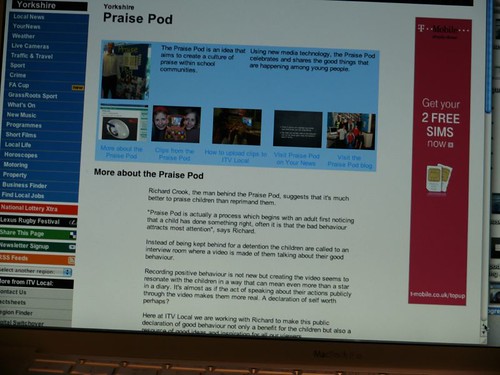
Praise Pod (Video 07) : Pupils learn interviewing techniques, and can zap your interview to your phone.


L1000135

Nintendo dogs (Video 08) : The children decorated these bags as part of their project work.


L1000133

Artwork/design (Video 05) : Amazing artwork, which has the potential to earn money.


L1000126

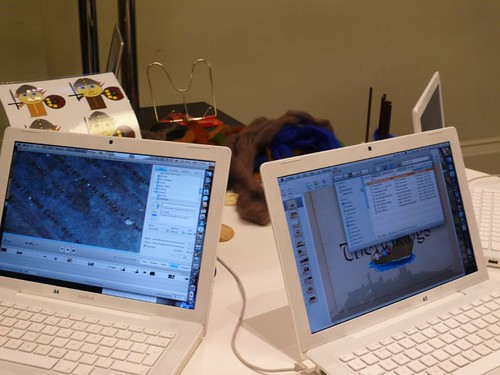
 The Vikings (Video 01). The children made the videos and slideshows, and uploaded them to the website. Could your pupils do that?

And now, a challenge...

Here's an idea for an in-service training activity for you and your colleagues.

Watch two or three of these videos and then discuss:

  1. What was it about the projects that got the pupils so enthusiastic? Are there any common factors?
  2. If you have identified a few common characteristics, how might you  try to reproduce them in your own situation?
  3. What steps can you take to enable your pupils to explain their projects as articulately as the pupils in the videos?

Acknowledgements

Thanks to:

Stephen Heppell and Lys Johnson, for organising the event.

Anna Rossvoll and her pupils

Juliette Heppell and her pupils

Ben Jeddia and his pupils

Vicky Dassoulas and her pupils

The Praise Pod pupils

The Art/Design student (To see more of her work, look out for her website, "To be continued", which will go live in due course.)

Northfleet Girls School

Lampton School

Anagh Coar School

Elrick Primary School


Kings Road Primary School

To read the Nintendo dogs blog, visit http://topdogs.edublogs.org.

Please note that I have deliberately divorced the school names from the videos, and omitted the children's names. We obtained permission to take video and photos from the teachers concerned.

Visit the BVA website.

This article was first published on 30th October 2008.


Should Games Be Played in Secondary School ICT Lessons?

#gbl10 A colleague of mine, when asked by a primary school teacher how best to prepare her class for secondary school answered, without hesitation, "De-skill them." That was around 6 years ago.

Twelve years ago, asked to show a group of newly-qualified high school teachers examples of excellent practice in ICT, I arranged a visit to a local primary school.

Around the same time, a geography teacher showed me what he'd been doing with his year 9 students (14 year-olds) in the realm of data-handling.

"What do you think of that?", he beamed.

"I think it's brilliant.", I replied. "In fact, I thought it was brilliant when I saw it in a Year 4 class last week."

Not the best way to make friends and influence people, perhaps, but the point was well-made, and still holds true today: if you want to see innovative, exciting, engaging ICT, you're more likely to strike lucky if you visit a primary school than a secondary school.

Don't get me wrong: I'm not knocking the teachers. I think that in an environment that puts such a high premium on getting the grades, any teacher who tries something different, and therefore a little risky, is either supremely confident or somewhat unhinged. Possibly both.

So it's not surprising to hear Edith, the young lady who complained last year that she and her friends were being under-taught in ICT, bemoan the fact that games in her ICT lessons are an add-on, a reward at the end of term. Not only that, the games she showed are pretty one-dimensional to say the least.

Having said that, I do think there is a place for such games, as long as you take into account various factors. It comes down to appropriateness: if it helps the student learn in a challenging and engaging way, that's fine. But the teacher should still aim to raise the game (pardon the pun) as soon as possible. My yardstick is how much perspiring the student is doing: if they're too relaxed, not even breaking into a sweat, the activity is not challenging enough.

Before making way for Edith, I should like to observe a couple of things. Firstly, that despite Edith's deprecatory comments, the fact that she knows the terminology associated with spreadsheets presumably means that her teachers haven't done such a bad job after all.

Secondly, and Edith did mention this, games are useful for what students can learn from playing them. So if students can learn about modelling from a game, that's OK. If not, then a challenging project involving spreadsheet modelling is absolutely fine: contrary to what is sometimes said, spreadsheets are not inherently boring; they just look that way!

Enough! Listen to Edith.

There is a special games-based learning issue of the free newsletter, Computers in Classrooms, coming out in April. Some brilliant prizes plus fantastic articles! Sign up now!

More Shock Tactics: Making ICT More Exciting

P1030688.JPGIf you're in charge of teaching information and communications technology, what can you do in order to inject even more life into the subject? Here are 12 ideas to get you started. And when you've read these, you might like to look at Shock Tactics: 7 Ideas For Teaching With Technology.

  • Do the unexpected. For example, show how you can do modelling with a word processor.
  • Delegate the responsibility. Ask the teachers in your team to each take a unit of work and be responsible for creating a package for it: lesson plans, resources and in-service training for the rest of you.
  • Do a different unit. For example, if delegating responsibility for units already happens, don't do the same unit this year as you did last year.
  • Collaborate with other teachers (1). For example, ask a business studies teacher to come up with some ideas for teaching copyright protection. They're bound to have a different -- and therefore refreshing -- take on it.
  • Collaborate with other teachers (2). Put together an ad hoc team from a couple of subject areas, take a theme, and see where it leads you.
  • In one school I taught in, a group of us from the English, Economics, Geography and History departments put together a unit of work dealing with the origins of some common words in the English language. It was fascinating, and the students loved it. We all brought a different perspective to the topic, which served as a vehicle for teaching a whole range of things. The main thing we all had in common was that we all worked on crosswords in the lunch break!
  • Put the students to work. Ask them to devise a lesson package for some of the work. For example, ask them to produce 2 lessons on the effects of technology in society. The reward for them would be for it to contribute towards an accredited project, or be included in their e-portfolio.
  • Teach a different age group. If you usually teach 10 year olds, do a swap with a colleague and take their 14 year olds. Having to teach the subject to a different age group will force you to rethink your approach.
  • Use a different medium. If most of your resources are text-based, change the balance: can you find a few podcasts and video clips that could form the backbone of the unit instead?
  • Use a different approach. Instead of teaching unit 1, unit 2, unit 3 etc etc ad nauseum, try devising a really interesting scenario that can form the basis of a project spanning several units, and several weeks.
  • Give a different kind of assignment. For example, ask the students to work in teams to produce a game designed to teach people how to keep safe online.
  • Get out more. That's right: see what other schools are doing. It might give you some ideas.
  • Read more. Sometimes, for example, the school reports published by Ofsted, the English inspection body for education and related services, highlight good examples of using or teaching ICT. Read educational journals, both print and electronic. And, of course, continue to subscribe to Practical ICT in order to be able to read articles such as this one.

This article was first published on 25th September 2008 under the title Shock Tactics.

If you enjoyed reading this article, you may find my book useful:

Go On, Bore 'Em!: How to make ICT lessons excruciatingly dull. This looks at ten reasons that ICT lessons are often described by kids as 'boring', and what you can do about it.


Hazardous Environments

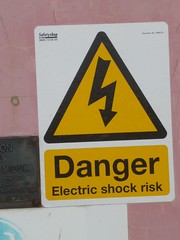
I was working in Jersey last week, and came across this sign.

OK if you're a duck...I like to think of this as being a metaphor for any situation in which one is challenged. It may be a conference, or it may be a small gathering of friends or colleagues (I use the word 'or' in the Boolean sense). It may be a new assignment, or a new team to manage, or a new boss. It may be a new syllabus, or a new piece of software. It may be a new government initiative. Or it may be a failure to launch a new government initiative.

It seems to me that what keeps good educationalists interested, and therefore interesting, is continually venturing into 'hazardous areas'. Where old assumptions and current paradigms no longer work, and long-honed skills lack relevance.

Involvement in educational ICT has its own challenges. There is the obvious one, that of constantly having to learn about, and learn how to use, new applications. But there is a curricular and assessment challenge too, which is more subtle. As new developments make certain things easier to achieve, it becomes untenable to give credit for achieving them, from a skills point of view.

A good example of this is desktop publishing. My first desktop published page took me about an hour and a half to achieve, as I figured out what I had to do. Once 'wizards' and templates had been introduced, by Microsoft Publisher, the same task took little longer than it took to enter the text. What was once a highly-skilled operation suddenly became almost unskilled.

This is reflected in several national ICT curricula I have looked at: as the grade level rises, the skills required rise less quickly. In fact, I would argue that in the English National Curriculum for ICT, there are hardly any more skills to learn beyond Level 4. You can achieve Level 8 with not much more than a Level 4 skill set, in my opinion. Why? Because the further up the ladder you go, the more important become factors like feedback (and therefore iteration) and systematic (strategic) thinking.

In this context, talk of digital natives or cool tools is not especially helpful. The real issue is that one must be continually finding new challenges for youngsters. Challenges which:

  • Make use of their current technical skills but nudge them towards the next level;
  • Are relevant to them personally in some way;
  • Are problems to be solved;
  • Excite both them and their teachers;
  • Are not easy; ...
  • ... Yet are not so difficult as to make one want to give up;
  • Have many facets;
  • Encourage collaboration; ...
  • ... And friendly rivalry;
  • Cannot be assessed by a tick list.

I often hear people bemoan the fact that ICT lessons are boring, and then proceed to blame the National Curriculum. I think the National Curriculum is broad and flexible enough to cope with modern demands -- where people actually make them.

That to me is the real problem: that for all sorts of understandable reasons many teachers do not make real demands of their students. They provide them with intellectually safe, and therefore boring, environments.

They should be providing intellectually hazardous ones.

Why Schools Cannot Ignore Web 2.0: Commercial Factors

#iCTLT2010 Last week I looked at the economic drivers for change. Turning now to commercial factors, I’ve called this set of factors ‘commercial’ rather than ‘economic’ because they concern financial matters.

Turning to the commercial drivers for change, one development in recent years has been the internal enterprise. What this means is that different parts of the organisation become cost centres in their own right, so instead of having to accept what someone else orders for them, let’s say in the way of IT equipment, they take charge of that themselves and also take responsibility for balancing their budget.

This is not Web 2.0 as such, but I think it’s another interesting example of the 'levelling process' I've alluded to before in this series, in which people are doing things themselves and for themselves rather than having someone else do it for them and to them.

I have to say that, having worked in such an environment, there is a danger that the individual units lose sight of the aims of the organisation as a whole. Therefore I think there does need to be quite strong guidelines and training in place.

I’ve already alluded to companies using Web 2.0 for marketing purposes, and again I think schools need to educate youngsters about this. For example, how do you know if a blogger is independent, as opposed to being paid to write something or promote a product? Guidelines about this have been proposed recently by the Word of Mouth Marketing Association, but ultimately I think the only way you can really educate people in this sort of media literacy is by embracing it and discussing it. But in the context of drivers for change, the point is that people are becoming more and more used to Web 2.0 applications being used in the real world, and there’s a danger that schools will find themselves becoming seen as irrelevant from a young person’s point of view.

Lots of companies have realised the value of social networking and other Web 2.0 applications, but are wary of allowing their employees to spend time on Facebook and in other public-facing areas. So what they have done is construct their own internal versions of these applications, collectively known as Enterprise 2.0. 

The fact that some companies have invented an internal version of Web 2.0 applications, especially social networking and instant messaging, does not detract from the main message of this series: the Web 2.0 approach to problem-solving is here to stay. Schools ignore it at their peril.

Next week: Educational drivers for change.

Reflections on Games-Based Learning 2010

#gbl10 The word that popped into my mind at the end of the conference was 'inspiring'. That's good. There's a chance that when you've believed in and seen the efficacy of games for learning, for many years, that you can become harder and harder to please until you reach the point where nothing excites you. The technology is exciting, obviously, but more exciting than that is what people are doing with it.

Screenshot from Patient Rescue, a game for trainee doctorsI took the opportunity to look at so-called 'serious games', as I'm familiar with the school-based work that's going on, so my viewpoint will reflect that a certain extent.

How did the conference stack up against my 14 criteria for conferences ?

#1 Fresh air and daylight

Not much of that, I'm afraid. I spent most of the time in artificial light and in darkened rooms. At least the breaks were long enough to be able to nip out and get some oxygen. But this, of course, is more a reflection on the venue than the conference itself. The Brewery, where the event was held, is a very pleasant environment. Just no daylight in several rooms.

#2 Can we move now?

Some of the sessions did seem a little long, but the long breaks compensated for that I think. At least, I didn't feel that my blood had stopped circulating!

#3 Where are the kids?

There were 10 year-olds showing off their programming skills at the 2Simple stand, and at least one person I know brought his son along. However, as far as I can see there were no children physically in evidence as part of the programme. Fortunately, two or three speakers included video clips of youngsters playing and reflecting on games. I think that's important.

#4 Plenty of 'down' time

This was an excellent aspect of the conference. For example, the lunch break was so long that it was possible to go for a walk and still have time to eat lunch and talk to people. The terminology used was good as well: 'socialising' and 'reflecting'. At many conferences, there is a relentless torrent of 'stuff', and hardly any time for reflection. This was different.

#5 Good speakers, on good topics

No complaints about the topics, but some of the speakers could do with a few lessons in presentation. For example, why did two speakers assume the audience could read print and diagrams that had obviously been designed to be read on paper? Or were we expected to bring telescopes? And since when has it been acceptable for speakers to address the audience with not just one hand in their pocket, but both hands in their pockets? Is that how you speak to people you respect?

Fortunately, some speakers were excellent, in terms of both content and style of delivery, and all speakers had great content to share. I've come away with a lot of information to process, and a lot of information that will be useful in my work, which is what I'd hoped for. So overall, I'm pretty satisfied.

#6 Let the people speak

As well as plenty of time for networking there was usually time for questions after a talk. Also, the seating was 'wedding style' with gorups of tables so people could converse with each other. There were two ' unconference ' sessions, Mirandamod   (# mmgbl in Twitter) and Teachmeet . Unfortunately, they were both on at the same time, which I thought was a great pity.

#7 I wanna be connected

The wi-fi was excellent, and the Twitter stream great fun. There was a Twitter game too, which I didn't take part in, and the tag to be used was made clear (#gbl10).

#8 Who else is here?

It was nice to meet lots of people I know and quite a few I didn't. I was not able to find a delegate list, but in these days of data protection legalities perhaps conference organisers are reluctant to take chances. The Twitter stream is always a good way of finding out who else is around too!

#9 Decent accommodation

Well, I can't complain because I stayed at home and commuted each day. Someone I know stayed in a new hotel for half-price. There are always good deals around throughout the UK.

#10 Lots of choice

There were three main strands, and you could mix and match, on each of the two days. The only time I thought choice inappropriate was that between Mirandamod and Teachmeet , as I've already said.

#11 Post-conference information

Well, the Twitter stream is still going strong at the time of writing (#gbl10), and the conference website should have links to lots of videos of the talks next week.

#12 If you're going to advertise, tell us

Well, I suppose that if, as I did, you go to sessions on serious games you have to expect advertising. I have to say, though, that one or two talks felt like just one long TV advert. Happily, there was plenty of good content too, so perhaps we can regard the talks as ' advertorials '. I'm not complaining, just observing.

#13 No text please

There was a lot of printed material for the taking. I just wrote down their website addresses. There were CDs available on some stands too.

#14 Start and end on a high

Well, the conference got off to a good start with a nice video and thumping music; the talks were good too! The closing keynote, by Jesse Schell was superb. And it was great to have the prize draws afterwards, even if I didn't win anything! Graham Brown-Martin certainly knows how to organise a conference.


Over to you

I'd be interesting in learning how you found the conference, and the 'wow' moments for you. If you like, contribute a paragraph or two to a forthcoming newsletter, described in the next paragraph.

I'll be writing about the conference, or certain aspects of it, in greater depth in the special Games issues of the Computers in Classrooms newsletter , due out in April. It has a great line-up of contributors and lots of interesting information and reviews.


Why Schools Cannot Ignore Web 2.0: Economic Factors

#iCTLT2010 Last week I looked at the technical drivers for change. Turning now to economic factors, I’ve called this set of factors ‘economic’ rather than ‘commercial’ because I’m using the term in its pure sense, which is to do with efficiency rather than money.

It’s recognised in the world of business that sharing knowledge actually increases knowledge, because it enables people within the enterprise to make connections that they may not have made before. This has obvious parallels in education.

Companies are starting to use customers to help develop what they can offer to customers, and this is another example of this levelling process I’ve talked about.

There is also the point that social networks such as Linked-In are not just clones of Facebook. Many people are using them as part of their job-seeking process. By posting their details online, and also by contributing to groups – Linked-In has over half a million groups ­– people can draw attention to themselves and put into practice Woody Allen’s dictum that 80% of success is showing up. It seems to work: I myself have been contacted by companies out of the blue because someone has been looking for a consultant and seen my details on Linked-In.

Corporate recruiters use them as well. For example, the Head of Viadeo’s French operations says that the resumés online tend to be right up-to-date, and that people’s profiles give them a good idea of a candidate very quickly.

Finally, knowledge-hunting. A study last year found that workers spend between 6 and 10 hours a week hunting for information, but that using social networks they can save a lot of that time because of the knowledge-sharing and collaboration they encourage.

All this indicates that using socal networks, and by implication other Web 2.0 applications, is more and more starting to be an economic imperative. Schools which do not recognise this, and act on that realisation, are doing a disservice to their students in this respect.

Technology and the Budget

I haven't looked into these claims, but according to the Department for Children, Schools and Families, there's a lot of money to be saved through the use of technology:

  • £650 million from greater use of collaborative procurement in schools. DCSF will provide support to schools through its procurement programme, enabling schools to use secure electronic procurement through the Educational Procurement Centre. DCSF will also support up to 250 groups of mainly primary schools each year to benefit from a shared schools business manager.
  • £50 million through schools lowering energy usage, using energy display meters which will be available to all schools that want them, enabling schools to typically reduce energy consumption by between 5 and 15 per cent.

On the first point, there has been quite a lot said recently about Gordon Brown, the Pime Minister, wanting to increase the facilities offered by government departments to enable people to conduct their business with officialdom over the internet. Again, I haven't delved into it, but at first glance it seems like a welcome development to me. There is little more depressing and time-consuming than waiting in line in a government building, trying to get something done: doing it online is a far better prospect.

I have serious doubts about the idea of energy meters. I can imagine kids (especially boys) wanting to see how far they can make the number rise! I can see such things working in a domestic environment, where the effect of doing X on energy consumption is fairly immediately apparent, and where everyone has a personal interest in using the information to reduce energy consumption. But in a school environment? I have my doubts.

I'd be interested to hear what others think of this idea.

This Small World

We take so much for granted, we digital citizens. But every so often I stop to think of the 'amazingness' of it all. Here's an example of what I mean:

It's a small worldI've just come back from the Naace 2010 conference in England where I met up with a Canadian fellow, Michael Furdyk, co-founder of Taking IT Global. I first met Michael at the ICTLT 2010 Conference in Singapore a couple of weeks ago.

He happens to know someone called Derek Wenmoth, from New Zealand, whom Elaine and I had dinner with on Friday night. He was in Singapore too, and I first 'met' him by being introduced to him by Sharon Peters, a Canadian Blogger.

If my memory serves me well, Sharon introduced herself to me after hearing of a book I was on, through Jennifer Wagner, an American educator.

And I think that Jennifer and I got to know each other through the blogosphere after I'd published a free book about Web 2.0, Coming of Age, that feaured, amongst other writers, David Warlick, who also lives in the USA.

Who could have predicted 15 years ago that anything like this would ever happen?

The Bug Force

It's quite obvious that there are forces at work which deny rational explanation -- at least in terms of the laws of nature as we commonly perceive them. This can be seen most readily where any kind of proofreading is required. Is there anything we can do about it?

All joking aside, should we always be encouraging students to produce perfect work? And if not, how many errors are acceptable?

P1030955.JPGNow, I don't want to detain you longer than necessary, so I'll come straight to the point: the short answer is "no". True, you can take a proofreading course, seek advice in a forum, have an extra pair of eyes, and seek advice from the experts. Nothing makes any difference, ultimately, because you're dealing with the unknown. The real  issue is this: how many errors are acceptable? I'll come back to this point shortly.

What proof do I have that proofreading is the playground of a malevolent spirit? Simply this: no matter how many times you proofread a document, there will always be one more error. This is even enshrined in a "law" of computing, albeit in a different context:

Lubarsky's Law of Cybernetic Entomology: There's always one more bug.

You, or someone else, will discover the flaw. Eventually. My research into this phenomenon over many years has led me to the inescapable conclusion that you will discover it in one of the following types of circumstance:

  • When you have printed off 400 copies.

  • When you have just mailed it in response to a job advertisement.

  • When you have just emailed the third version of it to an editor you have never worked with before.

Does this mean that you can never create a perfect copy? Not exactly, but even if you manage to thwart the forces of non-good at the proof-reading stage, the gremlins in the software you use will launch a second wave attack. How else would you explain things like:

  • A document that looks perfect on screen does not retain all the contents of the page when you print it out.

  • Page-numbering develops a mind of its own.

  • Sometimes, if you try to place a caption beneath the picture instead of above it, Word goes berserk. For example, once it caused the two paragraphs under the caption to disappear altogether.

  • Once, a colleague said that her document included a copy of a spreadsheet which looked fine on the screen, but kept printing out with most of the left hand column missing.

Is there anything you can do about it, being serious for a moment? After all, one doesn't like to be completely fatalistic. Well I do three things:

  • Run the spell-check.

  • Read through it one word at a time (and boy, is that tedious!).

  • Cajole someone else to read it.

Ultimately, none of this will make much of a difference (see Lubarsky's Rule, above), but at least you will not need to castigate yourself over it.

So, being realistic, what this really boils down to is: how many errors are acceptable? This is a serious question, and one which I don't think tends to be addressed in schools.

Students are encouraged to produce perfect work for their e-portfolios or coursework. But that is unrealistic. What we ought to be doing is encouraging them to make a judgement about the acceptable number and type of errors given the nature of the piece of work in question, the audience for whom it is intended, and the purpose of the exercise.

There are, I believe, viable alternatives to the proverbial view that if a thing is worth doing it is worth doing properly. Consider the following:

  • If you do something perfectly, there may well be an opportunity cost involved, ie the cost expressed in terms of the next best thing foregone. For instance, is it better for me to obtain a grade A in my Art exam and fail everything else, or to obtain a scattering of Bs and Cs across a range of five subjects? The answer will depend on a number of factors, such as whether I want to get into Art college or become a vet.

  • We owe it to our students, in our any time, anywhere  society, to nurture a "good enough" attitude. Don't get me wrong: I am a perfectionist, as no doubt you are too. But there comes a point (three in the morning, perhaps, or the third draft) where we all say:

    "That will have to do, and if they don't like it, they can do it themselves!"

  • In a related way, there is also the Law of Diminishing Returns. After a certain point, the benefits from continuing to work on something are outweighed by the costs in terms of fatigue or opportunity cost (see the first point).

  • Sometimes, imperfection is good. Once, for example, I completely messed up something I was doing whilst demonstrating some software to a class of teachers. They actually found it reassuring, and it gave them confidence. The logic was along the lines of:

    "Well, if an expert like Terry can make a stupid mistake like that, it's ok for me to do so too without beating myself up over it."

I don't know the answer to the question: "How many errors are acceptable?". It's a judgement call. Our job as educators, I suggest, is to help students make that judgement as part and parcel of the skill of writing and presenting for different audiences.

This article was first published on 1st August 2008.

Postscript

I received an email recently from Cate Newton of the SR Education Group. Cate says:

"The Bug Force" is an excellent article for writing, editing, and proofreading.

My interest in proofreading and writing for students sparked an article that was just published on our website, Guide to Online Schools, here: http://www.guidetoonlineschools.com/tips-and-tools/proofreading. We are trying to build up useful resources for students of all ages and this is our most recent. We’ve compiled a list of the most useful grammar, proofreading and writing style guides on the internet into one, easy-to-navigate article.

I've looked at the article and I have to say Cate has probably undersold it. It is full of links to writing and grammar guides, and looks immensely useful. The only caveat I would add is that it is mainly (though not exclusively) for a non-British audience. So whilst the processes and general principles of writing and proof-reading no doubt apply everywhere, you should exercise caution when looking at non-UK grammar texts, as there are significant differences.

In this context I should recommend Grammar Girl. This is an excellent podcast full of useful tips, and advice on common errors. And although the podcaster, Mignon Fogarty, is either American or Canadian, she usually gives the British version of grammar and sentence construction -- which is, of course, the correct one ;-).

Does any of this matter? I think so. Just because writing for the web is, arguably, less formal than other writing, and blogs are fine for publishing off-the-cuff thoughts, writing should still be error-free as far and possible, notwithstanding my comments in the article, and pleasant to read.


Why Schools Cannot Ignore Web 2.0: Technical Factors

#iCTLT2010 Based on my recent talk at the ICTLT2010 Conference, this short series looks at the social, technical, commercial, economic and educational factors that I think together mean that a compelling case can be made for schools to fully embrace Web 2.0 technologies.

Last week I looked at the social factors involved. This time, let’s look at the technical drivers for change. The obvious one here is changes in technology. As well as Wikipedia and social networking, there are other developments too, such as Cloud Computing, which is starting to enter the mainstream as a viable proposition. In fact, 98% of reluctant companies have said that their main concern was security. But technically, it is now completely feasible to use web-based software for most things, and some schools and even whole districts have been using Google Applications for Education, or similar services, with success. In fact,  Singapore's Minsitry of Education has arranged for access to Google Apps right across the country.

There is also now an openness on the part of government as far as data is concerned. For example, the UK Government recently launched a data portal that enables people to work with the data, and create apps, to drill down into the data to find information which might otherwise remain hidden, such as to do with housing and local amenities in an area. In the USA, the Patent Office has built a wiki called Peer to Patent to enable people to peer review patent applications.

The technology of search engines has changed so that search results can include blogs and consumer reviews. There has also been a  growth of open source, consumer-developed apps, such as for the i-Phone. There are now 150,000 apps  in the Apple Store, and by January there had been 3 billion downloads. Other companies are also adopting this model. Facebook Connect, which lets you take your Facebook identity with you to other communities on the internet, is another example of what I called a kind of 'levelling' process.

Changes in technology have enabled the existence of what Chris Anderson has called the long tail, by which is meant the fact that anyone can produce a niche product in an economic way. For example, by using print-on-demand you can produce a book that only you and your students will use, or you can create a television channel just for use in your school.

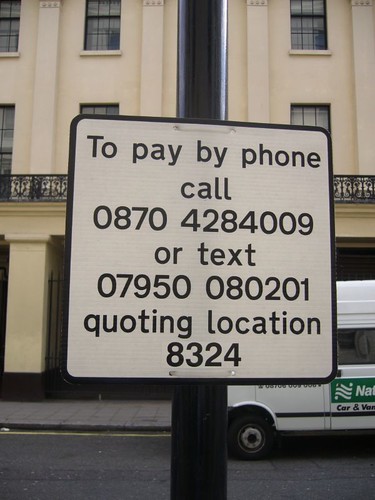
AnywhereIn a recently-published book called ‘Anywhere’, Emily Nagle Green talks about the importance of connectivity, in devices, such as pill boxes that know when they’ve been opened and closed, and can notify the network accordingly; in customer experiences, such as people being able to pay parking meters by text messaging, as shown below; and connectivity in business, such as wireless transmitters on taxis in London to save waiting time at Heathrow Airport.

I discovered that in Singapore when you enter a car park your arrival and departure are noted, and you are sent the bill afterwards. Apparently, in Hong Kong things are even more connected.

Parking by textI think the degree of connectivity in the world was brought home to me recently by something which a manager in IBM said:

“There are more transistors in the world than grains of rice”

Brendan Riley, IBM

I have no idea how many grains of rice there are in the world, but I’m sure it’s a lot!

Next week: The Economic drivers for change.