Poster Session at the Virtual Language and Technology 2010 Conference

I was delighted to receive an invitation from the great Shelly Terrell to submit something for this virtual conference's exhibition. I submitted my book, Go On, Bore 'Em: How To Make Your ICT Lessons Excruciatingly Dull.

Shelly then emailed me to say:

This is the first poster exhibit we have set-up for the conference. Many of you may not be in Second Life so we have a video we took of the presentation so you can see what your poster looks like and how participants can interact with it. We also e-mailed this video to all our 600 participants and put it on Twitter to spread this to a wider audience. Here is the link to the Youtube Video http://www.youtube.com/watch?v=zfYNOVbuCfk

If you are on Second Life, then you can visit your poster at this SLURL: http://maps.secondlife.com/secondlife/AVALON%20Learning/128/79/36

The poster presentations will be up till Saturday 6am GMT. 

We really hope you will consider submitting a poster to our October 2010 Virtual Round Table Conference!

What impressed me about the video is how Shelly has taken the time to introduce all of the exhibits, and to say something about each of them. The only fly in the ointment is that the volume seems to be very low for most of video.

Anyway, here it is. Do take the time to explore the Round Table link as well.

New Computers in Classrooms Edition Published

Read all about it!News, views and prize draws

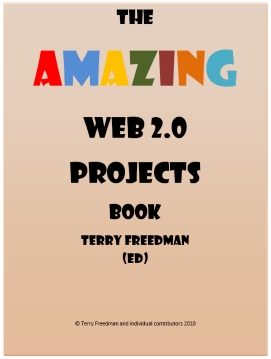
Information about the Amazing Web 2.0 Projects Book, two prize draws, a forthcoming ebook application for schools, free web resources and more.

Word Cloud Shoot-out

Believe it or not, Wordle isn't the only word cloud generator. Here we take an in-depth look at four such applications.

ICT- A Whole New World

Maddi is a 15 year old girl from Australia who loves ICT. Find out why.

The Importance of Mobile Phones in Education

Ethan, a 17 year-old student from England, admits that phones can be used for no good in the classroom; but the opposite is also true, as he explains.

Harnessed by Technology?

Peter Robinson strikes a slightly cynical -- but very well-informed -- tone about people's belief in the power of technology to transform.

Becta’s Leading Leaders Network: A Personal Journey

Headteacher Jeff Smith discusses his love of technology, leadership in an age of change, using technology well and wisely in school, how the Self-Review Framework helped his school transform itself in its use of ICT, and the value of the Leading Learners Network.

Interview with Melendy Lovett

I recently interviewed Melendy Lovett, President of Texas Instruments’ worldwide education technology business, about the state of STEM – Science, Technology, Engineering and Mathematics education.

Let Them Ask

Doug Woods considers how technology might be used to help youngsters ask questions.

31 Days to Become a Better Ed Tech Leader

Read the first two instalments of this forthcoming series!
The Computers in Classrooms newsletter is free! Sign up here.

Amazing News About the Amazing Web 2.0 Projects Book

I thought you might be interested in some news about the Amazing Web 2.0 Projects Book.

As of 5 minutes ago, it had been downloaded at least 11,928 times since the 14th March.

I’ve received and read some great comments about the book. You can view them here:

http://www.ictineducation.org/free-stuff/

If you can spare three minutes, please give me some feedback via a poll I’ve set up:

http://www.terry-freedman.org.uk/cgi-script/csPoller/csPoller.cgi?cid=1&t=1&pid=70

(This is the link behind the 'Take our poll' text over on the right-hand side.)

It consists of just three questions, so won’t take you long! Thanks.

If you like, place a link to the poll from your own website or, even better, embed the poll using this code:

<span id="poll_70_1_v">

<script src="http://www.terry-freedman.org.uk/cgi-script/csPoller/csPoller.cgi?cid=1&t=1&pid=70&js=1">

</script>

</span>

All you do is go into the HTML view of your blog post or web page, and put that code within the Body section, ie between the tags <body></body>. You should see the questions as they appear on the link above once you have done that. Once someone has voted, they will be able to see the results of the poll so far.

As the poll is actually hosted on my site, it won’t use up valuable real estate on yours.

New developments

I’m going to be announcing some exciting developments in relation to the book, and the contributors to it and the subscribers to my newsletter, Computers in Classrooms, will be the first to know about them. Here is one for starters:

I’ve set up two methods whereby you can embed the book on your own website or blog if you want to.

Firstly, there is a SlideShare option.  The links are live, ie you can click on them and they work. Also, the subject-project  list near the beginning of the book now contains hyperlinks to the projects cited. You’ll see the embed code near the top right-hand side of the screen.

Secondly, I have created a Myebook version. To obtain the embed code, you will need to open the book and then click on the Info tab. The advantage of this over the SlideShare version is that it looks and sounds like a real book, and you can zoom in to read it more clearly. Also, you can grab parts of the screen and email it to a friend. Unfortunately, though, the links don’t work, simply because I don’t have time to create them all manually – I’m waiting for the automated version of the book builder to do that for me!

Here's what it looks like:


Thanks again for contributing to this ebook, and for spreading the word about it. Judging from the number of downloads and the comments written about it, I think a lot of people have found it very useful so far.


50 Rules of Social Media Etiquette for Students

I've just been checking my Google Reader subscriptions., and came across this interesting post from Social Guy. It contains 50 'netiquette' rules for students, categorised into General, Twitter and Facebook. Helpfully, there are sections devoted to job-seeking and grammar as well.

Observe the rules of etiquetteI don't agree with all of these 'rules'. For instance:

Substituting “2″ for “to” looks like you’re in junior high.

Well, perhaps, but it also saves one character, which could be crucial!

Another one:

You might think it’s nice to send an automatic message every time someone follows you, but it actually makes you look lazy and unengaged. Social media is about the personal effort behind the connection.

I agree, but not responding at all for a while also makes you look unengaged.

I shouldn't use this set of rules completely out of the box, but as a very useful starting point for discussion with students.

Volcanic Ash Surprises

I find two aspects of the current situation surprising. (In case you're reading this in 10 years' time or something, the 'situation' is that a volcanic eruption in Iceland has thrown a huge cloud of ash and smoke over half of the western hemisphere, resulting in a flying ban over Western Europe.) This has resulted in thousands of teachers being stranded abroad, leaving schools in the position of probably having to close unless they can get enough cover teachers in.

The first surprise is that nobody in the media has, as far as I know, accused teachers, headteachers and the entire educational establishment of gross irresponsibility. Last year, when some schools had to close because of the weather conditions, the papers were full of rubbish about how schools had wimped out. The facts that (a) the Met Office had issued severe weather warnings and told people not to make journeys unless they were absolutely necessary, and (b) that the transport system itself had all but collapsed in some areas (I was due to give a talk in Nottingham and couldn't even get to the station!) completely escaped them.

So here we have this volcanic ash cloud, which you can see in this video:

OK, so teachers can't fly back to Britain and their schools. Couldn't they hire a boat? Or knock up a raft? Or swim? It's only a matter of time before some in-depth report proves that all of these options were possible.

More seriously, here's a question, and this indicates the second thing that surprised me in a way. Given the investment in ICT over the last couple of decades, and the ubiquity of devices like web cams, and wireless broadband, why should schools and teaching and learning be disrupted, as opposed to inconvenienced?

To put it another way, what has not been done to make continuing schooling possible, even in the event of this kind of situation? I'm not saying this as a way of knocking schools, or to be provocative: it's a genuine question. If we can figure out why we can't almost carry on as normal in this sort of extreme situation, it ought to be possible to work out what is needed to ensure that the use of technology is truly embedded in educational practice in more normal circumstances.

We Are Running a Good Service Apart From the Delays

It's a GOOD serviceAs people who travel in London will know, the section of Transport for London responsible for running the tube service feel the need to continually announce that they are running a good service. If an individual were to exhibit similar behaviour you would probably conclude that they were suffering from deep feelings of insecurity. Such a neat diagnosis would be shattered, however, upon hearing the announcement I heard a while ago:

We are running a good service, apart from the delays and cancellations.

Well, if it's good enough for TfL it's good enough for me! I'm running a good service here apart from the lateness of the latest issue of the newsletter, Computers in Classrooms, and an article on change management planned for today (I'm sure there's a bit of irony there).

The reason for the delay is that I was contacted on Friday and commissioned to do some work by today. That wouldn't have prevented the newsletter coming out this morning, were it not for the fact that as I was about to send off the completed work, I discovered that it had disappeared. I have no idea what happened, especially as I am assiduous in saving my work every few nanoseconds. I finally limped into bed at 01:40, having typed it all up again.

Handy hint: Never mind about the paperless office and going green: always print out your work when you've completed it. Not only is it easier to proofread, but you have something to copy from should a disaster similar to the one I've just related befall you. Fortunately, last night I had done just that, so all I had to do was copy rather than think: much easier when it's past midnight.

Getting back to the newsletter, the issue I'm working on features some great articles from wonderful guest contributors. You can read more about that, and sign up for this fantastic free resource, by looking at the announcement I made last week.

Another (good) reason for delaying the newsletter publication is that a few things cropped up towards the end of last week that I want to include, so I am still doing a bit of delving. That means, incidentally, that if you happen to know of any schools or teacher/groups that are managing to continue lessons using technology, to get around problems caused by the flying ban due to the volcanic cloud, I'd be delighted to hear from you.

Computers in Classroom Update

Here's an update to the announcement I made a few days ago. I'm still working away at producing this edition of the newsletter, which has been a little delayed because I've expanded it somewhat since I last wrote about it.

For a start, the review of Tagxedo, the new word cloud generator, has grown into a comparative review of four such applications, including an in-depth exploration of one of them. In fact, far from being a novelty item, this could help you address some of the data-handling requirements of the curriculum, and help to get colleagues on to the educational technology train as well.

I have also been able to include an interview with Melendy Lovett, senior vice president of Texas Instruments and president of the company’s worldwide Education Technology business . We discuss the decline in the number of students going into STEM (Science, Technology, Engineering and Mathematics) subjects at university, especially girls, and how it's affecting our economy.

There will also be at least the first instalment, and possibly the second as well, of a new series I'll be starting aimed at colleagues who wish to become a better ed tech leader.

All this plus news and comment, as well as the other articles I mentioned in my earlier announcement:

  • Why teenager Maddi from Australia loves ICT.
  • Why teenager Ethan from England loves his iPhone, and thinks he should be allowed to use it in school.
  • Headteacher Jeff Lewis on his love of educational technology, and how that's reflected in his school, and the work of the Leading Leaders Network.
  • Why educational editor Peter Robinson is a trifle cynical about Harnessing Technology and techno-evangelists.
  • And why ICT consultant Doug Woods thinks that technology could and should help students ask questions.

I am going to pull out all the stops and try to get it completed so you have plenty of weekend reading to keep you busy! That's assuming you're a subscriber, of course! Otherwise, why not sign up using the form below?

Please fill out this form to receive our newsletter.
Email:
fname:
sname:
Position:
How you heard of us:
Your purchasing power:
Where you live:
Main age group: 0-5
5-10
10-14
14-19
19+
N/A
Please indicate that you agree to the Terms of Service
I Agree
Subscribe
Unsubscribe


Word Cloud Shoot-Out

What's better: Wordle or the new kid on the block, Tagxedo? Each has plenty to recommend it, but what's the best one to use?

I've been putting Tagxedo through its paces, and written up my findings in the latest edition of Computers in Classrooms, which will be available later today.

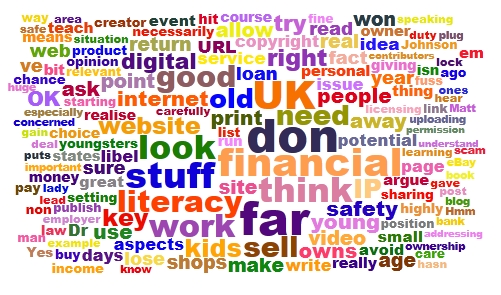
What's this meant to be? See the newsletter article for full details.

Subscribe to the newsletter

If you'd like to receive the newsletter by email, please complete the form below. We use a double opt-in system, which means that you will be asked to confirm that you wish to subscribe. The subscription is free.


Please fill out this form to receive our newsletter!
Email:
fname:
sname:
Position:
How you heard of us:
Your purchasing power:
Where you live:
Main age group: 0-5
5-10
10-14
14-19
19+
N/A
Please indicate that you agree to the Terms of Service
I Agree
Subscribe
Unsubscribe
 

The newsletter archive

If you like, you can have the newsletter delivered to your news reader. Just subscribe using the button below.


Who Needs Drivers?

One of the stories featured in the next edition of the Computers in Classrooms newsletter is about driverless cars. This is at once both exciting and terrifying, so I think it will be interesting to look at under the topic heading 'technology in society'.

The concept is not new, of course. Work has been going on in this area for a few decades. Here in London, England, we have the Dockland Light Rail, which can do its thing with no driver.

So, in case you're intending to read that article,  here is a video I made back in 2006 about the Dockland Light Rail. Think of it as an advance organiser, cf Ausubel. (If you're not familiar with that idea, take a few minutes to go through the SlideShare presentation below.)


Vlog02.mpg
Uploaded by terryfreedman. - More college and campus videos.


Computers in Classrooms Announcement

Your editor hard at workI'm currently working on the next issue of Computers in Classrooms, which is due out today! However, what with juggling between doing paid work, sorting out cats, writing a stupendous article about financial literacy (well, I liked it), and fighting the urge to just get out and enjoy the sunshine, progress is somewhat slower than anticipated.

But it will, I hope, be worth waiting for. Here's what it contains:

  • A review of Tagxedo, the Young Pretender to Wordle's throne.
  • Some important announcements, of competitions and a new series -- and, of course, the Amazing Web 2.0 Projects Book.
  • Let them ask, by Doug Woods, a great article about technology's role in questioning.
  • An article about driverless cars, by yours truly. (I haven't thought of a snappy title for it yet.)
  • ICT: A whole new world, by teenager Maddi (the only teen I've 'met' who actually enjoys her ICT lessons!).
  • The importance of mobile phones in education, by Ethan Davids, another teenager, who is almost biologically connected to his iPhone. Hear what a cell phone means to a teen, from the horse's mouth (no offence, Ethan).
  • Becta’s Leading Leaders Network: A Personal Journey, an extended essay by Jeff Smith, a Headteacher.

All that, for the princely sum of zilch, nada, nothing, zero. In other words, it's free! All you have to do is (a) complete the form below and then (b) confirm it by email. It will take a matter of minutes.

And while you're doing that, I will get back to the grindstone, in the hope of getting this out before midnight.

Please fill out this form to receive our newsletter.
Email:
fname:
sname:
Position:
How you heard of us:
Your purchasing power:
Where you live:
Main age group: 0-5
5-10
10-14
14-19
19+
N/A
Please indicate that you agree to the Terms of Service
I Agree
Subscribe
Unsubscribe


11 Essential Elements of a Digital Financial Literacy Course

There are sharks out thereFinancial literacy. Here is a great opportunity to address two pressing concerns at once: financial illiteracy amongst some youngsters, and one particular area of digital safety. Yet in trawling the internet and skim-reading a few documents, the only reference I could find to teaching young people about guarding themselves against financial predators on the internet , as opposed to sexual ones, was in an Australian paper published in 2003!

In my opinion, the usual sort of financial literacy 'curriculum' really fails to hit a few important spots. Yes, teaching kids how to manage their budget is obviously a good thing, but how is learning how to take out a bank loan useful for an 11 year-old? As far as I can tell, every financial literacy course includes this topic; that link is just an example.

I looked at the financial literacy page on the Teachernet website ,  and found that three of the links either don't work at all or lead you to a holding page -- and one of the defunct URLs belongs to an organisation that is supported by the Financial Services Authority. Hmm.

And looking at several examples of financial literacy syllabuses, how is learning how to set up and run a coffee shop/video rental shop/clothing store of any use or interest to an 11 year old?

I can speak with some authority here, as someone who, 15 years ago, was setting exercises and projects involving the setting up and running of video shops, record shops and tuck shops. (Do any of those things even exist now, as far as anyone under the age of 30 is concerned)? Admittedly, the team-working aspects of such activities are worthwhile, but even in those days I was of the opinion that the Young Enterprise scheme was far more useful, through being more relevant to what the youngsters themselves wanted to do.

Times have moved on, but the financial literacy syllabus hasn't. I used to teach Business Studies, in which I had to educate the kids about the differences between a loan and an overdraft, and between stocks and shares. I had serious doubts about the usefulness of it all, and still do -- except that at least now there is a chance to do some real buying and selling, on the web. Or, if that is a step too far, at least to deal with real, relevant and important financial issues which actually do, or could, affect the youngsters in your class right now.

So here are my 11 suggestions for inclusion on a digital financial literacy course:

  1. As a consumer (user) of stuff on the web, understand what is meant by copyright, licensing and attribution. Using someone else's stuff without permission, or failing to acknowledge use of it when it is allowed, is not only morally wrong but is potentially a criminal offence, and almost certainly grounds for civil action for damages. The fact that these scenarios are unlikely to materialise is irrelevant. We have a duty to teach kids how to keep themselves safe -- not only personally, but legally and financially too.
  2. As a producer (writer, artist or inventor), understand the difference between licensing your work, and giving it away. I've looked at websites in which the small print states that by uploading content to the website give ownership to the site's owner. I don't care how much potential income or exposure they are promising, it is never a good idea to give away ownership of your creations except in special circumstances with carefully worded agreements that both sides agree on.
  3. So licensing your work is OK, right? Well, not necessarily. Get that magnifying glass out again and take another look at the small print. If it says that by uploading your stuff you grant the site owner a licence -- forever -- to do what they like with it, you need to think about that pretty carefully.

    Some websites even go so far as to say that you give them the right to sell anything you upload, without even acknowledging you as the creator. So that's a double whammy: not only do you lose out on potential income, you lose out on potential further work too because people won't get to hear of you as being the creator.

    So you think I am making one huge fuss over nothing? I realise that I am showing both my age and evidence of my misspent youth here, but you only have to look at the Superman copyright story to realise the sense in what I'm saying.

  4. Who owns the copyright anyway? In the UK, if you create anything as part of your work, your employer owns the copyright. That means that you don't have the right to do anything with it, or allow a third party to do anything with it, without your employer's permission. You might be able to argue your way out of it after the event, but it will likely be a time-consuming, financially debilitating and career-limiting procedure.

    So who owns the intellectual property (IP) in stuff that a child creates? The answer isn't straightforward, as a perusal of this document will reveal (read especially the beginning, and the concluding paragraph). Irrelevant? Unlikely? I don't think so, if the young lady we spoke to in this video at Stephen Heppell's 2008 Be Very Afraid event is anyone to judge by.


    Copyright and IP is a minefield, so don't take my word for it as I'm not a legal expert. But that's precisely my point: we need to get it across to kids that this is a serious business, and that they shouldn't allow themselves to be exploited for financial gain. They need to look at the fine print, and get adults to look at it too. In fact, whenever I invite a young person to write for my website, I always ask them to make sure their parents and/or teacher is happy with the arrangement. I think that's good practice. And I don't ask contributors to give up any rights, only to allow me to publish their article in my newsletter and on my website.
  5. So how about writing for no return? Generally speaking, I think a good starting position is that of Dr Johnson:

    "No man but a blockhead ever wrote, except for money."


    That puts me a bit of a difficult situation, in that I don't pay contributors. And it makes me look like a hypocrite because I contribute to other blogs for no financial return. The key thing is to look at each situation on its merits and to broaden Johnson's approach to the fundamental question:

    What will I get out of it?

    Writing for no financial return should be a conscious choice, not an imposed or assumed position. But I would argue that if you are going to write for no money, make sure you get something out of it, such as a plug for your website or blog.

  6. How can I sell stuff over the internet? If you sell digital goods, you need to find a service that will generate a temporary URL, ie one that expires after a couple of days and which can be used only once. Otherwise, how do you avoid someone simply sharing your download URL?
  7. So what can you do about someone sharing the product itself? And how could you even find out they were doing so? Now, you may believe that it's OK for people to pirate your stuff, but the issue here is one of choice. There are definitely potential benefits from giving stuff away, even if you're selling it (see, for example, The Pirate's Dilemma ; its author, Matt Mason, gave a compelling talk at the 2010 Games-Based Learning Conference). And it may ultimately even be futile to try to lock everything down. But a key element of digital financial literacy is knowing about the issues involved and being able to discuss them and make informed decisions about them.
  8. How do you buy and sell over the internet? Is Paypal a good service? How do you compare such services? How does eBay work? How do you try and prevent yourself being ripped off, either as a buyer or a seller?
  9. How do you recognise an internet/email scam? What are the emotional and financial consequences for their victims?

    As a subset of this, how can you avoid being the victim of identity theft? And what can you do about it if you are?
  10. Where do you stand as far as libel is concerned? In the UK, the libel law is such that you can wind up bankrupt even if you're telling the truth! It doesn't even matter if you publish stuff on a non-UK website: if there's a chance it can be read in the UK, someone can take you to court in the UK.

    What that means is that you have to be really  careful when reviewing a book or some other product or service if you decide that you don't think too highly of it. Again, it's a complex issue, and I'm no lawyer, but the point is that students need to know that not being a UK citizen won't necessarily protect them.

  11. How is personal reputation likely to impact future employment and earnings prospects? If you want to get young people to understand why it's not a great idea to post photos of themselves in various states of inebriation or other compromising situations, maybe the old adage 'Hit 'em where it hurts' -- ie their pockets -- would prove more efficacious than only talking about personal safety, especially as everyone under 25 thinks they're immortal. Obviously, continue to emphasise the personal safety aspects, but introduce the longer-term financial considerations as well. A two-pronged approach can often be effective, generally speaking.

I don't think this is necessarily a comprehensive list, but I think it's a good starting point. By addressing digital financial literacy, we would also be addressing key aspects of e-safety. The two things, far from being mutually exclusive, are highly complementary.

What do you think of these points? What have I left out? Feel free to leave a comment.

Reflections on Handheld Learning: Authenticity vs Karaoke, and Magnificent Failure vs Benign Success

Malcolm McLaren

I was saddened to learn of Malcolm McLaren's untimely death due to cancer. I wrote the following article after the Handheld Learning Conference in 2009, and have republished it as my tribute to him.

#HHL09 Malcolm McLaren is not, perhaps, the first person that would spring to mind in the context of education. Yet, as one of the keynotes at the Handheld Learning Conference 2009 he had much to say that was highly relevant  - in an irrelevant sort of way.

Let me deal with that last comment first. I think that if there is one danger of conferences is that, if the organisers are not careful, the delegates end up in a kind of echo chamber in which all they are doing is, in effect, reinforcing what they all believe to be true anyway.

For me, this was no more apparent than in those sessions in which the presenter eulogised about the benefits of handheld devices.

Yes.

I know.

That's why I came.

Go tell it to a bunch of people who haven't had the opportunity to think about it or find out about it yet!

What conferences need is at least one 'outsider' who does not know the rules and conventions, and who can therefore break them. Or, at least, challenge them. That's why a few years ago I booked a journalist called John Clare to speak at the Naace conference, a gathering of the sort of people who attended the Handheld Learning Conference. Clare, a sort of intellectual Luddite, had one or two people walk out of his lecture, and another person subsequently voicing the view that it's only a matter of time before Holocaust-deniers will be brought to the podium.

In other words, his talk was a huge success! It got people talking for days afterwards, and even grudgingly admitting that he might be right.

Thus it was that McLaren had people tweeting each other and anyone else who would listen, asking what the point of it all was. Well, I'll pull out a few key things he said, and give you my own take on it all. Whatever you may think, one cannot deny that the atmosphere in the room was electric. That was partly because, I think, it was pretty amazing to have such a cultural icon addressing us in person, despite his somewhat avuncular (or, in Steve Wheeler's phrase, affable grandfather) appearance. And also, possibly, because one dared not think what he might actually say.

McLaren described his schooling. To cut a long story short, by any usual measures he was an abject failure. However, McLaren believes that it is important to be a magnificent failure rather than a benign success.

Yet, in our modern society, that is hardly presented as an option. Rather, we live in a karaoke world in which we can revel in our own stupidity, in which we want instant success without working for it. We have lost (and this is my interpretation) the understanding of the truth behind the old show biz joke that it takes 20 years to achieve overnight success.

McLaren likes the idea of the flaneur, the observer who is at the centre of everything yet invisible to all. He spoke of the need to understand the artistic value of banality.

For me, McLaren put into words what I have been unable to, or at least not nearly so eloquently. For example, for a long time now I have been taking photos of 'boring' subjects. The way I see it, lots of people take photos of 'interesting' subjects; who is recording the boring everyday stuff? I also took a similar stance in an article about a video, in which I asked why everything has to be so interesting all the time. 

So what does all this have to do with handheld learning? The key, I think, can be found in his comment that by working on his creative side, it helped him get along with himself; it helped him to find out who he was.

That is a very profound, and very moving, statement. We have fantastic technology now, technology that can liberate us in all sorts of ways. For example, as I mentioned in a recent article, technology has had some profound effects on our lifestyle over the past few decades. But what a missed opportunity if none of this stuff leads to, or contributes to, inner liberation. Look at the Attainment Targets for ICT in the National Curriculum, and you'll see that the higher the level, the greater the emphasis (either explicitly or implicitly) on efficiency and evaluation and all those kind of left-brain activities.

Why is there not an attainment target which encourages creativity, even if it leads to a solution that doesn't work?

McLaren finished by saying that the romantic pursuit of learning has died. The technology we have should be used to rediscover the idea of the flaneur, and art for art's sake, not a career.

He warned: don't take information for granted just because it's free. Don't become so reliant on technology that you don't know how to read a map, or spot a lie. Technology is not a replacement for applied learning.

I'm not sure how long McLaren spoke for. I believe he overran his allotted time. I, for one, could have listened to him for much longer.

This article was first published on 8th October 2009.

 

Review of the Livescribe Pulse Smart Pen

Here are my thoughts about this amazing gizmo.

Derek Wenmoth's blog is here: http://blog.core-ed.net/derek/

Livescribe's 4Gb Pulse Pen is described here: http://www.livescribe.com/store/20070723002/p-231.htm

The music is High Five, by George Wood, and is podsafe music.

I haven't mentioned the name of the handwriting recognition software because I'm trying it out for 30 days, and therefore cannot yet recommend it or not recommend it.

The video lasts for just over 7 minutes.


A Note About My Review of the Livescribe Pulse SmartPen

Whether it's age, or a momentary lack of focus because of a relative going into hospital, I made a really silly mistake in my recent review of this product, which is why I've taken the post down and made the video private. I will cut out the offending part as soon as possible, but this is the mistake I made:

I said you could use a different pen to the one supplied and still have your notes digitised. Well of course you can't: that happens when you plug the pen in!

Me: mortified at making an errorThis is highly embarassing for me as I always look into things thoroughly before writing about them. I did in this case as well, but clearly had a momentary lapse. Anyway, my apologies for the error, which will be expunged ASAP.

Update:

The video has been edited, and the review reposted. Enjoy!

Hazardous Environments

I was working in Jersey last week, and came across this sign.

OK if you're a duck...I like to think of this as being a metaphor for any situation in which one is challenged. It may be a conference, or it may be a small gathering of friends or colleagues (I use the word 'or' in the Boolean sense). It may be a new assignment, or a new team to manage, or a new boss. It may be a new syllabus, or a new piece of software. It may be a new government initiative. Or it may be a failure to launch a new government initiative.

It seems to me that what keeps good educationalists interested, and therefore interesting, is continually venturing into 'hazardous areas'. Where old assumptions and current paradigms no longer work, and long-honed skills lack relevance.

Involvement in educational ICT has its own challenges. There is the obvious one, that of constantly having to learn about, and learn how to use, new applications. But there is a curricular and assessment challenge too, which is more subtle. As new developments make certain things easier to achieve, it becomes untenable to give credit for achieving them, from a skills point of view.

A good example of this is desktop publishing. My first desktop published page took me about an hour and a half to achieve, as I figured out what I had to do. Once 'wizards' and templates had been introduced, by Microsoft Publisher, the same task took little longer than it took to enter the text. What was once a highly-skilled operation suddenly became almost unskilled.

This is reflected in several national ICT curricula I have looked at: as the grade level rises, the skills required rise less quickly. In fact, I would argue that in the English National Curriculum for ICT, there are hardly any more skills to learn beyond Level 4. You can achieve Level 8 with not much more than a Level 4 skill set, in my opinion. Why? Because the further up the ladder you go, the more important become factors like feedback (and therefore iteration) and systematic (strategic) thinking.

In this context, talk of digital natives or cool tools is not especially helpful. The real issue is that one must be continually finding new challenges for youngsters. Challenges which:

  • Make use of their current technical skills but nudge them towards the next level;
  • Are relevant to them personally in some way;
  • Are problems to be solved;
  • Excite both them and their teachers;
  • Are not easy; ...
  • ... Yet are not so difficult as to make one want to give up;
  • Have many facets;
  • Encourage collaboration; ...
  • ... And friendly rivalry;
  • Cannot be assessed by a tick list.

I often hear people bemoan the fact that ICT lessons are boring, and then proceed to blame the National Curriculum. I think the National Curriculum is broad and flexible enough to cope with modern demands -- where people actually make them.

That to me is the real problem: that for all sorts of understandable reasons many teachers do not make real demands of their students. They provide them with intellectually safe, and therefore boring, environments.

They should be providing intellectually hazardous ones.

The Amazing Web 2.0 Projects Book: An Update On Downloads

This ebook has now been downloaded at least 10,056 times. Why the lack of precision? Because lots of people Over 10,000 downloads in less than 3 weeks! Woo hoo!have put it on their own websites or VLEs, and obviously I can't track the downloads from 3rd party sites. Also, some folk have linked directly to the file on my site -- in which case I still can't track the number of downloads. Much better to link to the download page, and let people click the link there.

In case you've missed it, the book contains details of 87 projects involving Web 2.0 applications in the classroom. It's methodical, inspirational, fun, moving (to quote Gerald Haigh) and free!

Go to the download page just mentioned to find out what others have said about the book and, erm, download it!

Here's the spec:

87 projects.
10 further resources.
52 applications.
94 contributors.
The benefits of using Web 2.0 applications.
The challenges of using Web 2.0 applications.
How the folk who ran these projects handled the issues...
... And what they recommend you do if you run them.
What were the learning outcomes?

Download!

Enjoy!

Why Schools Cannot Ignore Web 2.0: Commercial Factors

#iCTLT2010 Last week I looked at the economic drivers for change. Turning now to commercial factors, I’ve called this set of factors ‘commercial’ rather than ‘economic’ because they concern financial matters.

Turning to the commercial drivers for change, one development in recent years has been the internal enterprise. What this means is that different parts of the organisation become cost centres in their own right, so instead of having to accept what someone else orders for them, let’s say in the way of IT equipment, they take charge of that themselves and also take responsibility for balancing their budget.

This is not Web 2.0 as such, but I think it’s another interesting example of the 'levelling process' I've alluded to before in this series, in which people are doing things themselves and for themselves rather than having someone else do it for them and to them.

I have to say that, having worked in such an environment, there is a danger that the individual units lose sight of the aims of the organisation as a whole. Therefore I think there does need to be quite strong guidelines and training in place.

I’ve already alluded to companies using Web 2.0 for marketing purposes, and again I think schools need to educate youngsters about this. For example, how do you know if a blogger is independent, as opposed to being paid to write something or promote a product? Guidelines about this have been proposed recently by the Word of Mouth Marketing Association, but ultimately I think the only way you can really educate people in this sort of media literacy is by embracing it and discussing it. But in the context of drivers for change, the point is that people are becoming more and more used to Web 2.0 applications being used in the real world, and there’s a danger that schools will find themselves becoming seen as irrelevant from a young person’s point of view.

Lots of companies have realised the value of social networking and other Web 2.0 applications, but are wary of allowing their employees to spend time on Facebook and in other public-facing areas. So what they have done is construct their own internal versions of these applications, collectively known as Enterprise 2.0. 

The fact that some companies have invented an internal version of Web 2.0 applications, especially social networking and instant messaging, does not detract from the main message of this series: the Web 2.0 approach to problem-solving is here to stay. Schools ignore it at their peril.

Next week: Educational drivers for change.

Review of the Flip Video

Since the introduction of the Flip Pocket Video Recorder a couple of years ago, several variations on the theme have been put on the market, both by rivals and Flip themselves. I thought it might be interesting to read what I said about it, and what it might be used for, back in June 2008.

Big ambitions?Here's a classic case of buying a solution in the hope of finding a problem for it! I have often toyed with the idea of purchasing a video camera and taking it with me on my travels, but the effort and cost have always seemed to me to exceed the likely benefits.

However, the Flip Video, which arrived on the shelves in Britain only very recently, changes all that. True, there have been other, similar, devices here for some time. But none of them, in my opinion, matches the sleek good looks of the Flip.

Elaine and I have been putting it through its paces, and would like to share the results, and our thoughts, with you.

The Flip has a number of advantages over a traditional video camera, or a still camera that can shoot video. It has clearly been designed with the YouTube generation in mind, because the process of shooting, editing, saving and uploading a video is just so easy.

Let's put it this way: I have a firm principle that if you can't get something usable out of a device or an application within 5 minutes then it's too complicated. The Flip comes with a quick start guide that is, in effect, a sheet of card with instructions and illustrations on each side. I gave it a quick glance just in case it warned me of dire consequences if I set it up in the wrong order (it didn't) and to find out where the batteries went (I was trying to open the compartment with the on-off switch). Other than that, everything was straightforward, and within a very short time I had shot and edited a couple of videos and uploaded them to TeacherTube and YouTube. Spielberg: move aside!

I think this ease of use is important because it changes the rules. I may be a creative person, but if I want to quickly record my actions or your thoughts, I don't want to have to do a course in video editing first and I certainly don't want to risk losing or damaging a camera costing hundreds of pounds.

The editing facilities are limited, but that is just how I like them. There is an option to mix your videos using a sort of template and add a musical soundtrack, which is fun but irrelevant for my needs at present. More useful is the ability to use sliders to mark the start and ends of a video clip and snip it to exclude the bits you don't want. If you save the original video in its entirety you could, I suppose, carry out this process several times in order to create several useful short clips. However, if you're going to do that you would be better off using a proper video editing application. The “snipping” feature is really meant to be used only to get rid of the start and end bits which will not form part of the final product.

In trying it out, I wanted to see what the quality of sound and video would be like outdoors, or in noisy environments. It strikes me that the whole point of a device like this is to be able to slip it in your pocket or bag and use it as and when you like. In a school context, you'd want the children and young people to be able to work outside, such as in the playground, the street, or a science field trip without having to mess about in Audacity to sort the sound out once back in school.

I have to say I was very pleasantly surprised. For the most part, the sound in the clips here was fine – there was just a few minutes of an chat in a restaurant where the background clatter of crockery and cutlery made it difficult to hear Elaine. You have to get fairly close to the device, say about a foot, to ensure audibility.

Plus points

     
  • Easy to use: there is basically one big red button to press!
  •  
  • Very small and light
  •  
  • Comes with the software built in...
  •  
  • ... And installation is automatic
  •  
  • Sound and visual quality are very good, especially before saving for the web
  •  
  • Very easy to transfer videos from the device to a computer: use the pop-out arm to connect it via a USB port, and the software does the rest.
  •  
  • Basic editing is very easy...
  •  
  • ... As is uploading to YouTube or generating the code for embedding the video if it's uploaded to an unnamed web service such as TeacherTube.

Minus points

     
  • I find it hard to stop recording, for some reason. Elaine thinks it may be because my fingers are big. She has no such difficulty.
  •  
  • Storage capacity is 60 minutes. It would have been nice to have the option of reducing the quality or using an SD card to expand capacity.
  •  
  • Just slightly too expensive to make class sets of 10 or 15 a viable possibility.
  •  
  • Because everything is so automatic, it is not immediately obvious where the videos are being stored. It would be good to have a version which is geared for school network use.

Here are the results of our experimentation. Each of these lasts just a couple of minutes.

Return from a shopping trip

I wanted to see what the results would be like if I recorded in an urban environment. I sound puffed because I was lugging a huge amount of shopping with one arm.


Interview with me about articles and books

Interview with Elaine about uses for the Flip Video

Further uses for the Flip video

Here are some other possible educational uses we came up with:

     
  • Ask teachers, technicians and support staff to record brief commentaries explaining what their job entails. These could be stored as part of the school's Careers resources.
  •  
  • Ask pupils or staff to record a brief running commentary on a task they are carrying out.
  •  
  • Carry out quick interviews.
  •  
  • You could record interviews with people about an issue, and instruct different sets of pupils to use the “snipping” facility to edit them to reflect a particular point of view. This would be a good introduction to the concept of propaganda.
  •  
  • Record pupil presentations...
  •  
  • ... And use them for reflecting back to the pupil how they appear to an audience, for the purpose of improving their performance.
  •  
  • Ask pupils to create brief “bulletins” about the work they're doing, for parents to be able to view, and/or for their e-portfolio.
  •  
  • Ask pupils to record their thoughts on what is good about a piece of work they have done, and how it might be improved.
  •  
  • Pupils could use the snapshot facility for extracting a suitable still shot to illustrate an essay, blog post or e-portfolio entry.

You'll find some other interesting ideas here and here. And Mark Warner has written an interesting review here.

If you can think of any that haven't been mentioned (I'm sure there are lots), please leave a comment in order to expand our horizons in this area.

This is a slightly modified version of an article which was originally published on 27th June 2008.

The Secret of Success

We all strive to be successful in our chosen field. Go into any bookshop and you'll be confronted by hundreds of self-help books on the subject. But, as usual, Lucy Kellaway has brought her incisive and acerbic wit to bear on the problem. The result is that she has distilled the advice into three things:

  • You need to be lucky. (I agree, except that I believe in creating one's own luck too.)
  • You need to be ambitious.

But the most brilliant observation comes right at the end of her article, which is well-worth reading or listening to:

While I’ve been writing this I’ve thought of one more law of success: to be able to say something obvious and make people think you’ve said something wise.

Absolutely!

But I think that a lot of 'wise' things are obvious. Consultants and advisers often come out with things which are not earth-shattering, but which the client has unable to see because they are too close to the situation.

In my opinion, the problem is not in other people thinking that an obvious statement you've made is wise, but in your thinking it's wise. That way hubris lies: a trait which really successful people don't have.


New to Web 2.0? Here is a Book Review of a Great Book For You -- by Mike Nardine

New to Web 2.0? Here is a Book Review of a Great Book For You
By Mike Nardine

Exploring Web 2.0:Second Generation Interactive Tools-Blogs, Podcasts, Wikis, Networking, Virtual Worlds, and More
By Ann Bell Katy
Crossing Press 2009 Copyright

Web 2.0? Whatever happened to Web 1.0? For that matter what's the difference? And even more to the point, who cares?

According to the author, Ann Bell, an Online Instructor and Course Developer For the University of Wisconsin-Stout, Web 1.0 faded away shortly after the Dot Com debacle at the beginning of the new millennium. Before that, she says, the information paradigm was "publish and browse;" the web was there to be read from, not interacted with. Today, in Web 2.0 data streams from every conceivable source are continually mixing and combining. As to who cares, knowledge, as they say, is power; any businessperson planning to make a living on the Web would be wise to pay heed to some of this stuff.

And this is a fine book for someone who wants to learn more about the Internet but doesn't want to get bogged down in the technical morass. Author Bell doesn't torment us estimating kilobytes or explaining domain name servers. Web 2.0, she says, depends on sharing among users, and she sets out to show us how we all can benefit from this collaboration. The chapter on RSS Feeds, for instance, gave the clearest explanation of what RSS is and how to use it of anything I've yet read on the subject. Information diced and sliced and delivered to your plate to suit your needs. She also gives us a list of valuable links to use in building our own RSS system.

For those of us that have always gone blazing by such nonsensical words as metadata and folksonomy, there is an interesting section explaining these terms and showing how they are important in Social Bookmarking, another system any businessperson who hopes to succeed on the net should be aware of. Are you on delicious.com yet? Good, then you understand tagging. Of course there is still Podcasting, Vodcasting and ScreenCasts, Wikis, Mashups and Virtual Office applications to be discussed.

Virtual Office applications, or cloud computing as it is called by many, is a valuable addition to any business office. Free software and free storage that is well beyond the reach of your crashed hard drive. You don't know where to find this valuable stuff? No problem, Ms. Bell lists several of the better-known services: Google Docs, Microsoft Live Office and Zoho. (I tried Microsoft Live Office for the first time and found it overly complicated; I'm back to Google Docs.)

Some readers might find this book a bit on the light side. Ms Bell spends very little time on technical questions. Except for the section on RSS she tends to be more descriptive than helpful in using the various items she describes. But the book does serve as an excellent introduction to the new interactive resources of Web 2.0.

Mike Nardine operates http://www.CheapMikesDomains.com. Mike sells domains and hosts websites at competitive rates. Mike also writes book reviews at http://www.YourBookReview.Com.

Article Source: http://EzineArticles.com/?expert=Mike_Nardine
http://EzineArticles.com/?New-to-Web-2.0?-Here-is-a-Book-Review-of-a-Great-Book-For-You&id=2920737