
Leading and Managing ICT Keynote

At 2pm British Summer Time (the word 'summer' being used somewhat loosely, given the deluge we had today and yesterday) on 5th May 2010 I'm giving a keynote talk on leading and managing ICT in schools, in the OU Vital Community. OU Vital is a recently-established online professional development community for ICT educators. Run as a collaboration between the Open University and e-Skills, it is providing a range of free professional development opportunities, both offline and online. Several people whose websites I enjoy reading have run, or are about to run, sessions, including Doug Woods and Andy Hutt, to name but two. Everyone is welcome to join, even if you don't live in the UK.

I'm not getting paid to plug it, by the way. It's a genuinely exciting initiative and a vibrant-looking community. The nice thing is the absence of rivalry. For example, Peter Twining, the head honcho, kindly offered to have The Amazing Web 2.0 Projects Book converted into HTML format free of charge -- the only 'price' being that I let Vital host it within their own site as well as on my own. Must have taken me all of three nanoseconds to think about that.

Anyway, back to the present. I was approached by Malcolm Moss, of Core-Ed, to present a session on ICT leadership. (See this articleto get details about OU Vital and how Core-Ed fits in). The terms 'present' and 'keynote' are strange ones to use in this context, because there is as yet no audio or video facility, unless one creates it and links to it. Instead, what I've done is to write a short stimulus article suggesting five broad strategies for leading and managing ICT in a school.

If you log in and go to that session, you can read the article and also take part in a live discussion via a chat room. That should be fun, and will hopefully lead to some good ideas being exchanged. I've made a short audio (less than three minutes long) to give it a bit more of a context, and you can listen to that by clicking on the play button below. The session lasts for an hour. Hope to 'see' you there.


Leading ICT Keynote Preview

31 Days to Become a Better Ed Tech Leader-- Day 9: Ask the Pupils

A task a day for 31 daysWhen all is said and done, the whole point of being in school is to provide a good education for young people, so we need to ask them whether we're doing a reasonable job. However, exactly how you ask them will depend on their age, and also what you wish to find out.

What should you ask?

The kind of questions I  ask when visiting a secondary (high) school are as follows:

  • What you think is the school’s vision for ICT, ie why is it providing lots of kit etc?
  • Are students asked to contribute to the school's vision and ideas?
  • Are there lots of (high-quality) opportunities to use ICT?
  • Do you find the things you're asked to do with educational technology challenging? 
  • Are you making progress?
  • What opportunities are there for students to contribute to the school’s use and choice of ICT?
  • What is the value of learning about and using ICT, especially as many people consider young people to be experts anyway?
  • What Level are you at in ICT, how do you know, and what do you have to do to get up to the next Level?
  • Anything you’d like to add?

Ask the right questionsThese are not all the questions I like to ask, and I ask slightly different ones, in a very different way, when visiting primary (elementary) schools, but hopefully this selection will give you an idea of what works. Breaking these down what they seek to find out from the students is:

  • What do you think the school is trying to do?
  • Are you 'done to', or are you consulted, as far as ICT is concerned?
  • Do youb get to do hard things with the technology, as opposed to stuff you could do anyway?
  • How are you doing in ICT, and how do you know?

There are other ways of finding out useful information from a student's perspective, as you'll see on Days 10, 11 and 12. However, asking them directly is a useful — actually, essential — part of the process.

How to do it

I should recommend taking a random-ish group of youngsters from different age groups, eg 2 from each Year or Grade, and of both genders. Ideally, limit the size of the group to no more than six, and do it with two groups if necessary. Obviously, try to draw everyone into the discussion. The whole thing need take no longer than 15 or 20 minutes — half an hour at the outside.

You can either conduct the session in a lunch period, say, or during lessons whilst project work is going on, or online. If you do it online, I think it's important to ensure that students cannot make anonymous contributions. The reason is that there is always a danger that some students will use the exercise as a means of moaning about their teachers. If they wish to make such complaints, they or their parents should do so in a proper manner, not hijack your survey.

On the other hand, most students, most of the time, are eager to please, and therefore can be tempted to say things that they think you'd like to hear, or which won't get anyone into trouble. For that reason I do think that the best person to ask these questions is someone who is, and can be seen to be, independent. On Day 13 we'll look at the idea of inviting a teacher from another school to visit; the visitor would be an ideal person to conduct the interviews. Alternatively, a member of the Governing Body or a parent might be approached. A teaching assistant is also a possibility, as indeed is a colleague from another curriculum area altogether.

Then what?

The information you glean from asking the students directly about their educational technology experience in the school can prove very useful to you in planning. If, for example, the school has invested lots of money in state-of-the-art equipment, but the students aren't using it, is that because teachers don't have the knowledge or confidence to make it available? Perhaps you should put on some staff training sessions in those areas?

Or suppose the students are using the technology a lot, and are really enjoying it, but don't know how they're doing or how to improve (an answer such as "I must work harder" is not specific enough). In that case, perhaps you need to make sure that people have a good idea of how to assess students' ICT capability and, crucially, how to convey useful information about it to their students.

So how would all this knowledge help you to become a better ed tech leader? The youngsters are your final customer, if you wish to think of it in commercial terms. It's not necessarily the case that the customer is always right, of course. But by making sure you know how things are from their perspective you can adjust what you're doing, repriotising if necessary, in order to bring about an improvement in the educational technology 'service' being offered.


We Don't Need No Rules of Grammar

Steve Wheeler (@timbuckteeth)has posted a useful article reminding students that when it comes to succeeding academically, accuracy in using the language still counts.He lists a set of rules which humorously make the point, such as "Avoid clichés like the plague." My question is: do the same rules apply to bloggers?

Is it forbidden to break the rules? (Photo by Elaine Freedman)I think there are two main issues. Firstly, it's fine for bloggers or creative writers of any kind to bend or even break the rules of grammar, if that is done in a purposeful way. For example, I might wish to write a sentence consisting of just two or three words, or even a single word, for emphasis, which breaks Rule 10: "No sentence fragments.", as in:

You would think installing this application would have dire effects on your system. Not so.

Secondly, I disagree with some of the rules anyway. To be specific:

Prepositions are not words to end sentences with

As one of the commenters on Steve's post says, this isn't a rule as such, just someone's invention. Trying to obey it can lead to all sorts of grammatical gymnastics. I think Sir Winston Churchill said it best:

This is the kind of English up with which I will not put.

And don't start a sentence with a conjunction

It sounds like sound advice, yet doing so can often be used to good effect, for example:

But there was no way of knowing that.

Starting the sentence with the conjunction 'but' gives it an immediacy and impact that the acceptable alternative, "However," lacks. Indeed, the comma itself, which is grammatically correct in this context, induces a pause, as it is supposed to, thereby slowing down the pace. In my opinion, pace is just as important in non-fiction writing as in fiction or poetry. Would you not agree?

It is wrong to ever split an infinitive

Well, possibly the most famous split infinitive in the English language, "to boldly go etc", from Star Trek, is not improved by rendering it as "Boldly to go" or "To go boldly". Perhaps that's because of its familiarity, but there are lots of examples in everyday life where to not split an infinitive would come across as forced, unnatural. Usually the distinction is drawn between written and spoken language. A blog, surely, can be both.

Avoid clichés like the plague

Good advice, but hard to abide by. After all, clichés became clichés because they were deemed to be so apposite.  You could try to coin your own analogies and metaphors rather than use a cliche, but in the wrong hands that can come across as self-satisfaction at one's own cleverness. Much better to write naturally and plainly. After all, if the image conveyed by the metaphor distracts from the subject of the writing itself, the whole point of communication has been lost. Therefore a far more useful piece of advice would be to avoid metaphors and similes unless they are truly necessary. They rarely are.

No sentence fragments

Why not? Sometimes these can be used to great effect. I wrote an article in which I not only used sentence fragments, but placed each fragment on a line of its own. I thought that was quite effective in conveying the style in which I would have said the same thing had I been having a conversation with the person I was referring to. In any case, for the sake of balance, these rules ought to include one which forbids writing long, complex, sentences. See, for example, my review of The Making of a Digital World, which contains such gems as:

This process is nested in the process in what Modelski terms the active zone process, defined as the spatial locus of innovation the world system, representing the political process driving the world system evolution, and unfolding over a period of roughly two thousand years (again separated into four phases).

Don't use no double negatives

Hmm. Well I can see that doing so might not be a guarantee of examination success, but certainly in other contexts the use of a double negative can be rather effective. For example:

Badges? We ain't got no badges. We don't need no badges!

(See http://en.wikipedia.org/wiki/Stinking_badges)

You'd have a hard job trumping Elvis Presley's triple negative in the song Hard Knocks:

Nobody never gave nothing to me.

Conclusions

The point is that you want to communicate not only clearly, so that you end up saying exactly what you mean, but engagingly. No disrespect to academics, but I have the impression that engaging the reader is usually seen as very much an optional extra. Depending on the nature of what you're writing about, and your target readership, the rules of grammar in the traditional sense may or may not apply. Audience and context are key.

Of course, all this assumes that you know the rules of grammar and good writing to start with. If you don't, those quoted by Steve would be good ones to print out and stick on your wall.

Another good source of information is the Grammar Girl podcast. This is surprisingly useful — surprisingly because, as we all know, rules of grammar and syntax differ between the USA and the UK. As George Bernard Shaw observed, "England and America are two countries divided by a common language."

However, Mignon Fogarty, the 'grammar girl', makes a point of highlighting the correct versions for a British audience and for an American one, where there is a difference.

Finally, the much-maligned grammar checker in Word and other wordprocessors does a reasonable job. You don't have to accept all the suggestions, but surely it's better to have the choice than to remain ignorant to the fact that you may have got it wrong?

31 Days to Become a Better Ed Tech Leader -- Day 8: Set Up a Committee

A task a day for 31 daysThey say that a camel is a horse designed by a committee. There's a certain amount of truth in the message being conveyed: committees often start by arguing, and end up compromising. The result is something that nobody in the room had in mind at the outset.

And, let's face it, committees may add another level of bureaucracy to an already bureaucracy-burdened profession. So why am I suggesting that organising one could help you become a better ed tech leader?

A committee can actually be a good thing — if the reason for its establishment is clearly to further the use of technology in the school, and the people invited to sit on it do not regard it as a forum for arguing in favour of having more funding lavished on their own curriculum area. Organised and managed properly, an ICT committee can be beneficial in a number of ways.

The benefits of an ICT committee

The members of the committee can be your eyes and ears around the school. We've already seen how walking around the school can be quite useful, but you can't necessarily do that every day, or even every week. You certainly can't be in other teachers' lessons all the time. A committee can provide useful information about how the technology is being used — or not being used — in different areas of the school. And, crucially, why or why not.

A committee can provide a watching brief on developments in technology. I'm mindful of the comments Doug Woods made about my suggestion of delegating a unit of work, to the effect that alleviating some of your own workload is not a good reason for it as other people are busy too, and I agree. But if people are on the committee they can be asked to keep an eye on things in an area they're passionate about, which they probably will do anyway. If they also happen to be non-specialist geeks, so much the better.

In any case, if you're in a secondary school they will be specialists in their own curriculum area. I think it's quite reasonable to expect them to provide feedback on the way technology is being used there, and new software applications. If nothing else, it should help to avoid duplication. For example, in one school I worked in, three subject departments had each bought exactly the same software — before I arrived on the scene, I hasten to add: one of the first things I did was to co-ordinate all software purchasing in order to both avoid that situation and to be in a position to enjoy price discounts.

Notwithstanding the camel comment at the start, colleagues on the committee are likely to come up with ideas you wouldn't have thought of. They have friends in other schools, for example, and belong to subject associations and read different magazines to the ones you do. They have different experiences from you. They're different people, for heaven's sake! They're bound to come up with different ideas.

Who should be on the committee?

In a secondary school, it makes sense to have a representative from each subject specialism. It's interesting to see who is chosen by the team leader. It's often the youngest teacher in the department, but is that because they're brimming with ideas and understand technology, or is it because they're the most junior members of the department and being on the ICT committee is seen as trivial but necessary? It shouldn't make you treat the teacher concerned any differently one way or the other, but this kind of knowledge can give you an insight into how important the use of technology is seen by their subject leader.

An alternative approach, if your school is organised like this, is to invite people from each faculty or learning area. That has the distinct advantage of keeping the numbers down, which makes the committee easier to manage. On the other hand, there are a fewer people to contribute to the work of the committee.

Primary schools are structured differently, of course, but you may still want to invite people based on their specialisms, eg literacy, special educational needs and so on. But the big problem is that, in the UK at any rate, primary schools are often so small that the same person is literacy co-ordinator and special educational needs co-ordinator, with several other roles thrown in for good measure.

So you have to be sensible and judge your particular situation on its merits. Should the committee comprise colleagues who have volunteered? Do you even need a committee at all? Perhaps it would be best simply to ask colleagues' opinions about things from time to time, or set up a means whereby it's easy for them to make suggestions and voice their opinions whenever they like.

Maybe the ICT committee should be an ad hoc one, ie set up for one particular purpose, with the intention of disbanding it once it has done its job. A good example would be where the school is thinking about implementing a new VLE, or a new set of portable computers.

Practical matters

Some thought needs to be given at the outset about when the committee will meet. In England, for example, there is a work time directive in place that teachers should work 1265 hours a year. This comprises both teaching time and 'directed time', and is often regarded as an upper limit (see this example, which I don't think is atypical). In such circumstances, if you're going to set up a committee, try to ensure that its meetings are counted as 'directed time'.

Even if you don't have to worry about the 1265 hours or similar, I think it's good practice to recognise that sitting on a committee like this takes up time which could have been spent on lesson preparation or with one's family. It shouldn't be taken for granted.

Also, it should go without saying that the meetings should be conducted in a businesslike way, ie with an agenda, and with notes of the meetings afterwards. People shouldn't be expected to have their time wasted whilst you consult the back of an envelope or, worst still, ask if anyone in the room has anything to discuss.

And a nice selection of cakes and some fresh coffee wouldn't go amiss either.

My First Blog Post

As far as I can ascertain, this was my very first blog post. (Not my very first online writing, which had been published around seven years earlier.)

The sad thing is that nothing has changed -- except for the fact that I now receive even more of these inane messages!

22:13 2002-05-22

Make a note of thisToday I had a great email. It started: "Hi [firstname]," and then went on to tell me how this product could make me loads of money.

I should have thought the first step in making pots of money is to find out basic things like your target's name, and perhaps the second thing would be to make sure the mail-merge works.

That's one company that won't be getting my custom (along with all the others whose emails are automatically dumped in my Trash folder -- but that's another story!)

31 Days to Become a Better Ed Tech Leader: Consolidation Day 1

A task a day for 31 daysThere is always a danger with any series like this that, with a new task or challenge being presented each day, it can all become somewhat relentless. For that reason I decided at the outset that I would insert some 'consolidation days'.I suppose technically that's cheating a bit, because it will make the series longer than 31 days — but I never said anything about the days being consecutive!

Reflection is a good thing, so let's cogitate on what's been achieved over the first seven days.

In fact, reflection is a good word to use in this context, because what this week has been mainly about is metaphorically sitting back and watching and listening. The exception was Day 2, of course, which was designed to both satisfy leaders' innate predilection to actually do something, and to set events in motion that would have long-term benefits without being too disruptive in the short-term. As I've suggested before,one of the worst things you can do, if you're new to the job, is to go around changing everything before you really know what's what. You want to make your mark as a new leader, but hopefully you'd prefer to be known for being incisive and doing what's needed, than for being impetuous and self-obsessed (which in my opinion is a characteristic of people who act without doing some fact-finding first).

If you've been rising to the challenge every day, what you should have by now is a kind of shopping list of issues to address, and some ways to address them. You will have found out what, in your opinion, needs looking at through the exercises on Day 1 (SWOT analysis), Day 4 (getting out and about) and Day 7 (wall displays). You will also have started to think about ways of dealing with these issues, whether in the short term (Day 6, quick wins) or the longer-term (Day 3, find a non-specialist geek, and Day 5, draw up a wish list). Remember, the whole focus of this series is to stimulate some thinking, not necessarily to solve all the problems straight away.

If you haven't had time to look at one or two of these tasks, well, today's a good day for catching up!

The next seven days will involve further looking, but at a deeper level, and will also involve other people.

31 Days to Become a Better Ed Tech Leader -- Day 7: Wall Displays

A task a day for 31 daysTake a look around you. I don't mean around the school, as suggested on Day 4, but around you. What are the walls of your classroom like? If your school has computer labs, what's on the walls? How about the walls in the general area itself, outside the rooms?

Walls are not there simply to separate rooms or hold the roof up. Well, they are, but you can use them for so much more. And if you're not allowed to put anything on the walls then investigate the possibility of having digital displays, in the form of mobile 'walls', plasma screens or, if it comes down to it, a computer station or two at the back of the room running an automated PowerPoint show. I'm not saying that's ideal, and I recognise there may be practical drawbacks, but I am just trying to convey the idea that there is no need to, and nothing to be gained by, taking a defeatist attitude in that kind of situation.

What's it all for?

Before we go any further we need to stand back and ask the big question “why?”. To put it another way: what is going to be the impact on teaching and, especially, learning, of your classroom display? If the answer is “not much”, then there’s little point in bothering.

That may seem a little uncompromising, but schools are about learning. Anything which does not contribute to that goal, whether directly or, perhaps by creating a safe, stimulating and pleasant environment, indirectly, is simply a waste of time and energy.

The same goes for notices in a computer lab. All too often they are full of what you must not do. After three minutes you start to feel as though you've entered a prison. What's on the walls should enhance your desire to learn and do stuff, not make you wish the end of the lesson had arrived.

How effective is the display in your classroom? Try this as an experiment to find out how much notice your class takes of the wall displays. Ask them to tell you, without turning round to look, what country is shown on the map at the back of the classroom. The best situation in which to do this is one in which there is no map, nor ever has been, in the back of the classroom. The pupils will almost certainly come up with all sorts of answers except the correct one.

If that happens then you will know that your display has been less than successful!

Types of display

Nothing, nada, zilch

The most basic type of display is no display at all. In other words, there are just plain walls and doors. You may think it is frivolous to count this as a display at all, but bear in mind that the environment the pupils have to work in conveys a message to them. In this case, the silent message could be that they are not important enough to worry about. Even if this is stretching the significance of the so-called ‘hidden curriculum’ a little too far, it has to be admitted that the complete absence of anything at all on the walls cannot exactly produce a stimulating learning environment.

It may be, of course, that the school has been built, and is being maintained, through a private finance initiative (PFI) or similar arrangement, and that one of the conditions of use is that nothing is put on the walls, or other restrictions. That is something that should have been spotted, and negotiated out of the contract altogether, at the planning stage, so it is too late to do anything about it immediately - although it may be possible to find ways to work around it, as suggested earlier.

Posters

Another type of display is created by putting posters on the walls. These can be obtained from companies, in which case they contain advertising, or educational periodicals. The main function these serve in practice appears to be to brighten up the room. In some cases they serve a second function as well: that of covering up unsightly marks or cracks. Ideally, they should help to provide information or points for discussion that can be brought into lessons.

Showcase

A third type of display is intended to showcase children’s work. The walls are festooned with print-outs - sometimes annotated in colourful felt tip - and extracts from pupils’ folders. If you have someone on your team who is great at putting things on walls in a way that makes people burst with pride at seeing their work on them, ask them if they'd be kind enough to be in charge of all that sort of thing.

Perhaps in return you could negotiate some sort of quid pro quo with the powers-that-be, something useful like having one or two guaranteed free periods a week in which to manage it. If that's not an option or not applicable, then take away some aspect of administration, or even try to obtain a small salary increase for them, although that is both unlikely to happen and is not without its difficulties if it does happen. If the person is a teaching or classroom assistant, then build in display duties as part of their timetable if you can.

The point is simply that although many staff in school do extra things and go above and beyond the call of duty, that's no reason to expect it and take it for granted.

Guides…

Another type of display consists of sets of instructions. Information on the walls tells users how to achieve something, like printing to the colour printer.

… and Guidance

A related type of display is sets of rules, intended as guidance on how to behave near the computers or how to make sure the equipment stays working. I have always applied Freedman's 5 Minute Rule: Someone should be able to come into my computer suite, log on, do some work, print it out and save it and log off, all in the space of 5 minutes even if they had never set foot in the school before. See 7 Rules For Teachers and ICT Co-ordinators for more on this plus six other great rules.

Terminology

Finally, the display may consist of sets of technical terms, or key words, which the pupils are expected to learn. These can and ought to change to some extent to reflect the topics currently being considered.

Issues

There are a number of important issues to bear in mind:

  • All of these types of display may be important, but possibly not equally important.
  • The different types of display are not mutually exclusive.
  • You, the teacher, don’t have to actually do the work for the display necessarily - but you do have to manage it.

Action

So, how might you improve your immediate learning environment by addressing the wall displays? Could this be another 'quick win', as discussed on Day 6?

I am currently in the process of updating and expanding my book about the importance of display. Look out for announcements about that.

ICT in Education News Bulletin

Read all about it!This news bulletin contains items about a new e-safety initiative, a new Guardian website, the RM Strategic Forum conferences, and the Amazing Web 2.0 Projects Book and other important stuff.

E-Safety Competition

A great new competitionChildnet is running a film competition for young people in the UK. An educational charity founded in 1995, its work involves discussing, amongst other topics, cyberbullying, online grooming and scams. As Lindsay Bower, Childnet's Education Officer, says:

Sadly some children are exposed to risk online that offline they simply wouldn’t come in to contact with.

In "Film Challenge 2010", Childnet is inviting all schools in the UK to enter.

Two separate projects are in place for primary and secondary aged children.
They are asking secondary pupils to consider the direction that they would take the internet in, were they to have complete control -- what is their idea of an internet utopia? How can we all look to be good digital citizens and use our online presence to grow and shape the world in a safe, creative way? Primary pupils will be asked to create a film about why they love the internet and how they stay smart online. This could be done through drama, music, dance, rap, animation, puppetry or poetry for example. All films must be no longer than 60 seconds!

Sounds to me like a great project for the Creative and Media, Social Health an Development, and IT Diplomas!

All shortlisted finalists will be invited to a private screening of their film, in a London cinema, with the judging panel. Here is some more information about it, and don't forget to check Childnet's website for updates and other info. Closing date for entries is 28th May 2010.

New ICT in Education website to be launched

The Guardian will be launching a new ICT in education site at http://www.guardian.co.uk/classroom-innovation within the next couple of weeks. The idea is that whilst there are some useful websites in this area, there's nothing that brings them all together so to speak. So the idea of the new website, which is being sponsored by Asus for the first six months, is to collate the Twitter feeds of these websites, suitably filtered so that only items relating to educational technology are included. Sounds like a great idea, and I was delighted to be asked if I'd like this website to be included. So look out for that, bookmark it, blog about it and, erm, tweet about it too!

The RM Strategic Forum

Terry as matinee idol circa 1982In the early 80s I was in an amateur dramatics society, in which I trod the boards (as we say in show biz) a few times a year. In the late 80s I was in a band, in which I played blues harp (as we bluesmen call the harmonica) and sang."I guess that's why they call it 'The Blues'."

Yet despite such displays of derring-do, when David and Carrie Grant announced that we would all be singing, I experienced a range of emotions, starting and ending with "OMG!". I had awful visions of being one of a hapless few selected to sing solo, and all the negative, stiff upper lip, we-didn't-do-this-in-my-day, what's-this-got-to-do-with-ICT-strategic-planning-anyway type of thoughts came flooding in.

Well needless to say, it was a great way of starting a day that was intended to be one in which we opened our minds to other possibilities and started to think differently. There were lessons to be learnt:

  • In the hands of a good teacher, you can achieve great things very quickly. David and Carrie were excellent.
  • Furthermore, a great teacher will make you believe yourself that you can achieve great things very quickly.

    Great things? Well, I think a crowd of a couple of hundred people singing in four-part harmony within half an hour or so has to count as a 'great thing'.
  • Finally, it was a salutary reminder of the hell we put some children through every lesson of every day. I remember myself spending every lesson in some subjects being terrified that the teacher was going to pick on me to answer a question. We can do things differently now.

The activity was also a great way of loosening up and generating some energy.

With input from assorted luminaries, including Richard Gerver, Sir Ken Robinson, Ollie Bray, John Davitt and Sir Tim Brighouse, the talks and panel discussion were very good, and in some parts quite moving.

In the panel discussion David Grant did an excellent job of coming back at the panelists and saying "Yes, but what can we actually do right now or tomorrow?". Left to themselves, a lot of visionaries tend to lapse into a default position of, er, having visions smile_tongue. It's good to have someone nagging them to say something of practical value too! (And yes, I know I'm being slightly unfair, but you get the point I'm making, yes?)

It was slightly annoying that a couple of the panelists had somehow gained access to my brain and filched some of my ideas about what makes an expert teacher. I've been writing an article about that, in my head. For example, an expert teacher is not just someone who knows their stuff, but can get the students engaged. Although even there I have to say — but I'm getting ahead of myself: you'll have to wait for the article to make its way from my head to these pages.

The small group discussion was OK, and well-facilitated, but the acoustics were such that it was difficult to hear everyone. The walk around the learning spaces set up, which included lots of examples of some great technology, and in some cases some real live students using it, was excellent. I was impressed by how knowledgeable the staff were. Also, as happens every time I see anything like this, I wished I'd had this kind of kit when I was teaching.The Smart Table

One thing that RM has done is to address head-on the problem always faced in new builds, which is that the architects wade in and the educational technology is incorporated into discussions as an after-thought — by which time it is too late. RM has teamed up with firms of architects so that their contribution is part of an overall educational approach.

Receiving an iPod Touch was great, but having it ready-loaded with useful files, and having to use it in the first session with the Grants, was a very well-thought out move.

If you have a chance to go to one of these events I would say do so: it's time and money well-spent. And no, I'm not being paid by RM to say this, in case you're wondering why I'm enthusing so much about this conference.

The Amazing Web 2.0 Projects Book
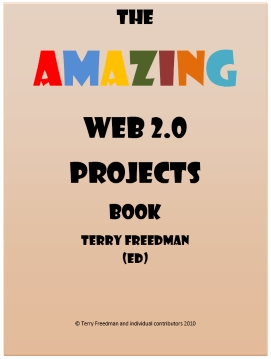
Amazing projects at an amazing priceThis fantastically useful and free book has now been downloaded 12,461 times, and that only tells part of the story. Others have made it available on their own websites, and I obviously cannot know how many downloads they've enjoyed. Also, some people have passed it on to many others.

Going by the poll I set up, the 35 people who have responded so far sent it out to an average of 81 people each, which if true of everyone would mean that over a million people have seen it so far. It's rather too small a sample to draw such conclusions though, and that mean figure hides a wide range. UNESCO, for example, has sent information about to to 5,000 people as well as placing a note about it on their website.

If you have downloaded and looked through the book, please complete the survey, which comprises three questions and involves hardly any typing!

If you like, you can access the contents of the book in two other ways, and even embed it on your own website. Firstly, there is a SlideShare  option.  The links are live, ie you can click on them and they work. Also, the subject-project  list near the beginning of the book now contains hyperlinks to the projects cited. You’ll see the embed code near the top right-hand side of the screen.

Secondly, I have created a Myebook version. To obtain the embed code, you will need to open the book and then click on the Info tab. The advantage of this over the SlideShare version is that it looks and sounds like a real book, and you can zoom in to read it more clearly. Also, you can grab parts of the screen and email it to a friend. Unfortunately, though, the links don’t work, simply because I don’t have time to create them all manually - I’m waiting for a forthcoming automated version of the book builder to do that for me!

You can download it from the Free Stuff page on the ICT in Education website, where you will also be able to read a sample of the nice things people have been saying about it.

Take part in a cool experiment

I’d like to try an experiment on my website, for which I need your help. I don’t want to go into detail now, so I’m asking you to trust me. What I need is a short article, on any aspect of educational ICT. When I say ‘short’, I mean maybe 500 words or so - in other words, just two or three paragraphs.

Have a look at the guidelines and terms and conditions, because if you were to send me an article I’ll assume you agree to them. The bottom line is that you keep the copyright in your article, and agree not to write anything that could land both of us in court!

If you’d like to take part in this experiment, and promote your own blog/website into the bargain, please send me an email suggesting a topic you’d like to write about and a sample of your writing or link to your blog.  I’d need to receive the article by 3rd May so please get in touch as soon as possible.

Snap Happy

I’ve started a group in Flickr. Called the ICT in Education group, the idea of it is to have a place where we can find photos depicting, er, ICT in education. There are other, similar, groups on Flickr, and I am not trying to outdo them in any way. I just wanted to try out the Group creation feature.

Flickr groups are quite useful, because as well as making it easy to find photos on a particular theme, you can also interact with those people who have similar photographic interests to yourself.

Setting the group up was very easy, and you are presented with several options in terms of how easily people can access it. I opted to make it open to all, subject to approval. So basically you have to apply for membership. The reason I have done this is that I get fed up with having to deal with spam and spammers all the time. I mentioned some time ago that I’d suspended the Ning communities I’d set up for that reason, and every day I have to delete spam comments from my blog (they never appear because all comments have to be approved). I didn’t want to give spammers yet one more opportunity to waste my time and that of other people.

The purpose of the group is to make it easy for people to find photos relating to educational technology that they can use to illustrate their blog posts. So I’m hoping that people will enter into the spirit of things and assign a Creative Commons licence to their pics that allows everyone to use them in that way.

If you’d like to join the group, so you can post photos there as well as your own Flickr area, go here: http://www.flickr.com/groups/1292018@N24/. There are only a few members so far, because I haven’t publicised it.

E-book section now updated
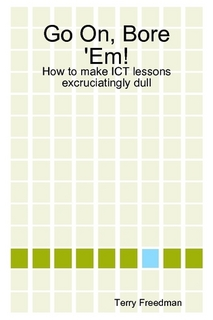
Yes, the title IS tongue-in-cheek!I've updated the e-book section of the ICT in Education website. It now includes the best-selling "Go on, bore e'm: how to make your ICT lessons excruciatingly dull", for the ridiculously low price of £1.99. It's available on Lulu too, where you can also buy a printed version for just £4.99.

Computers in Classrooms

Just in case you missed the most recent, incredibly stupendous, issue of this FREE resource (US President Richard Nixon was quoted as saying "A giant step for mankind", although he may have been referring to something else), here is what it contained:

News, views and prize draws

Information about the Amazing Web 2.0 Projects Book, two prize draws, a forthcoming e-book application for schools, free web resources and more.

Word Cloud Shoot-out

Believe it or not, Wordle isn't the only word cloud generator. Here we take an in-depth look at four such applications.

ICT- A Whole New World

Maddi is a 15 year old girl from Australia who loves ICT. Find out why.

The Importance of Mobile Phones in Education

Ethan, a 17 year-old student from England, admits that phones can be used for no good in the classroom; but the opposite is also true, as he explains.

Harnessed by Technology?

Peter Robinson strikes a slightly cynical -- but very well-informed -- tone about people's belief in the power of technology to transform.

Becta’s Leading Leaders Network: A Personal Journey

Headteacher Jeff Smith discusses his love of technology, leadership in an age of change, using technology well and wisely in school, how the Self-Review Framework helped his school transform itself in its use of ICT, and the value of the Leading Learners Network.

Interview with Melendy Lovett

I recently interviewed Melendy Lovett, President of Texas Instruments’ worldwide education technology business, about the state of STEM - Science, Technology, Engineering and Mathematics education.

Let Them Ask

Doug Woods considers how technology might be used to help youngsters ask questions.

31 Days to Become a Better Ed Tech Leader

The first two instalments of this series before it had been published! You can read the articles published so far in the series here.

If all that sounds good, join thousands of others by signing up now!



31 Days to Become a Better Ed Tech Leader -- Day 6: Find Quick Wins

A task a day for 31 daysIf you have been reading and carrying out, or at least thinking about, the tasks so far, you're now in a position to think about quick wins.

I said on Day 1 that the last thing you want to do is go in changing everything before you've had a chance to see what's going on. In fact, I read some advice for new Heads of Department to the effect that you should make no suggestions in senior management meetings until you've been in post for at least half a term. That may not be entirely feasible, but there's a grain of common sense there, and the same applies here. A major change, like getting rid of the computer labs altogether, may fly in the face of everything the school holds dear and has been working towards for years, in which case you'd have a hard time even getting the idea off the ground. Big changes need time and ground work.

But quick wins, as the term suggests, are different. They are small changes which you can bring about immediately, or almost immediately, but which have a profound effect. The key thing is that they are often incredibly simple. Here are some examples from my own experience:

Putting a printer in each computer lab

In the school I joined as Head of ICT, there were two and a half computer labs (one was really a Business Studies room), but only one really expensive printer, which was locked away in the server room. Indeed, it was so expensive that when it went wrong the call-out charge for a service engineer cost £60 (approximately $90) — and that was before they even did anything. And hardly anyone used it anyway, because it was locked away.

At that time, new inkjet printers cost around £70, so it made perfect economic sense to buy three of them and install one in each room. Suddenly, printing out your work was easy and natural instead of the dreadful hassle it had been. Bringing about this change took just a week, from placing the order to having the new printers up and running on the school network.

Changing the room-booking procedure

Another small change, which was big really, was changing the way the computer labs could be booked by non-ICT classes. It took me about an hour to change the procedure such that it would now take someone two or three minutes to book a room instead of an hour or more. I'll be saying more about what I did on another Day.

If you've just joined the school, or if you followed Doug Woods' advice, namely:

Try looking around your school as if you were a visitor and see what perception it gives.

you're in a great position to look at the situation with fresh eyes — a situation which most people have become so used to that they never question it.

Making small changes can have a big effect on what you might call 'the user experience'. The benefit usually far outweighs the effort involved. So now that you've carried out a SWOT analysis (Day 1), walked around the school (Day 4) and thought about what you'd do if you had bucketfuls of cash (Day 5), have a think about what you could change or put into place today or tomorrow that would make a huge difference to the way your colleagues, and the students, perceive and use educational technology in the school.

31 Days to Become a Better Ed Tech Leader -- Day 5: Draw Up a Wish List

A task a day for 31 daysLet's take a break from looking around — a break, mind you: we haven't finished yet — and do a spot of introspection and daydreaming. I've always thought it a good idea to draw up a wish list of stuff you'd like to see in the school as far as educational technology hardware and software is concerned.

I think this is an important thing to do for two reasons. One is that I think every good leader has dreams. Maybe your particular vision seems impossible right now, but it's important to dream about it nonetheless. Thinking of what could be has, I think, a subtle aspirational effect, and that rubs off onto others. Another is quite simply that if you suddenly find yourself with a windfall to spend on educational technology, or are asked to bid for some funding with very short notice, it's as well to have a sort of shopping list up your sleeve.

And I should say here that, whilst I like to think of myself as both a practical and pragmatic person, there is absolutely nothing wrong with daydreaming. Indeed, I think it is necessary. Where it all goes wrong is where someone has a dream, and does nothing whatsoever to bring it to reality. Dreaming is necessary, as I said; it is not sufficient.

Without a vision, how could you even start to draw up a wish list? A wish list should not be a ragbag of random items thrown together, but should reflect what you'd like learning and teaching with technology in your school to look like. That's the starting point: not "How many pocket camcorders would I like?", but "How can we help youngsters express themselves without having to speak it or write it?".

I suggest the following 'rules' for drawing up a wish list:

  • Base it on a vision for learning and teaching, as already mentioned.
  • Discuss it with colleagues and students. Perhaps your wish list could start as the 'seed funding' for an ideas bank. Why not set up a wiki for this?
  • Organise it into price bands. The reason for this is that I think it's good to have an instant answer to each of these questions, and all the ones in between: "How would you spend £100 if I gave it you now?"; "How would you spend £5m if I gave it to you now?" Sometimes you may find yourself in a situation in which you have to come up with an answer very quickly (in one case for me it was instantly) in order to acquire the money. Therefore it's a good idea to adopt the Boy Scouts' motto, Be Prepared.
  • Keep reading magazines, educational news, and blogs. You need to keep abreast of what's 'out there' in order to be able to include it in a wish list. I'll cover this in more detail at a later date. But it's another reason to make sure others may contribute to your wish list, since they may know things that you don't.

Above all, keep your wish list up-to-date. Is a new dot matrix printer really the pinacle of your aspirations?

31 Days to Become a Better Ed Tech Leader -- Day 4: Get Out and About

A task a day for 31 daysA really useful thing to do is to get out of your own learning area and walk around the school. It's hard to find the time to do, because you're either teaching a full timetable or you need to use your non-teaching periods for lesson preparation and marking and so on. But if you can arrange it you will almost certainly find it quite enlightening.

The point of the exercise is to quickly get an idea of how embedded is the use of educational technology in the curriculum. Checklists and surveys often tell you what people would like to see happening, but not necessarily what IS happening. Walking around the school can give you a rough and ready idea. It's not scientific, but it may help you to pinpoint areas to focus on — either because they seem especially strong, or particularly weak.

Things to look out for include:

  • What is the signage like on the display boards in the different parts of the school?
  • Are there photos up of kids using technology?
  • How many lessons are actually using technology, or at least include some children using it, as you walk around?

One thing you need to try and avoid is walking around the school at the same time every week, because it stands to reason that you're likely to keep seeing, or not seeing, the same thing. So a variation of this is to ask members of your team to do this as well. If they don't have time, then keeping their eyes open on the way to and from the staffroom and when they're walking around the school anyway can be very useful.

And as you walk around, think to yourself: does this feel like a school which has technology at its heart? Remember: it's the general impression, not the nitty-gritty detail, that you're supposed to be aware of.

31 Days to Become a Better Ed Tech Leader -- Day 3: Find a Non-Specialist Geek

A task a day for 31 daysEconomists have a concept called 'Comparative Advantage', which runs like this. Suppose I'm really good at painting, but lousy at plastering, and you're a wizard at plastering but don't know one end of a paintbrush from the other. It doesn't take too much mental effort to work out that you and I should come to an arrangement: I'll do your painting if you do my plastering.

So far, so obvious. But here's the surprise: it turns out that even if I'm better than you at both painting and plastering it could still be worthwhile us coming to exactly the same sort of arrangement. It all depends on one thing: are you relatively, ie comparatively, better at one of the skills than I am, and vice-versa? If so, it makes sense for each of us to focus on our strengths.

So what does all this have to do with being an ed tech leader? Quite simply that even if you're the acknowledged ICT expert in the school, there may still be colleagues who could teach some aspects of ICT much better than you can for the same amount of effort.

For example, I know a Teaching Assistant who is an artist and poet, and a visual thinker. The consequence of this is that he will often think about using animation, video, or photo story-telling techniques to get the point across. If I worked in the same school as him, it would make perfect sense to try and arrange for him to work in the ed tech lessons teaching the kids all about using those approaches. Even if that were not feasible, at the very least I would try and cajole him into running a training session for staff, or even only my team, so that we could start using those techniques effectively too. I could do all this myself, but even if I know more about all this than he does (which I'm sure is not the case anyway), in the time it takes me to prepare one animation lesson and all the resources I need, I could have prepared two or three lessons centred on spreadsheets. Using this fellow would be a much better use of resources.

When I was Head of ICT, there was a science teacher in the school who knew a database I'd just purchased inside out. I knew it well too, but I asked her if she'd be good enough to run a training session for my team and me. It seemed to me that, having used it for longer than I had, and having used it with students in the classroom, she'd be much better than me at pointing out pitfalls, workarounds, extra resources and so on. I was right.

So this is what I mean by 'non-specialist geek': someone who isn't a specialist in educational technology as such, but has an in-depth knowledge of one particular field that has a place in the ICT curriculum.

There are lots of examples once you start looking and listening. They may even be in your own team. Perhaps one of them has been delving into their family history, which makes them a geek of sorts on research and databases. Maybe one of them works as a DJ at weekends, in which case they know about compiling playlists and mixing sounds.

Who do you know in your team, or in the school as a whole, who has expertise in one particular niche of educational technology? Who has such a passion for it that they can make it come alive in a way that you cannot?

Once you've identified such people, it probably won't take too much effort persuading them to talk about something they're passionate about, but you have to think of practical issues, like:

  • Are they able to help out in your lessons, ie does the timetable permit it?
  • If they do help out, can you negotiate a quid pro quo with whoever arranges cover for absent staff, eg that they're not called on to cover for those lessons?
  • If they give up an hour after school to run some training for your team, what can you offer in return? Training their team in some other aspect of educational technology perhaps?

Whatever arrangement you come to, even if they don't actually want anything in return, I think it's important to send an email to their own team leader saying what a great help they've been, and thanking him or her for allowing it to go ahead. Thanking someone is both good manners and costless, and by doing it in writing you ensure that the fact that they helped out isn't lost in the fullness of time.

31 Days to Become a Better Ed Tech Leader -- Day 2: Delegate a Unit of Work

A task a day for 31 daysDesigning units of work is quite a labour-intensive task. Even if you’re using a set of ready-made units, you will probably still want to customise them  for your school or class. One way of reducing the burden on yourself, and at the same time injecting fresh ideas into your lessons, is to ask others to take responsibility for one or more units.

This is much easier to do, of course, if you lead a team of people than if you’re co-ordinating the efforts of people who are not answerable to you. Even there, however, you can often find a colleague who is mad keen on one particular aspect of educational technology, and who would not require too much persuasion to take on such a task.

For example, is there a teacher who enjoys making videos? Is there one who enjoys geocaching? Does another colleague love graphic design?

It’s crucial to delegate the responsibility, not merely the task. Nobody would thank you for being asked to be a glorified work experience assistant! It entails setting the main objectives, to ensure that overall the curriculum or scheme of work is being fully covered, and then leaving everything to them. And I mean everything:

  • The lessons
  • The lesson materials
  • Preparing resources on the school’s VLE
  • Booking computer equipment as required
  • Organising permission slips if a school visit will be involved
  • Running training sessions with the rest of the team.

You may find, as I did when I tried this out, that some colleagues are a little under-confident. In that case, by all means provide them with the lifeline of being able to have meetings with you to discuss their ideas and any practical matters arising.

The result, as I can testify, is a set of teaching units which contain ideas you’d never have thought of, devised by colleagues who feel a great deal of ownership of, and pride in, the scheme of work. Crucially, engaged and enthusiastic teachers generate engagement and enthusiasm in their students, making it more likely that they will make progress.

Poster Session at the Virtual Language and Technology 2010 Conference

I was delighted to receive an invitation from the great Shelly Terrell to submit something for this virtual conference's exhibition. I submitted my book, Go On, Bore 'Em: How To Make Your ICT Lessons Excruciatingly Dull.

Shelly then emailed me to say:

This is the first poster exhibit we have set-up for the conference. Many of you may not be in Second Life so we have a video we took of the presentation so you can see what your poster looks like and how participants can interact with it. We also e-mailed this video to all our 600 participants and put it on Twitter to spread this to a wider audience. Here is the link to the Youtube Video http://www.youtube.com/watch?v=zfYNOVbuCfk

If you are on Second Life, then you can visit your poster at this SLURL: http://maps.secondlife.com/secondlife/AVALON%20Learning/128/79/36

The poster presentations will be up till Saturday 6am GMT. 

We really hope you will consider submitting a poster to our October 2010 Virtual Round Table Conference!

What impressed me about the video is how Shelly has taken the time to introduce all of the exhibits, and to say something about each of them. The only fly in the ointment is that the volume seems to be very low for most of video.

Anyway, here it is. Do take the time to explore the Round Table link as well.

31 Days to Become a Better Ed Tech Leader -- Day 1: Carry Out a SWOT Analysis

A task a day for 31 daysWelcome to the 31 Days series. The aim of it is to provide challenges to help you become an even better educational technology leader than you already are. If you have only just found about the series, I suggest you read this article first.

In case you have already read this article through the preview sent to Computers in Classrooms subscribers, I've added more at the end.

Businesses do this all the time. The acronym ‘SWOT’ stands for Strengths, Weaknesses, Opportunities, Threats, and carrying out this kind of analysis is a good way to start looking at your circumstances in an honest and holistic way.

You can carry it out in a back-of-an-envelope kind of way, on your own, or use it in a team meeting. The advantage of the former is that you can very quickly generate ideas about what needs to be done, or at least what needs to be discussed.

In the illustration below, for example, you could take all of these points and turn them into an agenda of issues to discuss with your team.
Example of a SWOT analysis
The advantage of the latter approach as a starting point is that you get everyone else’s ideas too. If you’ve just joined the school as the ICT leader, the last thing you want to do really is go in like a bull in a china shop changing everything based on what could turn out to be mistaken assumptions.

This exercise is a good way of getting the lowdown on the situation, or at least your colleagues’ opinion of what the situation is, before devising a plan of action.

Variations on the theme

The whole point of carrying out a SWOT analysis is to get the big picture of the ICT provision in your school very quickly. Checklists have their place, because they help to ensure that you cover everything, but this kind of broad brush approach can lead to people identifying issues that they would probably never think of even putting on the checklist in the first place.

But you don't have to use the standard SWOT table as exemplified above. You could, for example, take the approach used to do assessment in many primary schools: three stars and a wish. So, you ask each of your colleagues to come up with three things they think are really good about the ICT in your school, and one thing they wish was in place.

An alternative is to ask them to suggest three things that are really good, two things which could be improved and one thing they'd really like to have.

Yet another variation, if you don't have a team as such or are feeling fairly brave, is to set up a survey for staff at the school (pupils too if you like, but I'll be dealing with them separately in this series). There are two problems with asking staff for their opinion:

The first is that it can become a bit depressing if people start throwing all their ICT-related problems at you in one fell swoop! However, this is an excellent exercise to carry out if you have only been at the school five minutes, because nobody could reasonably blame you for all that's perceived as being wrong.

Secondly, you would need to handle your request very carefully, not just because everyone is busy, but because it's easy to raise false expectations. Some things simply cannot be changed overnight, but not everyone understands that.

Of course, if few people are using technology in their lessons, or do so only sporadically, you will need to ask your colleagues for their opinions in order to find out why.

Getting back to the SWOT analysis carried out only within your team, there are variations in the way you go about it. For example, you might ask each person to carry out a back of the envelope exercise before coming to the next team meeting, so that you can all compare notes in the meeting itself. This saves time in the meeting, but does require you to ask busy colleagues to do yet one more thing.

Once at the meeting you could organise a 'snowball' activity, whereby colleagues go off in pairs and agree the list of strengths etc. Then the pairs get together and agree the list as a foursome. This approach is an effective way of getting to the key issues if you lead a fairly large team (four or more), or if you were doing it as a whole staff exercise.

An alternative approach is to ask one member of the team to come up with a list of three or four strengths, another to focus on the weaknesses, and so on.

Next steps

Once the issues have been teased out through the SWOT analysis, priorities for action will need to be established, followed by courses of action to be carried out by each person, and by when. In other words, the SWOT analysis helps to guide the team's future activity. The nice thing about working that out in this sort of way is that each member of the team will have had a say in the matter.

If you have any views about this idea, or can suggest a different way of obtaining a similar result, please leave a comment.

31 Days to Become a Better Ed Tech Leader: Information

A task a day for 31 daysThe first part of this series will be published at 8am this morning. The whole point of it is to suggest ideas, so have a notepad and pen ready (remember those?) and a mug of tea or coffee.

The things I'll be suggesting have worked, they're not just theories I came up with whilst lying in the bath. However, they may not all work for you in your particular circumstances. So be creative! Use the ideas as a starting point for your own thinking. I promise I won't be checking up on you!

I'd be interested to learn how you find the series, and how you've adapted some of the ideas.

New Computers in Classrooms Edition Published

Read all about it!News, views and prize draws

Information about the Amazing Web 2.0 Projects Book, two prize draws, a forthcoming ebook application for schools, free web resources and more.

Word Cloud Shoot-out

Believe it or not, Wordle isn't the only word cloud generator. Here we take an in-depth look at four such applications.

ICT- A Whole New World

Maddi is a 15 year old girl from Australia who loves ICT. Find out why.

The Importance of Mobile Phones in Education

Ethan, a 17 year-old student from England, admits that phones can be used for no good in the classroom; but the opposite is also true, as he explains.

Harnessed by Technology?

Peter Robinson strikes a slightly cynical -- but very well-informed -- tone about people's belief in the power of technology to transform.

Becta’s Leading Leaders Network: A Personal Journey

Headteacher Jeff Smith discusses his love of technology, leadership in an age of change, using technology well and wisely in school, how the Self-Review Framework helped his school transform itself in its use of ICT, and the value of the Leading Learners Network.

Interview with Melendy Lovett

I recently interviewed Melendy Lovett, President of Texas Instruments’ worldwide education technology business, about the state of STEM – Science, Technology, Engineering and Mathematics education.

Let Them Ask

Doug Woods considers how technology might be used to help youngsters ask questions.

31 Days to Become a Better Ed Tech Leader

Read the first two instalments of this forthcoming series!
The Computers in Classrooms newsletter is free! Sign up here.

Amazing News About the Amazing Web 2.0 Projects Book

I thought you might be interested in some news about the Amazing Web 2.0 Projects Book.

As of 5 minutes ago, it had been downloaded at least 11,928 times since the 14th March.

I’ve received and read some great comments about the book. You can view them here:

http://www.ictineducation.org/free-stuff/

If you can spare three minutes, please give me some feedback via a poll I’ve set up:

http://www.terry-freedman.org.uk/cgi-script/csPoller/csPoller.cgi?cid=1&t=1&pid=70

(This is the link behind the 'Take our poll' text over on the right-hand side.)

It consists of just three questions, so won’t take you long! Thanks.

If you like, place a link to the poll from your own website or, even better, embed the poll using this code:

<span id="poll_70_1_v">

<script src="http://www.terry-freedman.org.uk/cgi-script/csPoller/csPoller.cgi?cid=1&t=1&pid=70&js=1">

</script>

</span>

All you do is go into the HTML view of your blog post or web page, and put that code within the Body section, ie between the tags <body></body>. You should see the questions as they appear on the link above once you have done that. Once someone has voted, they will be able to see the results of the poll so far.

As the poll is actually hosted on my site, it won’t use up valuable real estate on yours.

New developments

I’m going to be announcing some exciting developments in relation to the book, and the contributors to it and the subscribers to my newsletter, Computers in Classrooms, will be the first to know about them. Here is one for starters:

I’ve set up two methods whereby you can embed the book on your own website or blog if you want to.

Firstly, there is a SlideShare option.  The links are live, ie you can click on them and they work. Also, the subject-project  list near the beginning of the book now contains hyperlinks to the projects cited. You’ll see the embed code near the top right-hand side of the screen.

Secondly, I have created a Myebook version. To obtain the embed code, you will need to open the book and then click on the Info tab. The advantage of this over the SlideShare version is that it looks and sounds like a real book, and you can zoom in to read it more clearly. Also, you can grab parts of the screen and email it to a friend. Unfortunately, though, the links don’t work, simply because I don’t have time to create them all manually – I’m waiting for the automated version of the book builder to do that for me!

Here's what it looks like:


Thanks again for contributing to this ebook, and for spreading the word about it. Judging from the number of downloads and the comments written about it, I think a lot of people have found it very useful so far.


31 Days to Become a Better Ed Tech Leader

How do you get to be a better educational technology leader in a school? Lots of reading, obviously. Plenty of networking, both online and offline. Getting to conferences, again both online and offline. But where do you go for a more structured approach, that you can do in your own time and at your own pace?

A task a day for 31 daysI don’t know the answer to that question, so I thought I’d start my own ‘course’ – actually just a series of blog posts for the next 31 days. Inspired by such luminaries as Darren Rowse, Steve Dembo and Shelly Terrell, the 31 Days series sets a new task every day. Taken as a whole, these challenges should help you do an even better job than you’re doing already. So it should prove useful even for old hands, as well as folk who have just taken on a new job as ICT or Technology leader or co-ordinator.

What was that about a daily task? Don’t worry: I know everyone is busy. Therefore, the task I’ve set for each day shouldn’t take more than 15 minutes to consider and start the initial steps. I’m not suggesting that each task will only take 15 minutes in total; rather, I am asking you to set aside 15 minutes a day to look at the tasks, maybe jot down some notes about it, perhaps talk to colleagues about it. In other words, each task is a sort of jump-starter to get some different ideas flowing.

The new series will start on Friday, but you can read the first two instalments later today if you’re a subscriber to Computers in Classrooms, the free newsletter.  You can sign up using the form on the newsletter page.

8 Point Room Check

Use a checklist to help keep the facilities in tip-top conditionHere's a checklist you can use to help keep a computer suite in tip-top condition. Make sure the students know you will be checking as well.

Room number ____

  • Are all the computers working?

  • Are all the printers working?

  • Do the printers have paper in them?

  • Have discarded print-outs been cleared away?

  • Are all the mice working?

  • Are all the monitors working?

  • Is the network working?

  • Is there a student User ID list handy in case someone forgets their details?

This article was originally published on 14th October 2006.