
One of the things you have to acknowledge, whether you like it or not, is that to some extent people do judge by appearances. So, how does your Computing provision appear to others?
There is a potential paradox, of course. Looked at from one perspective, if you have the time to spruce up the way things look, you can’t be that busy. It’s like the old conundrum: there are two hairdressers in a village, one whose hair is immaculate, the other whose hair looks like an unmade bed. Which one do you go to to have your hair done? The knee-jerk answer is the well-groomed one. But a moment’s thought will tell you that she must be getting her hair done by the other one!
Also, one of the laws in Parkinson’s Law is that if a business has its reception area spruced up, it’s a sign that things are not going too well. After all, a thriving enterprise will not have the time to worry about appearances too much. Perhaps this is a little too cynical, but I do think there’s some truth in it. There’s a reason why there’s a saying, mainly in the nort of England where people don’t mince their words, “all fur coat and no knickers”.
Nevertheless, appearances do count, and so here are a few points you might like to consider, because they could exert a subtle influence on whether students choose your option and whether colleagues avail themselves of the educational technology facilities.
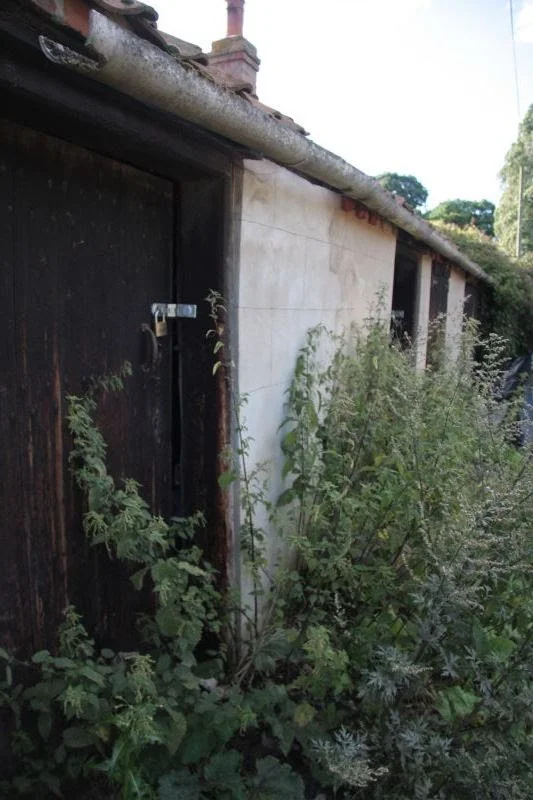
shack, by Terry Freedman. Is your part of the school showing similar signs of neglect?
Take a leaf out of the business book, and have an identifiable image. When I was in charge of ICT and Computing in schools I used to create, or have printed, departmental stationery. I ran a competition for the youngsters to design our logo and letterhead, and that was used on any letters or memos sent to colleagues.
In one school I worked in around 30 years ago I also asked the reprographics department to design a business card and print a set for me, for when I attended conferences. It had the school name and crest on, as well as my name, position and direct contact details. It was so impressive that the Headteacher followed suit and ordered a set for himself!
Make sure that keyboards and monitors and laptops and other equipment are kept in good conditioon. There is very little that is more off-putting than a filthy-looking keyboard or a touchscreen besmirched with grubby fingerprints.
Make sure noticeboards and other display areas look nice, taking care to remove torn posters or old work (ie anything older than a couple of weeks at the most).
Make sure they are branded too, with some such heading as “Computing Corner”.
Make sure notices are spell-checked properly. A head of ICT in a primary (elementary) school got pretty annoyed with me when I pointed out that his brilliantly attracxtive poster contained a spelling error. But I think it’s important to get the so-called small details righht. Especially when there’s no excuse for it. I mean, he had used a wordprocessing program to create the poster for heaven’s sake!
Check links on your area of the school’s website, because broken links may appear to connote a lack of care and attention.
I don’t think any of this needs to take loads of time, if you and your colleagues – and pupils and students – do it as a matter of course, a little bit each day.
Related article
If you found this article useful, click on one of the tags listed in order to find other articles on a similar theme.