
So, you're in charge of Computing, ICT or Education Technology in your school, and you've got some equipment that works, but can no longer do everything you'd like it to be able to. What can you do with it? Here are some suggestions.
Keep on using it till it falls apart
This is the default position for a lot of people. If there's no possibility of being given money to replace it, then you really have no choice.
However, this is not ideal, simply because to the uninitiated all computers are the same. That means you're unlikely to be given further funding if it doesn't look like you really need it.
There's also the economic factor. That is to say, there comes a point where it is no longer cost-effective to repair something rather than replace it. The terminology employed to describe this situation is "beyond economic repair".
Apart from the 'economic repair' argument something may be functional, but not functional enough. Perhaps the software can no longer be updated, or perhaps the operating system will not allow the operation of newer applications.
There may also be a security risk if the company providing the operating system or some other software is no longer releasing patches and updates to keep it risk-free.
For any or all of these reasons, keeping the equipment yourself, especially on a network, may not be a viable option. Fortunately, there are alternative avenues to go down.
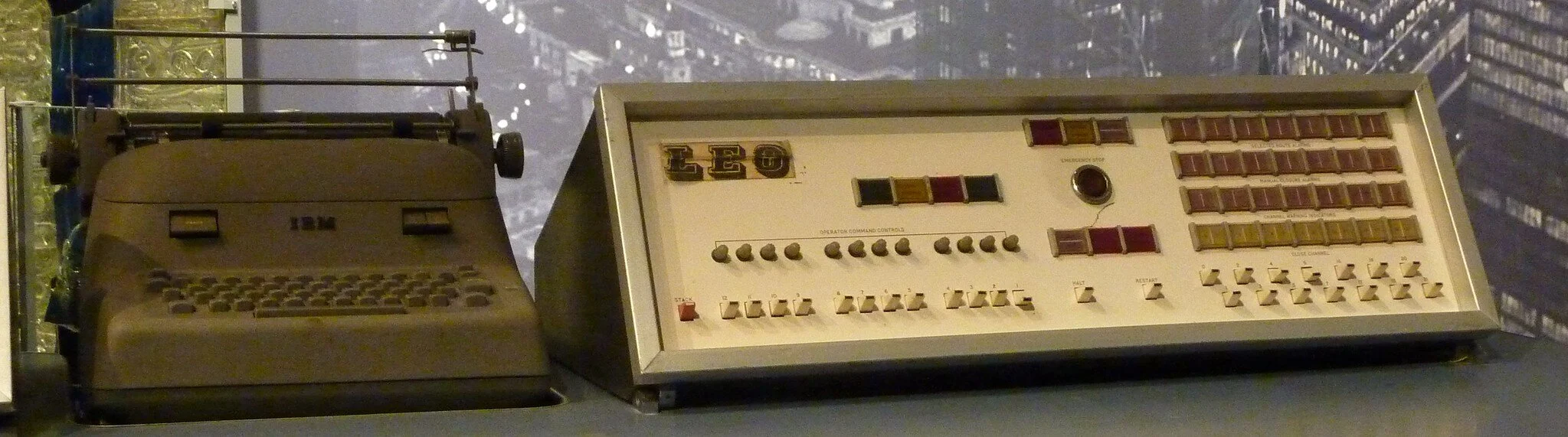
Start a mini history museum
If you have equipment that is too old to be of much use, consider devoting an area of your classrooms to displaying it. In my experience students find it quite interesting. But you need to label it, and talk about it from time to time - otheriwse it will be in danger of being considered a pile of junk.
Give it away to colleagues, or yourself, for personal use
I include this for the sake of completeness, but you need to exercise caution. Giving away equipment without going through a proper process looks to an auditor like theft. You would need to find out what is the procedure in your school for having equipment written off. If your school has a bursar, that is the person to consult. It may be that you will have to sell it for a nominal sum. Whatever the case, my advice is to seek advice before just giving stuff away, especially if you're the happy recipient!
Give it to other specialist areas of the school
There's a lot of scope to do this, and it's something I've done many times. Bear in mind that the equipment you control is used for many tasks, by many people. Just because it can no longer do everything, doesn't mean it can no longer do anything.
For example, I used an old computer to play music CDs while the kids worked, and for doing research on DVDs.
A computer I gave to the art department was used by them to do word processing.
Computers I gave to the special educational needs (SEN) department was used by them to run specialist SEN software.
Set it up for media presentations
When I was Head of Computing in one school there was an old Windows computer that had become too slow for students or staff to use for their work. However, it was great to use for self-running PowerPoint presentations on parents’ IT briefing evenings.
Start or expand a staff-only IT room
If there is a spare room in the school you may wish to ask if you can turn it into a staff-only computer room. I know that computer labs are deemed by many as old-fashioned, but in my experience teachers appreciate having somewhere to work without having to keep an eye on what kids are doing.
If you have computers or laptops that can handle simple tasks like word processing and watching YouTube etc, but are no longer able to meet the demands of the curriculum, then they can still be put to good use for teachers' use only.
Start or expand a senior student IT room
As above, but for students who don't have to be supervised. For example, if you work in a school that still has a sixth form (16 to 18 year olds) and a sixth form common room, perhaps you could put half a dozen computers in it for the students' use.
Incidentally, a happy side effect of creating or expanding staff-only or student-only IT rooms is that their existence reduces the demand for the mainstream rooms and equipment.
Place computers in study corridors
I've seen some schools make really good use of space in wide corridors. Obviously, you don't want to create a fire hazard, and you won't want to use a corridor that hardly anybody uses and which is therefore more vulnerable to theft. But a few computers in a corridor between two or three classrooms can be used as an overspill area.
Give the equipment to local schools
I've seen some cases where secondary schools have donated equipment to their feeder primary schools. That might be a possibility for you too.
Give the equipment to schools overseas
There are organisations that can arrange this for you.
Throw the equipment away
This is my least favourite option, but if there is no alternative, check the rules and regulations where you live to make sure that you dispose of the equipment in the proper, environmentally friendly manner.
A cautionary note
If you decide to give the equipment away, including to a different part of the school, consider the following:
The equipment will still be listed in your records, unless you make sure that it isn't. You need to think about this from an auditor's point of view. If someone comes along to check whether the equipment in your records is matched by the equipment they can see, you don't want there to be any unexplained discrepancy. So find out what the correct procedure is for writing equipment off, or transferring it to somewhere else.
If you give the equipment away, especially to a different school, or throw it away, consider what personal data there may be on the hard drive. Ideally, there won't be any, but if there is then get rid of it. The ideal way to do so would be to destroy the hard drive, but then the equipment wouldn't be of much use to your colleagues unless it can be used on the school network only. There are programs available that will delete data, but I don't know how effective they are.
Lightweight servers
Old computers might be useful for a dedicated role such as use as file servers, print servers, or network-attached storage, either around the school or in the school library.
Thin clients
Similarly, old PCs can function as thin clients for shared computing in labs, with suitable software installed.
Parts harvesting
Even if an old computer is not fit for purpose as a computer. it might still be useful for spare parts. For instance, RAM, drives, cables) for repairs or upgrades in newer machines.
Finally...
My implicit assumption throughout this article has been that the equipment in question is a computer of some sort, ie something that can be typed on and watched. However, there are other things that can be put to further use even after they're not good enough for you.
For example, an old scanner that does nothing but scan may still be useful somewhere else in the school. Ditto a printer that only prints.
Is there anything I've left out of the list above?
